
Computer vision is the branch of artificial intelligence that lets machines interpret digital images and video. Trained on large collections of pictures, models learn to recognize objects, people, text, and patterns — then act on what they see. It already works quietly behind face unlock, photo search, driver-assistance systems, and medical scans.
Key Takeaways
- Computer vision gives machines the ability to turn images and video into understanding and decisions.
- It powers face unlock, autonomous vehicles, medical imaging, retail checkout, factory inspection, and security cameras.
- Modern systems learn from large collections of labeled images, mostly using deep learning.
- Lighting, unusual angles, biased training data, and privacy concerns remain real limits — a human check still matters.
How Does Computer Vision Work?
Every digital image is a grid of pixels — numbers describing color and brightness. Computer vision systems learn to spot patterns in those numbers. Early systems relied on hand-written rules, but today’s artificial intelligence approaches use deep learning: models called convolutional neural networks study millions of labeled images and gradually learn which patterns mean “cat,” “stop sign,” or “tumor.”
Once trained, a vision model performs a few core jobs. Image classification answers “what is in this picture?” Object detection goes further, drawing boxes around each thing it finds and naming it. Image segmentation outlines objects precisely, pixel by pixel — useful when a robot needs to know exactly where an object ends. Optical character recognition (OCR) reads text inside images, which is why your phone can copy words from a photo. For a broader overview of the field, see IBM’s guide to what computer vision is and how it is used.
These skills all build on machine learning and deep learning: the more varied the training images, the better the model usually handles the real world. But training data also shapes mistakes — a model mostly shown one kind of scene may stumble on anything different.
Where Is Computer Vision Used Today?
Cars, Roads, and Transportation
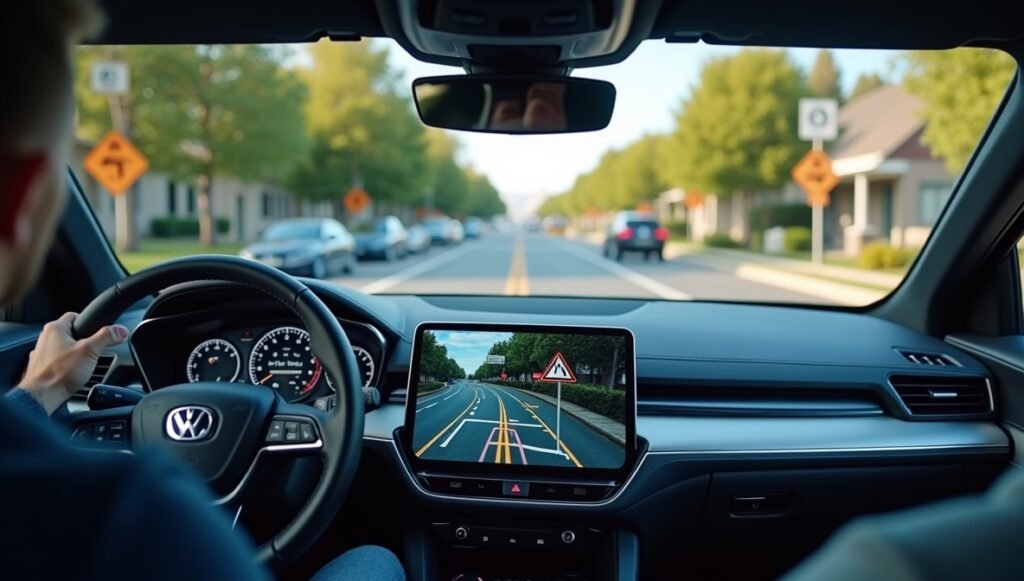
Driver-assistance features are one of the most visible uses. Cameras watch lane markings, traffic signs, pedestrians, and other vehicles, then warn the driver or brake automatically when danger appears. Traffic-management cameras count vehicles, read license plates, and spot incidents on busy roads. The same technology underpins research into fully autonomous vehicles, where cameras, radar, and other sensors must build a live picture of a constantly changing street.

Healthcare and Medical Imaging
Hospitals use computer vision to help specialists read the enormous volume of scans they handle. Models flag suspicious areas in X-rays, mammograms, and MRI images, sort urgent cases to the top of the worklist, and measure changes between visits. Pathologists use it to examine tissue slides, and eye clinics screen for conditions such as diabetic retinopathy with camera-based exams. These tools act as a second set of eyes — the clinician still makes the diagnosis and decides what happens next.
Shops, Factories, and Farms
In retail, cameras help self-checkout systems recognize products, monitor shelves for gaps, and reduce losses at the till. Factories use vision systems to inspect products far faster and more consistently than a person could: spotting scratches, misaligned parts, or missing labels on a fast-moving line. On farms, drones and fixed cameras monitor crop health, count plants, and guide equipment — jobs that once meant walking every row by hand.
Security and Surveillance
Modern security cameras do more than record. Computer vision lets them flag unusual movement, track objects across frames, and alert staff only when something genuinely needs attention, cutting through hours of uneventful footage. Some buildings use face matching for access control. Because these systems watch people, they raise real privacy questions — where cameras point, how long footage is kept, and who can view it all deserve clear policies.

What Are the Limits and Challenges of Computer Vision?
Computer vision is impressive, but it is not close to human sight. Poor lighting, glare, unusual angles, and partly hidden objects can all cause mistakes. A model may confidently mislabel something it has rarely seen — which is why safety-critical uses keep humans in charge. Training data can also carry bias: a system trained mostly on one group of people may perform less reliably for others. And the hunger for data cuts both ways — gathering and labeling millions of images takes enormous effort, and collecting images of people raises privacy concerns that organizations must handle carefully. For background reading, the encyclopedia entry on computer vision traces how the field developed and where it is heading.
Frequently Asked Questions
What is the difference between computer vision and image processing?
Image processing changes images — resizing, sharpening, or filtering them. Computer vision goes a step further: it tries to understand what the image shows, identifying objects, people, or text and acting on that understanding.
How is computer vision already in my smartphone?
Face unlock maps your face to verify it is you. The camera app recognizes scenes and faces to focus and adjust settings. Photo apps let you search your library for “dog” or “beach” because vision models tag what each picture contains.
Can computer vision read text from images?
Yes — that job is called optical character recognition, or OCR. It powers document scanning apps, license-plate readers, and the “copy text from photo” feature on modern phones. Accuracy is best on clear, well-lit text.
Is computer vision the same as facial recognition?
No. Facial recognition is one application of computer vision, focused on identifying people by their faces. Computer vision also covers object detection, medical imaging, quality inspection, and many tasks that have nothing to do with faces.
Will computer vision replace human inspectors?
In many settings it works alongside them rather than replacing them. Vision systems handle the fast, repetitive checking, while people deal with edge cases, make final calls, and stay accountable for decisions — especially where safety or fairness is at stake.
Conclusion: A Practical Next Step
Computer vision quietly shapes daily life, from the camera that unlocks your phone to the systems that keep roads and factories running. A practical next step: open your phone’s photo app and search for an object, a place, or a person — then notice what it finds and what it misses. That quick experiment shows both the power and the limits of machines that see, and it is the right mindset for evaluating any computer vision tool you meet next.