
A digital photo frame is a small screen in a picture-frame case that shows your photos in a slideshow, instead of holding one printed picture. It stores image files in its own memory or on a card, reads them one by one, and displays each for a few seconds or minutes. Many newer frames also connect to Wi-Fi, so family members can send new photos to the frame from a phone app, wherever they are.
Key Takeaways
- A digital photo frame is a small display, a processor, and storage in a frame case.
- Photos can be loaded by USB, memory card, or Wi-Fi, depending on the model.
- Wi-Fi frames receive new photos through an app and a paired frame code.
- Screen size, resolution, and aspect ratio decide how sharp and how cropped your photos look.
- Privacy matters: only share a frame code with people you trust, and check who can send photos.
What is inside a digital photo frame?
Strip away the wooden or plastic surround and a digital frame is surprisingly simple. At its heart is an LCD or IPS screen, much like a small tablet display, with a backlight that makes the picture bright enough to see from across a room. Behind that sits a small processor and just enough memory to run the slideshow software, plus storage for the photos themselves.
Some frames have only a few gigabytes of built-in storage, while others rely mainly on a USB stick or an SD card. Either way, the processor reads a photo file, decodes it, and scales it to fit the screen. That scaling step matters, because a phone photo is usually a different shape from the frame. Most frames can either crop the edges, fit the whole photo with a border, or fill the screen and lose a little at the top and bottom. Checking that setting before you load hundreds of photos will save a lot of fiddling later.
How do photos get onto a Wi-Fi frame?
Older frames were simple: you copied photos onto a card or a USB stick, plugged it in, and the slideshow started. That still works well, and it suits a frame that will sit in one place with a fixed set of pictures.
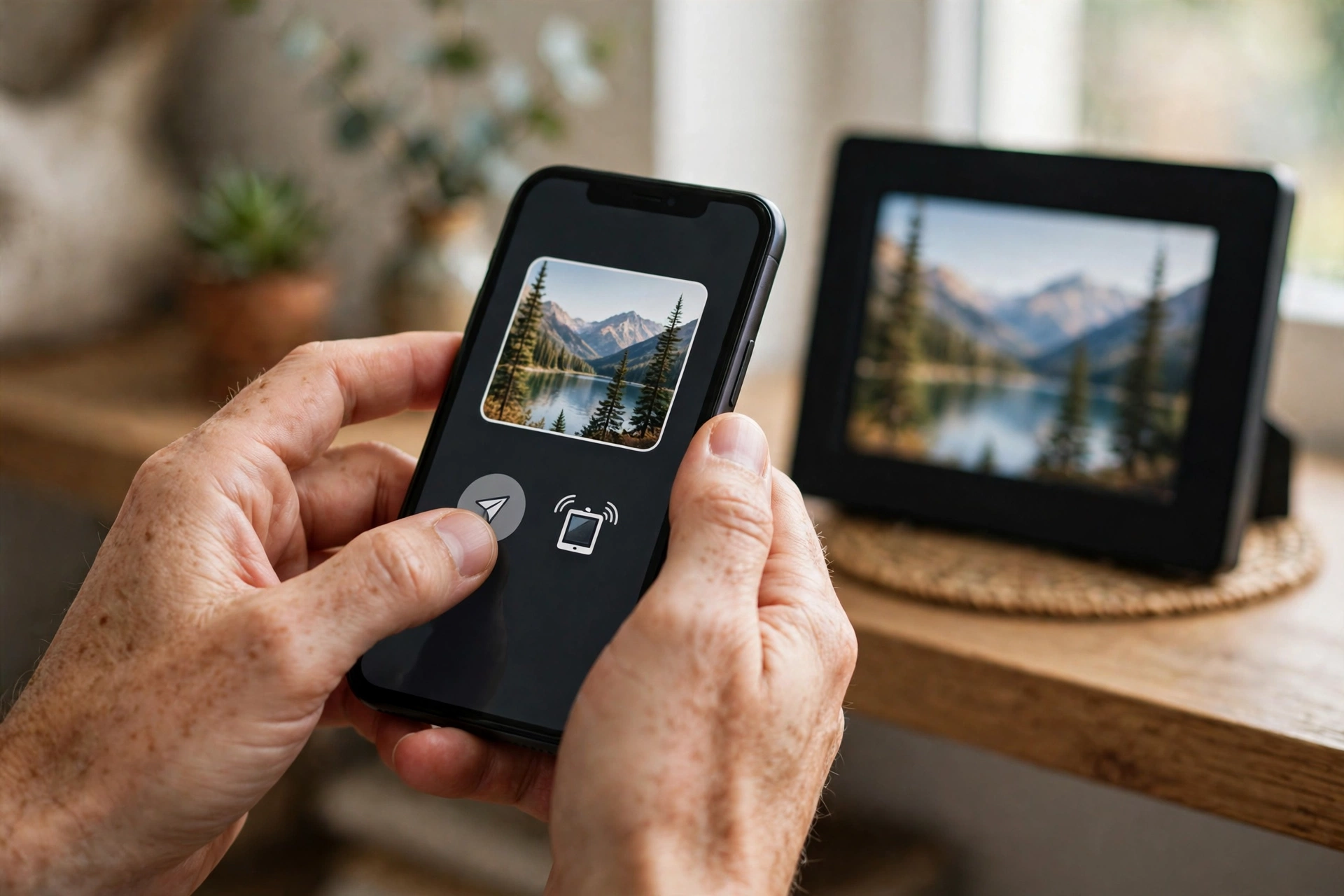
Wi-Fi frames add a second route. During setup, you connect the frame to your home Wi-Fi and link it to a companion app, usually by entering a code shown on the frame or scanning a code with your phone. Once paired, anyone with the app and the frame’s code can send photos to it. The photo travels over the internet to the maker’s servers, then down to the frame, which downloads it and adds it to the slideshow. That is why a relative in another city can send a birthday photo and see it appear in your living room minutes later, without posting a memory card.
This convenience comes with a trade-off worth knowing. Because photos pass through the maker’s service, you should read its privacy policy, use a strong password, and only share the frame code with people you trust. If a frame offers a guest or approval mode, where new senders must be approved first, turn it on. It stops a mistyped code from filling a grandparent’s frame with someone else’s pictures.
What should you look for in a screen?
Screen quality is where cheap frames show their limits. Resolution is the headline number: a 1024 by 600 screen will look soft on a larger frame, while a 1280 by 800 or 1920 by 1080 screen will look crisper, especially for close-up portraits. Size matters too, but not on its own — a 10-inch frame with a good panel often looks better than a larger frame with a washed-out one.
Aspect ratio is the quiet detail that catches people out. Many frames are 16:10 or 4:3, while phone photos are often 4:3 or 3:2, and some are tall portrait shots. A frame that matches your usual photo shape will crop less. If you mostly take landscape photos, a landscape frame makes sense; if you want it on a narrow shelf, a portrait frame may fit better. Viewing angle also matters in a living room: an IPS panel usually stays clear when seen from the side, while a cheaper panel can look faded from an angle.
Brightness and reflections are practical, too. A frame near a sunny window needs a brighter screen, or it will look washed out by midday. A matte screen helps with glare, though most frames use a glossy panel, so placing it away from direct sunlight is often the simplest fix.
How do slideshows, storage, and power work?
Once photos are loaded, the frame cycles through them on a timer you can usually set, from a few seconds to several minutes per photo. Many frames let you shuffle the order, set a start and end time so the screen sleeps at night, and adjust brightness automatically with a light sensor. Those small settings make a frame feel like part of the room rather than a glowing screen that never switches off.
Storage is simpler than it sounds. A few thousand ordinary phone photos will fit in a few gigabytes, so built-in storage is often enough for a family slideshow. If you want to keep a huge archive on the frame, a card or USB stick is the easier route, and you can swap it when you want a fresh set. Just remember that a frame is not a backup: keep your original photos on your phone or in a proper backup as well, because a frame can fail or be reset.
Power is usually mains electricity, not a battery. Most frames plug into a wall socket and stay on during the day, which is why the sleep timer matters for both comfort and electricity use. A small number of battery-powered frames exist, but they tend to be smaller and need regular recharging, so they suit occasional use rather than an all-day display.

Who are digital frames best for, and what are the limits?
Digital frames shine as gifts, especially for relatives who are not keen on phones or social media. A grandparent can enjoy new photos of grandchildren without learning a new app, and family members can keep the frame fresh from afar. They also work well in hallways, kitchens, and offices, where a rotating set of photos feels more alive than a single print.
They do have limits. A frame will not match a good television or a printed photo for colour accuracy, and very dark or very bright photos can look flatter on a small screen. Video support varies: some frames play short clips with sound, others show only stills, and some will skip video files altogether. If video matters to you, check that feature before buying, rather than assuming it works. And if your home Wi-Fi drops, a Wi-Fi frame will keep showing the photos it has already downloaded, but it will not receive new ones until the connection returns — which is usually fine, just not instant.
For related home tech, see how your home network carries those photos in our guide to Wi-Fi, how a short-range link moves files between devices in our guide to Bluetooth, and how wireless charging keeps the phone you send from topped up in our guide to wireless charging.
Related reading: How Does Wi-Fi Work?, How Does Bluetooth Work?, How Does Wireless Charging Work?, How Do Wireless Earbuds Work?, Digital photo frame (Wikipedia), and liquid-crystal display (Britannica).
FAQs
Do digital photo frames need Wi-Fi?
No. Basic frames work entirely from a USB stick or memory card and need no internet at all. Wi-Fi is only needed if you want to send photos remotely through an app, or use cloud features.
Can anyone send photos to my Wi-Fi frame?
Only people who have the frame’s code and the companion app, in most cases. Keep the code private, approve new senders where the app allows it, and remove anyone you no longer want to share with.
Why do some photos look cropped on my frame?
Your photo and the frame screen usually have different shapes, so the frame crops, fits, or fills the image to match. Try the fit or fill setting in the frame menu, and for important portraits, choose a photo that already matches the frame’s orientation.
How many photos can a digital frame hold?
It depends on storage and photo size, but a few gigabytes will usually hold thousands of phone photos. Larger frames and high-resolution images fill storage faster, so a card is handy if you want a very large collection.
Do digital frames use much electricity?
No, most use only a small amount, similar to a night light or a small tablet on standby, especially if you set a sleep timer overnight. Leaving the screen at full brightness all day and night will use more, so a schedule helps.
Conclusion
A digital photo frame works by storing your photos, decoding them with a small processor, and showing them one by one on a bright screen — with Wi-Fi models adding remote sharing through an app. Choose a frame by screen quality and shape first, storage second, and only pay for Wi-Fi sharing if you will actually use it. As a practical next step, pick ten favourite photos, check whether they suit a landscape or portrait frame, and set a sleep timer when you first plug it in. That way the frame will look good, stay fresh, and quietly fit into the room instead of dominating it.