
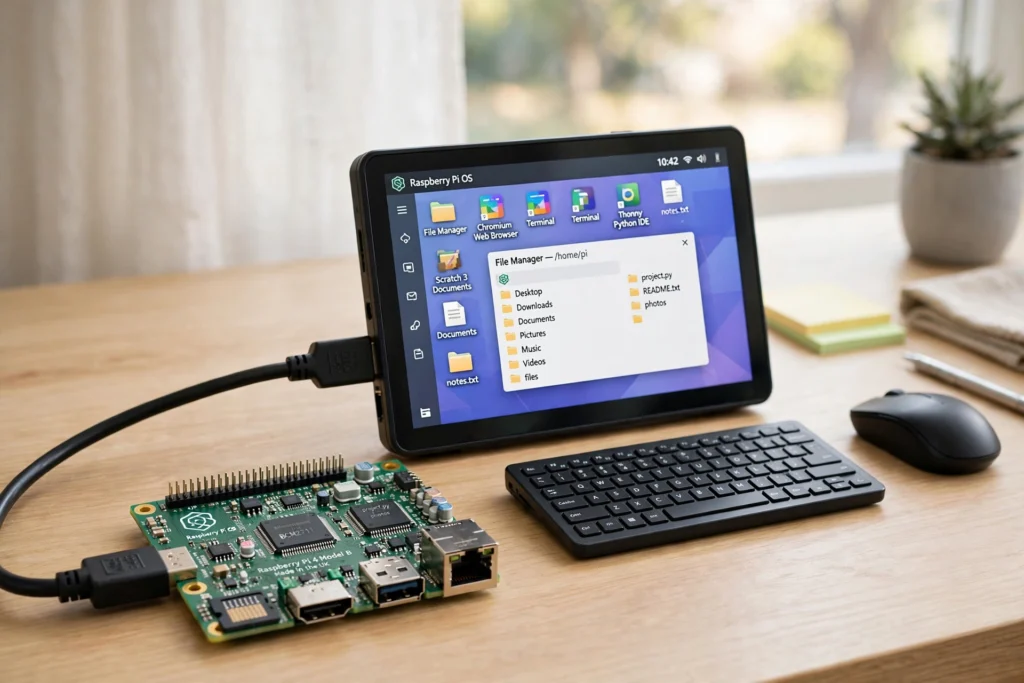
A Raspberry Pi is a computer squeezed onto one circuit board about the size of a credit card. Plug in a screen and keyboard, and it runs a desktop and browses the web. Its trick is a row of pins that lets it switch lights, read sensors, and drive motors — so it controls things, not software on a screen.
Key Takeaways
- A Raspberry Pi is a complete single-board computer: processor, memory, USB, and networking on one small board.
- It runs Raspberry Pi OS, a version of Linux, with Python ready to use.
- The 40 GPIO pins set it apart — they connect it to lights, sensors, and motors.
- Start with a Pi 4 or Pi 5, a microSD card, a power supply, and a screen.
- One evening is enough to go from unboxing to a blinking LED.
What exactly is a Raspberry Pi?
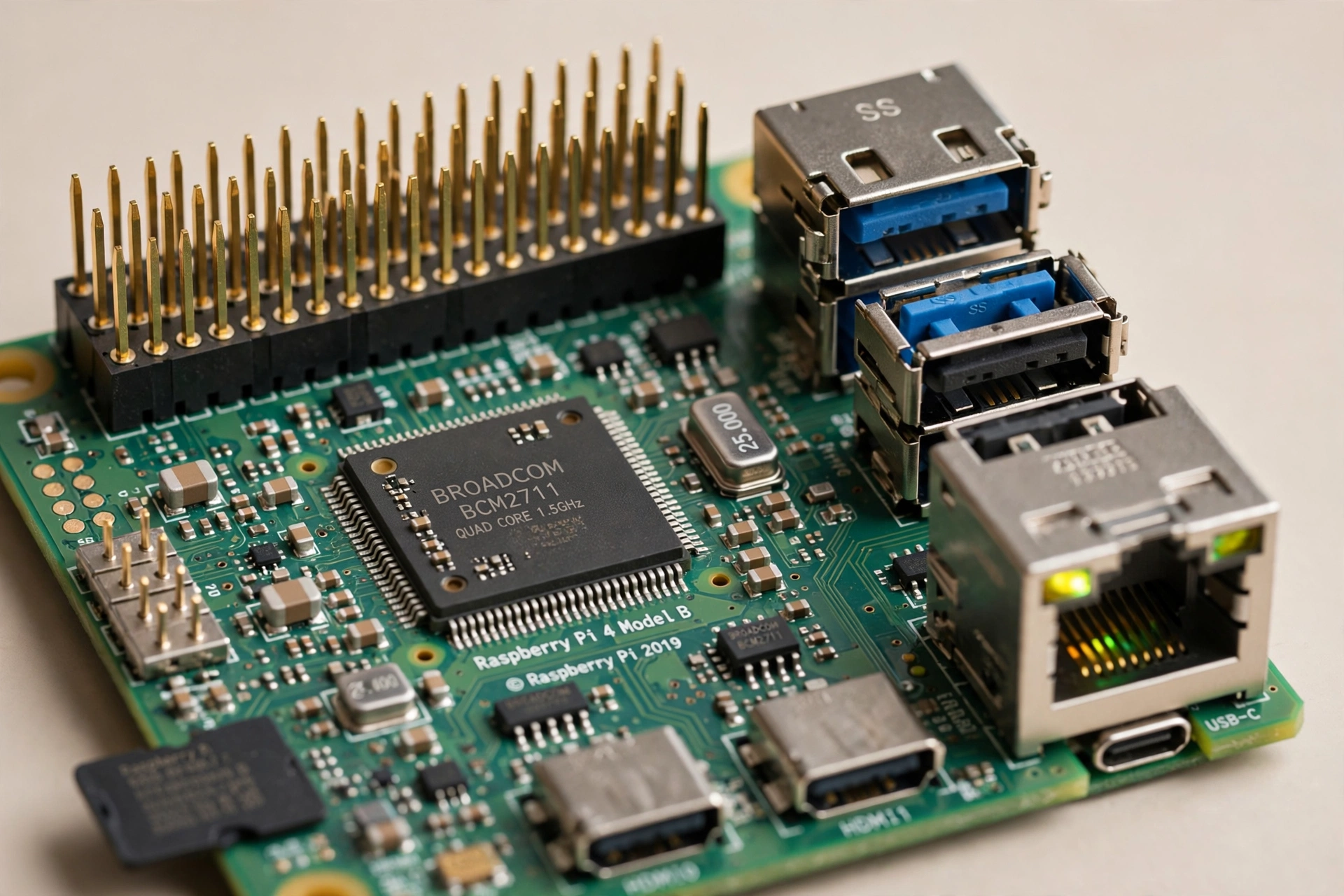
Think of an ordinary desktop computer with the big metal box removed. Everything that matters — processor, memory, ports, network chip — is soldered onto one green board, with USB ports, HDMI outputs, Wi-Fi, Bluetooth, and a row of 40 pins around its edges. That board is the Raspberry Pi, first built so students had a cheap computer they could experiment with and break.
There is no case and no hard drive inside. Storage lives on a microSD card, the same kind a camera uses, holding the operating system, your files, and your programs. Swap the card and you have swapped computers.
What can a Raspberry Pi actually do?
Short answer: most everyday jobs a normal computer does, plus a few it cannot. People use a Pi as a small desktop, a media centre plugged into a TV, a retro games console, and a home server that runs day and night on very little electricity.
Past the desktop it gets more interesting. A Pi can block adverts across your home network, keep files backed up, water plants when the soil dries out, or log the temperature in a greenhouse. Schools use them to teach programming, and hobbyists tuck them inside robots and weather stations.
Raspberry Pi vs a normal computer vs Arduino
| Raspberry Pi | Desktop or laptop | Arduino | |
|---|---|---|---|
| What it is | A full computer on one board | A full computer in a case | A microcontroller board |
| Runs an operating system | Yes, Linux | Yes | No, it runs one program |
| Best for | Learning, servers, gadgets, media | Work, gaming, heavy apps | Simple, single-task electronics |
| Controls pins and sensors | Yes, 40 GPIO pins | No | Yes, its main job |
| Power use | A few watts | Tens of watts | Milliwatts |
The trade-off is clear: a Pi beats an Arduino when you need a screen and real software, a normal computer beats a Pi for raw speed, and most beginners pick the Pi because it sits in the middle.
What do you need to start?
You do not need a workshop full of gear. You need five things: the Pi board, a power supply made for it, a microSD card of 32 GB or more, a screen with an HDMI cable, and a keyboard and mouse.
The software is free. Raspberry Pi Imager, a small program on your normal computer, writes Raspberry Pi OS onto the microSD card. Slide the card in, connect the screen and keyboard, then plug in the power — there is no power button, so the Pi starts at once. A welcome screen walks you through setup. Buy the official power supply: a weak phone charger can make the Pi restart when you plug in a USB drive.
Your first evening with a Raspberry Pi
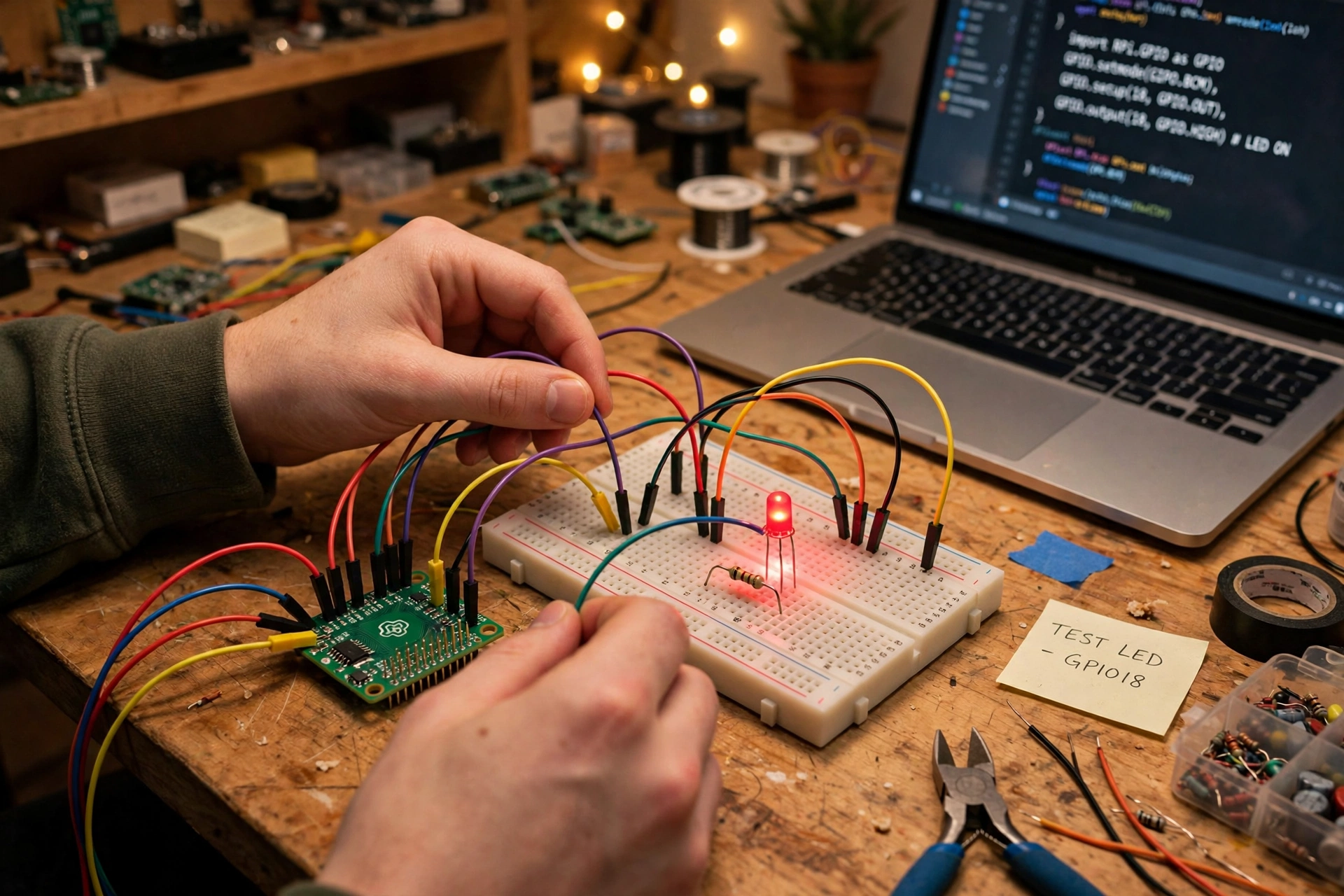
Here is a first project that takes about an hour: make an LED blink. You need the Pi, a breadboard, one LED, one resistor, and three jumper wires. The resistor limits the current so the LED does not burn out.
Wire it up with the power off: a GPIO pin to the resistor, the resistor to the long leg of the LED, and the short leg back to a ground pin. Follow a pinout diagram and double-check each wire. The GPIO pins run at 3.3 volts — never connect them to 5 volts, or you risk damaging the board.
Then open Thonny, the Python editor bundled with Raspberry Pi OS, and write a short program that turns the pin on, waits a second, turns it off, and repeats. Run it, and the LED blinks. That sounds small, but you have just done the whole loop the Pi is built for: software controlling something real on your desk. Swap the LED for a buzzer or a sensor, and the same few lines control something new.
Which Raspberry Pi should you buy?
For the smoothest first experience, get a Pi 5 with 4 GB or 8 GB of memory. It feels quickest on the desktop, handles a media centre without stuttering, and leaves room to grow. The Pi 4 is the sensible cheaper choice: it runs the same software, handles most projects just as well, and often comes bundled with a case and power supply.
The Pi Zero 2 W suits tiny, low-power gadgets — a sensor node on a battery, say — but it is slow on the desktop, so do not make it your only computer. Whatever you buy, get a case with airflow: a Pi in a sealed box slows itself down when it gets warm.
What a Raspberry Pi is not good at
Honesty helps, because the Pi is not a replacement for every computer. It will not run Windows software or modern PC games — its processor is built for efficiency, not raw power. Video editing is slow, and heavy web pages can feel sluggish next to a laptop. A Pi can stream games from a cloud gaming service, but it is not a gaming machine on its own.
Storage is the other weak spot. A microSD card is slower and less durable than an SSD, and it wears out after many writes — which is why people who run a Pi as a server often move the system onto an SSD.
FAQs
Do I need to know programming to use a Raspberry Pi?
No. You can use a Pi as a normal desktop, a media centre, or a retro games console without writing a line of code. Programming only matters when you want it to control hardware, and even then a few lines of Python are enough.
Can a Raspberry Pi replace my laptop?
For light jobs — browsing, writing, watching videos, learning to code — it comes surprisingly close, especially the Pi 5. For heavy work like video editing or modern games, a laptop is still better.
How much electricity does a Raspberry Pi use?
Very little. A Pi idles on a few watts, which is why people leave them running all day as servers — a fraction of what a desktop computer draws.
What is the difference between a Raspberry Pi and an Arduino?
A Raspberry Pi is a full computer that runs an operating system; an Arduino is a microcontroller that runs one program over and over. The Pi is better when you need a screen, networking, or real software. The Arduino suits simple, low-power jobs.
Is a Raspberry Pi safe for children to use?
Yes, with the usual common sense. It was designed for classrooms, and its software includes Scratch and Python tools made for learners. The board has exposed pins and runs on mains power, so younger children should build circuits with an adult nearby.
Conclusion
A Raspberry Pi earns its place by doing two jobs at once: it runs real software, and it reaches into the physical world through its pins. One evening it is a media centre, the next a plant waterer.
If you are curious, buy a Pi 4 or Pi 5 starter kit, flash Raspberry Pi OS with Imager, and build the blinking LED project. An hour later you will know exactly what the fuss is about.
Further reading: Wikipedia’s overview of the Raspberry Pi and the OpenSource.com beginner guide.