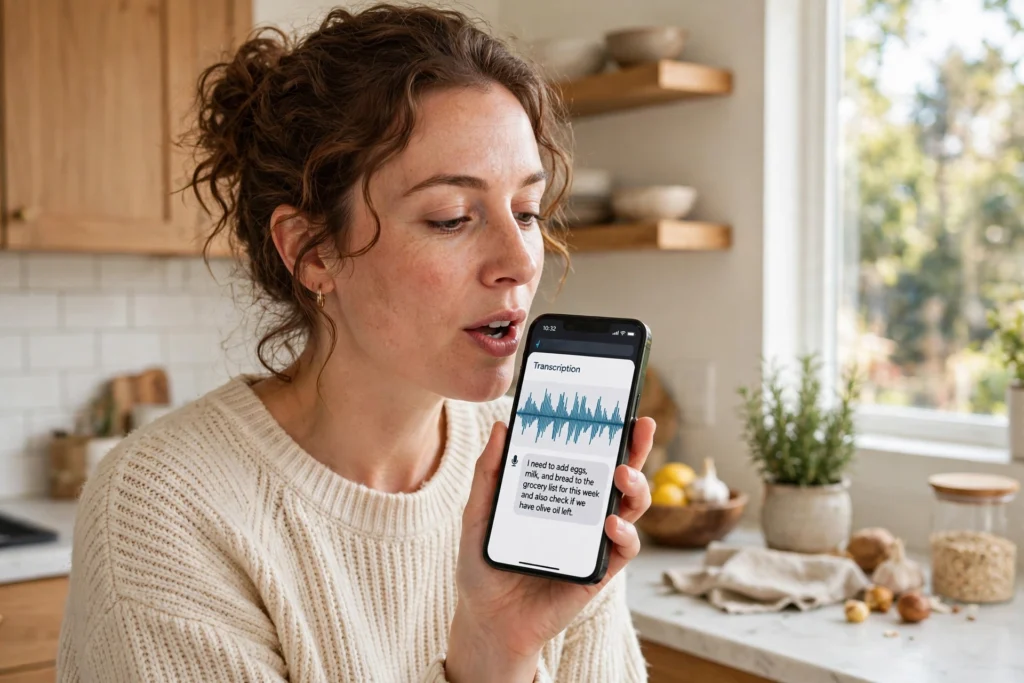
Speech recognition is technology that listens to spoken words and turns them into written text. When you dictate a message, ask a voice assistant a question, or get captions on a video call, a speech recognition system is doing that conversion in the background, usually in seconds.
It does not actually understand language the way you do. It matches patterns in sound to likely words, then uses context to pick the most sensible option. That is why a clear, ordinary sentence usually comes out cleanly, while a mumbled name or a noisy room can produce something odd.
Key Takeaways
- Speech recognition converts spoken audio into text by matching sound patterns to words.
- It works best with clear speech, a quiet room, and a good microphone.
- Accents, background noise, overlapping voices, and unusual names are still common trouble spots.
- It pairs closely with natural language processing, which helps make sense of the resulting text.
- Always check important transcripts before you share or act on them.
How does speech recognition actually work?
Think of it as a chain of small jobs, each handing its result to the next. First, a microphone captures your voice as a sound wave. The system then chops that wave into very short slices, often just a few hundredths of a second long, and looks at the frequencies in each slice.
Next, an acoustic model compares those slices with patterns it learned from many hours of recorded speech. It is not listening for whole words at first. It is guessing at smaller sound units, the building blocks that make up words in a given language.
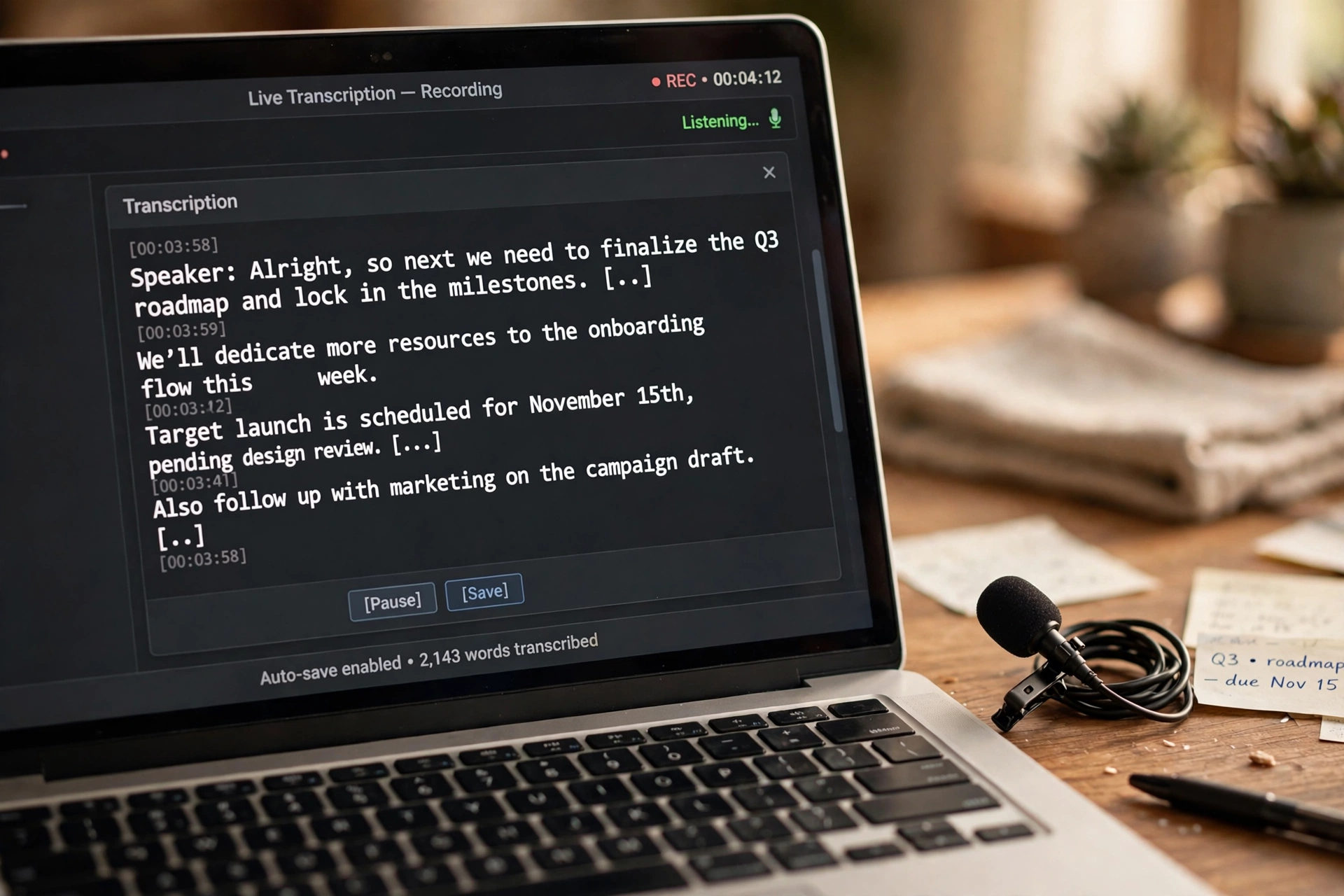
Then a language model steps in. It knows which words tend to follow each other, so it can sort out sounds that could be several different words. If you say “I need to write a letter,” it will favour that over a nonsense alternative that sounds similar, because the first version fits normal language far better.
Modern systems, built on deep learning, do much of this with neural networks trained on huge amounts of speech and text. That training is why today’s tools handle many different voices better than the rigid, single-speaker systems of the past. You can read more about the wider field in our guide to artificial intelligence, and about the learning approach behind it in our machine learning guide.
What is the difference between speech recognition and voice recognition?
People mix these two up all the time, and the difference matters. Speech recognition asks, “What was said?” Voice recognition asks, “Who said it?”
A dictation app uses speech recognition. A system that unlocks a device because it recognises your voice uses voice recognition, sometimes called speaker identification. Some products combine both: they transcribe what you said and also label who was speaking in a meeting. If a tool promises to identify speakers, that is a separate feature from simply turning speech into text, and it is worth checking how it handles that voice data.
Why does speech recognition get some words wrong?
Even good systems make mistakes, and the reasons are usually ordinary rather than mysterious. Background noise is the biggest one. A television, traffic, or another person talking nearby all add sounds the system has to sort through.
Accents and speaking style matter too. A system trained mostly on one kind of speech may struggle with another accent, fast speech, or words it rarely saw in training. Proper names, technical terms, and brand names are frequent casualties, because they may not appear in the language model often enough to win out over a more common word.
Overlapping speech is another hard case. When two people talk at once, the system has to separate two streams of sound, and it often merges them into one garbled sentence. Short, unclear utterances are also tricky, since there is less context to help the language model choose the right words.
None of this means the tool is useless. It means the transcript is a draft, not a finished record, especially when accuracy matters.
Where is speech recognition used today?
You probably use it more often than you realise. Voice assistants on phones and smart speakers rely on it for commands and searches. Dictation tools let people write emails, notes, and documents by talking instead of typing, which can help anyone who types slowly or has a sore wrist.
It also powers live captions, meeting transcripts, and subtitles, making spoken content easier to follow and search. In customer service, it can transcribe calls so teams can review what was discussed without replaying every recording. In healthcare and other careful settings, dictation can speed up note-taking, though the notes still need a human check before they become part of a record.
Our natural language processing guide explains what happens after transcription, when a system tries to work out meaning, intent, or sentiment from the text. Speech recognition gets the words down; language processing tries to understand them.

How can you get better results from voice tools?
A few small habits make a real difference. Speak at a normal pace, and do not rush the ends of words. Hold the microphone at a steady distance, and move closer to it rather than raising your voice if the room is noisy.
If you can, reduce background sound before you start: close a window, pause a video, or step into a quieter corner. For longer dictation, speak in short sentences and pause at natural breaks, which gives the system cleaner chunks to work with.
It also helps to say unusual names slowly, or spell them out if the tool allows it. And for anything important — a quote, a medical note, an address, a number — read the transcript back before you send it. A single wrong digit or name can change the meaning completely, and a quick check catches most of those slips.
Finally, check the privacy settings. Some tools process speech on your device, while others send audio to a server. If you are dictating sensitive material, it is worth knowing which one your tool does, and whether recordings are kept.
Is speech recognition private and safe to use?
That depends on the product, not on the technology in general. Some systems keep audio on the device and delete it quickly. Others store recordings to improve their models, unless you turn that option off.
Before you dictate personal or work material, look at the tool’s privacy controls. Turn off audio storage if you do not want recordings kept, and avoid dictating passwords, account numbers, or other sensitive details aloud in shared spaces. The technology itself is defensive and practical here: it is a tool for converting speech, not a reason to share more than you need to.
Frequently Asked Questions
Does speech recognition work without the internet?
Some tools do, but many do not. On-device systems can work offline, while cloud-based tools need a connection to send audio to a server and return the transcript. Check the product’s description if offline use matters to you.
Why does it struggle with my accent?
Most systems are trained on large collections of speech, but no collection covers every accent equally. If your accent is underrepresented in that training data, the acoustic model may match your sounds to the wrong words more often.
Can speech recognition handle multiple languages?
Many tools support several languages, but you usually need to pick the language before you start, or the tool needs to detect it. Switching languages mid-sentence is still hard for most systems, so results can be patchy in mixed-language speech.
Is a transcript the same as a summary?
No. A transcript tries to record what was said, word for word. A summary condenses the main points and leaves out detail. Some meeting tools offer both, but they are different outputs, and a summary should not be treated as an exact record.
Should I trust a transcript for important decisions?
Use it as a starting point, not as proof on its own. Check names, numbers, dates, and any sentence that changes a decision, especially if the audio was noisy or several people were talking at once.
Conclusion
Speech recognition has quietly become part of everyday life, from voice commands to captions to dictation. It works by breaking sound into small pieces, matching them against learned patterns, and using language context to choose the most likely words. It is not perfect, and it probably never will be in noisy, real-world conditions, but it is good enough to save real time when you use it with care.
A practical next step is simple: try dictating a short note in a quiet room, then read the transcript back and fix any errors. You will quickly learn where your tool is strong and where it needs a second look, and that habit will make every later transcript more reliable.
For background on the learning methods behind modern systems, see our deep learning guide, and for the wider picture, start with our complete guide to artificial intelligence.