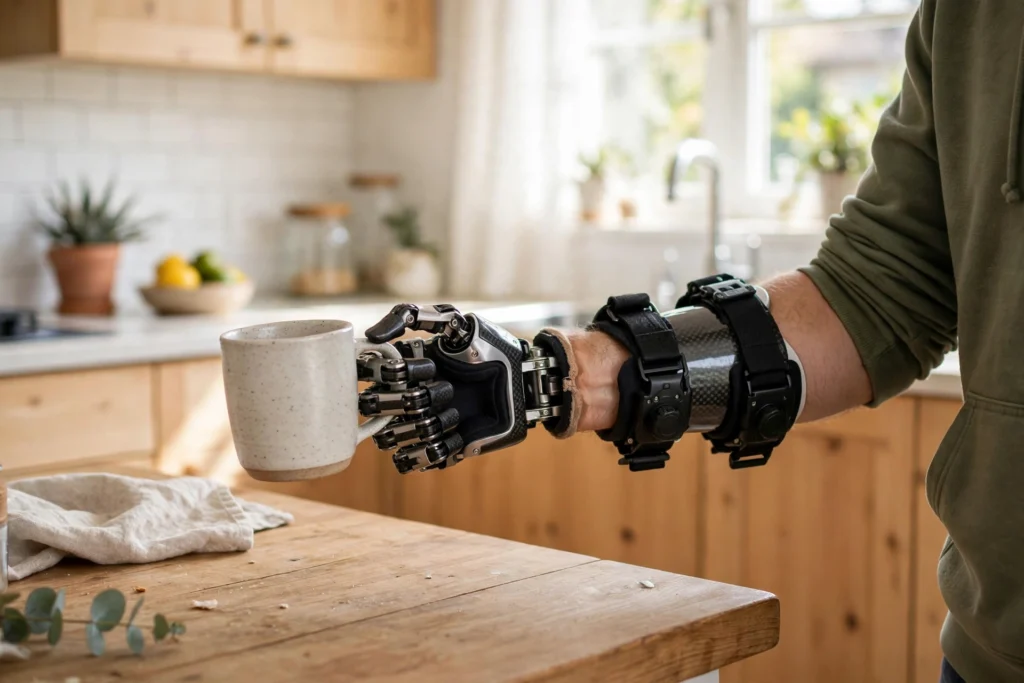
A robotic prosthetic is a powered artificial limb that turns a person’s intended movement into real motion. Sensors pick up signals from the remaining muscles, a small controller works out what movement those signals mean, and motors in the limb carry out the action, whether that is closing a hand, bending a knee, or holding a steady grip.
This article explains that technology in general terms. It is not medical advice, and fitting a prosthetic is normally done with qualified professionals who assess each person’s needs.
Key Takeaways
- Robotic prosthetics translate muscle signals, movement, and pressure into controlled motion.
- Most powered hands and legs use small motors, sensors, and a controller working together in a loop.
- Muscle-signal control, often called myoelectric control, is one common approach for upper limbs.
- Feedback, such as vibration or pressure cues, helps the user judge grip and position without watching the limb all the time.
- Fit, weight, battery life, and practice matter as much as the technology inside the device.
- No single design suits everyone, and the best choice depends on daily tasks, comfort, and support.
What is a robotic prosthetic?
A robotic prosthetic is different from a simple cosmetic limb or a purely mechanical hook. It has moving parts driven by power, usually a rechargeable battery, and it can change its position in response to the user. A robotic hand, for example, may open and close its fingers, rotate its wrist, and switch between grip patterns. A robotic leg may bend its knee at the right moment in a step, adjust to a slope, or absorb the shock of landing.
The word “robotic” can make these devices sound fully automatic, but that is misleading. In most cases, the person stays in charge. The device does not decide what to do on its own. It interprets the user’s signals and carries out the movement they intended, much like a power-assisted tool. Some newer systems add automatic adjustments, such as stiffening a knee when it senses a stumble, but those are safety and stability features, not independent decisions about what the user wants to do.
How does a robotic prosthetic read what the user wants?
The hardest part is not building a motor that can grip. It is working out, quickly and reliably, what the user means to do. Designers use several kinds of input, often combined.
The best-known method for arm prosthetics is myoelectric control. When a muscle contracts, it produces a tiny electrical signal. Electrodes placed against the skin inside the socket pick up that signal. If the user thinks about closing their hand, the remaining forearm muscles contract in a familiar pattern, and the controller recognises that pattern as “close”. A different pattern might mean “open” or “pinch”.
This is why training matters. At first, the signals can be messy, especially if muscles are tired or the socket has shifted slightly. With practice, users learn to produce clearer, more consistent signals, and clinicians can tune the system to recognise those patterns more reliably. It is a skill, not just a switch, and it usually improves over weeks rather than hours.
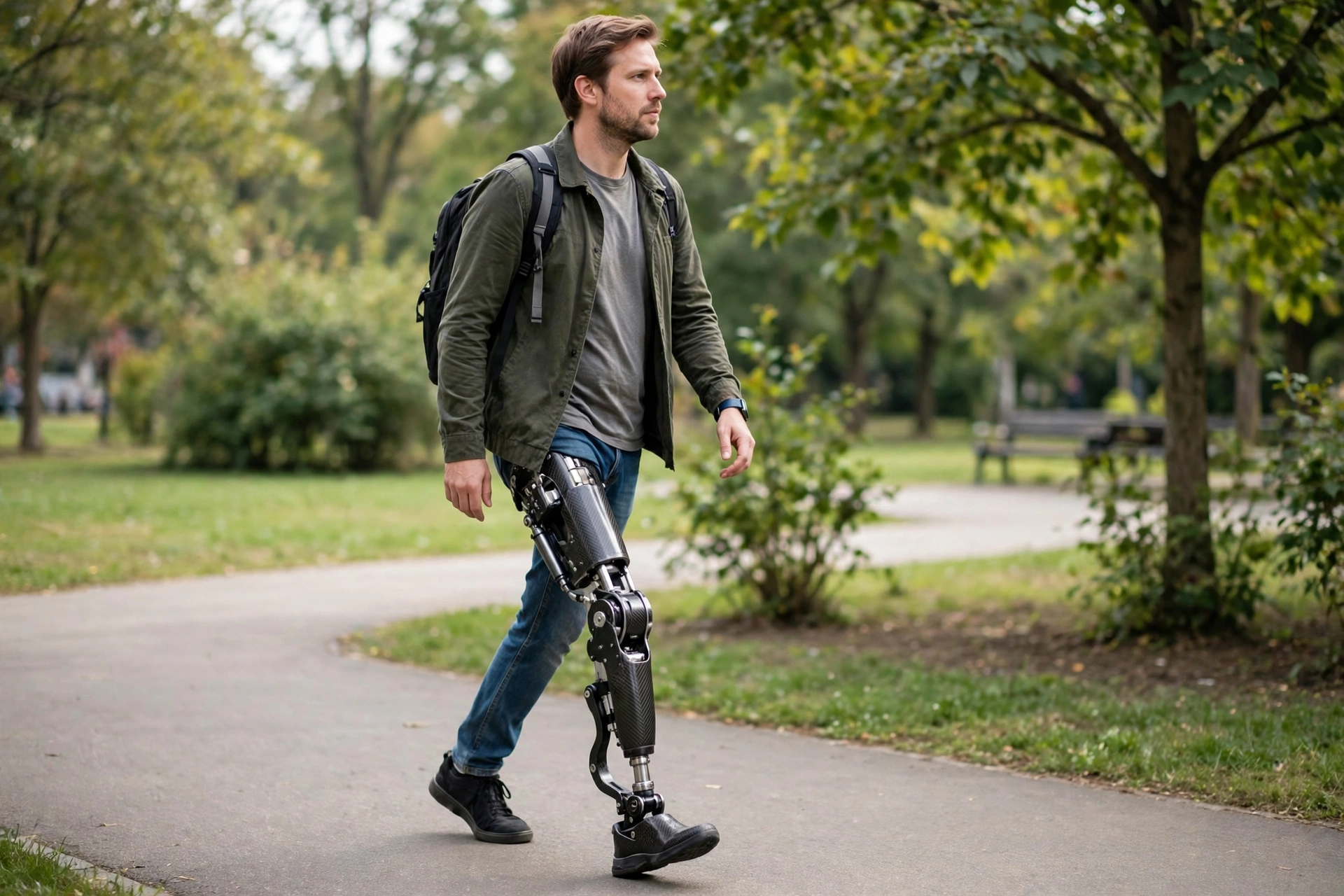
Other inputs help too. A leg prosthetic may use motion sensors to track the angle of the knee and ankle, pressure sensors in the foot to tell when weight is landing, and tilt sensors to tell whether the user is on flat ground or a slope. Together, these inputs let the controller time each step. For example, the knee needs to bend freely while the leg swings forward, then lock or resist bending when weight lands on it. Get that timing wrong, and walking feels unstable.
Some systems also use direct nerve or muscle interfaces in research and specialist settings, where signals are picked up closer to their source. Those approaches can give finer control, but they are more involved to fit and maintain, so skin-surface sensors remain the common choice for everyday devices.
How do motors and joints turn signals into movement?
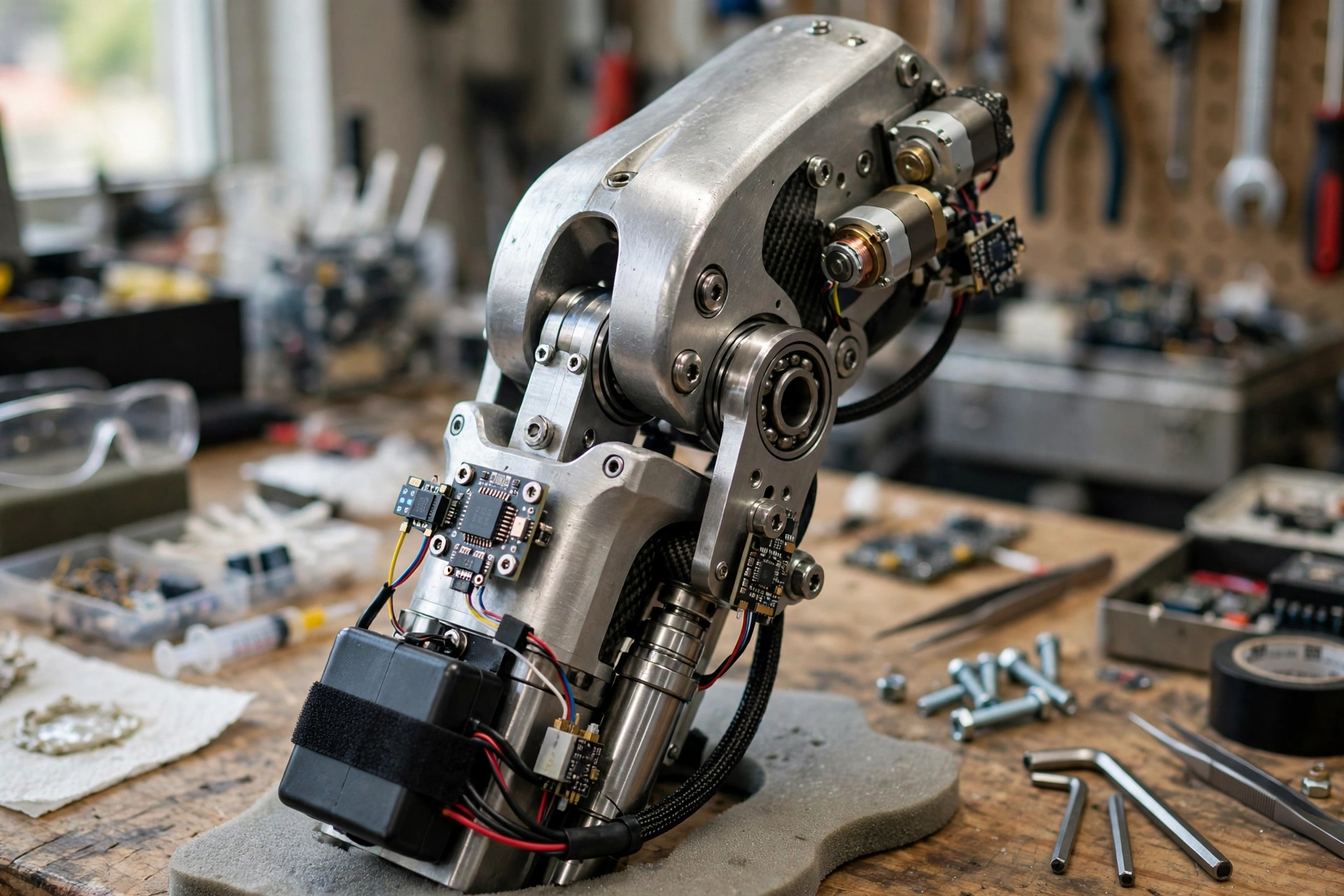
Once the controller has decided on an action, it sends power to the right motors. In a robotic hand, small electric motors drive tendons, gears, or linkages that bend the fingers. A single motor may close several fingers together for a power grip, while a more advanced hand may move fingers more independently for a pinch or a tripod grip, where thumb, index, and middle fingers work together.
The trade-off is always size, weight, and power. A hand that can do many different grips needs more motors and more wiring, which adds weight at the end of the arm. That weight can tire the user, so designers often balance a useful set of grips against a hand that stays light enough to wear all day. Materials such as carbon fibre and strong plastics help, but they cannot remove the trade-off entirely.
A robotic leg faces a different balance. It must support body weight, absorb impact, and move smoothly, all while staying light enough to swing. Many powered knees use a motor combined with a hydraulic or spring system. The motor provides the push, while the hydraulic part smooths the movement and helps control speed. Microprocessor knees, which are not always fully powered, use sensors and a small computer to adjust resistance many times per second. A fully powered knee can also add energy, helping with stairs or standing up from a chair, but it needs a larger battery.
In both cases, the controller runs a loop: sense, decide, move, sense again. That loop repeats many times per second, so small errors can be corrected before they become obvious. If a grip starts to slip, for example, pressure sensors can tell the hand to tighten slightly. If a foot lands unevenly, the leg can adjust its stiffness. That constant correction is what makes a robotic prosthetic feel responsive rather than jerky.
Why is feedback so important?
Moving a limb is only half the job. The other half is knowing what it is doing without staring at it. A natural hand gives constant feedback through touch, pressure, and the sense of where the arm is in space. A prosthetic has to replace at least part of that.
Some systems give feedback through vibration on the skin, a change in pressure from the socket, or a sound cue. A gentle vibration might mean “you are gripping firmly”, while a stronger one might warn that the grip is slipping. Other systems use the socket itself: when the hand closes on an object, the user feels a slight shift in pressure, which becomes a useful clue over time.
Vision still does a lot of work, of course. Most users watch their hand when they pick up something fragile, just as anyone might watch their fingers when threading a needle. The goal of feedback is to reduce that need, so everyday tasks such as carrying a bag or opening a door become more automatic. It is not yet a full replacement for natural feeling, and designers are honest about that limit, but even simple feedback can make a device much easier to live with.
What are robotic prosthetics used for?
The most obvious use is daily life: eating, dressing, writing, carrying, walking, and working. But the details matter more than the broad list. A person who types all day needs a different hand setup from someone who works outdoors and needs a strong, weather-resistant grip. A person who walks mainly on flat pavements needs a different leg setup from someone who regularly climbs stairs or walks on uneven ground.
That is why fitting is personal. A socket must match the shape of the remaining limb closely, or it will slip, rub, or lose contact with the sensors. Weight distribution matters too, especially for legs, where a heavy device can change balance. Clinicians and users often try different grips, speeds, and settings over several appointments, and the “best” setup is the one that works for that person’s routine, not the one with the longest feature list.
Robotic prosthetics also appear in sport and rehabilitation. Running blades, for example, use spring-like carbon fibre to store and return energy, rather than motors, so they are a different kind of technology. But powered knees and hands are increasingly used in training settings, where a therapist can help a user build strength, balance, and confidence with the device. In those settings, the device is part of a wider programme, not a standalone fix.
Related machines show the same building blocks in other roles. Robot arms use joints, motors, and grippers for precise work in factories. Humanoid robots face similar balance and hand-control problems, but for a whole body rather than one limb. Exoskeletons assist a person’s existing limbs instead of replacing one, using motors and sensors to add strength or support. Rescue robots use sensors and remote control in places people cannot easily reach. Seeing those links helps explain why progress in one area often helps another: better motors, lighter batteries, and smarter sensors benefit all of them.
What limits robotic prosthetics today?
Battery life is a practical limit. A powered hand or leg that is used heavily may need charging every day, and a flat battery means the device either stops moving or falls back to a basic, unpowered mode. Users learn to plan around charging, much as phone users do, but it is still a constraint, especially on long days away from power.
Weight and comfort are close behind. A device that is technically impressive but painful to wear will stay in a cupboard. Skin irritation, sweating inside the socket, and pressure points are common complaints, and they are often harder to solve than the electronics. That is one reason fitting and follow-up matter so much: a small socket adjustment can make a bigger difference than a software update.
Cost and maintenance are also real factors. Powered prosthetics involve motors, batteries, sensors, and custom fitting, so they cost more than passive devices and need servicing. Repairs, battery replacement, and software updates all need support, which may not be available everywhere. For that reason, a simpler device that can be maintained locally is sometimes the better practical choice, even if a more advanced model looks better on paper.
Finally, control is still imperfect. Muscle signals change with fatigue, sweat, and socket position, and no system reads intentions perfectly every time. Users adapt, and systems improve, but occasional misfires are part of using the technology today. Setting realistic expectations at the start helps: a robotic prosthetic is a powerful tool, not a restored natural limb, and learning to use it well takes time.
FAQs
Do robotic prosthetics move on their own?
No, not in the usual sense. The user provides the signals, through muscle activity or movement, and the device carries out the intended action. Some systems add automatic stability adjustments, such as resisting a stumble, but they do not choose tasks by themselves.
How do myoelectric prosthetics work in simple terms?
Electrodes in the socket detect tiny electrical signals when remaining muscles contract. A controller matches those signal patterns to actions such as open, close, or pinch, then drives motors in the hand or fingers to perform that action.
Can a robotic prosthetic leg handle stairs and slopes?
Many powered and microprocessor knees can help with stairs and slopes by adjusting resistance and timing, but performance varies by model, fit, and practice. Steep or uneven ground remains harder than flat ground, and users usually learn specific techniques for those situations.
How long does the battery last?
It depends on the device and how much it is used. Many powered prosthetics are designed for a day of typical use and charged overnight, but heavy use, cold weather, or older batteries can shorten that. A backup plan for a flat battery, such as a basic manual mode, is worth asking about.
Are robotic prosthetics suitable for children?
Children can use prosthetics, including powered ones, but their needs change as they grow, so fit and size must be reviewed regularly. Decisions for children involve clinicians, families, and the child, and focus on play, learning, and daily tasks rather than on having the most advanced device.
Conclusion: start with daily tasks, not features
If you are exploring robotic prosthetics, the practical next step is to list the daily tasks that matter most to you: the grips you use, the distances you walk, the surfaces you meet, and the environments you work in. Take that list to a qualified prosthetist or clinic, and ask how each option handles those specific tasks, how it is charged and serviced, and what practice and follow-up are involved.
For background on the wider field, see Britannica’s robotics overview and Wikipedia’s prosthesis guide. Then compare devices by fit, weight, battery, and support, not just by the number of grips or features on a brochure. The right robotic prosthetic is the one that fits your life well enough to wear, use, and maintain every day.