
An E Ink display makes text by moving tiny charged particles inside millions of small capsules, rather than by shining light at your eyes. Once the particles settle into place, the page stays visible without constant power, which is why an e-reader can hold a page for weeks and still look calm and paper-like in bright light.
Key Takeaways
- E Ink is a reflective display: it bounces room light or sunlight back to your eyes, much like printed paper.
- Tiny capsules hold charged white and black particles; an electric field moves them to the front or back to form each pixel.
- A finished page needs almost no power to stay visible, but changing the page uses a short burst of energy.
- Colour E Ink adds filters or coloured particles, so colours are usually softer and refresh is slower than on a phone.
- E Ink suits long reading, notes, and simple signs best; it is not a good match for fast video or gaming.
What is an E Ink display, exactly?
“E Ink” is often used loosely, so it helps to separate the company from the idea. E Ink Corporation makes a widely used type of electronic paper, while “electronic paper” is the broader family of displays that reflect light instead of emitting it. Most e-readers use an electrophoretic display, the technical name for this approach.
Think of the screen as a very thin sandwich. On the outside is a protective layer you can touch. Beneath it sits a layer full of microcapsules, each far too small to see on its own. Under that layer is the electronics that decide which parts of the screen should be dark, light, or somewhere in between. When you turn a page, the device does not paint a glowing picture. It rearranges particles, then leaves them where they landed.
How do tiny capsules make black, white, and grey?
Inside each microcapsule are charged pigment particles suspended in a clear fluid. In the classic black-and-white version, white particles carry one charge and the dark side carries the opposite charge, or a dark fluid provides the contrast. An electric field applied to a tiny region pulls the wanted particles toward the viewing surface and pushes the others away.
Each small region works as a pixel. If white particles sit at the front, that spot reflects light and looks white. If dark particles dominate at the front, it looks black. For grey, the device can move only some particles, or switch them in a pattern, so your eye blends the result into a shade of grey.
Why does the image stay when the power is off?
This property is called bistability: the display has stable states it can rest in without a constant electric field. If an e-reader runs out of battery mid-chapter, the last page often remains on screen, frozen in place.
That does not mean the device uses no power at all. It still needs power to turn pages, run its processor, use its front light, and connect to the internet. The saving comes from the display itself, which only draws a meaningful burst of power while the image is changing. For a reader who turns pages slowly, that adds up to very long battery life compared with a backlit tablet.
Why do E Ink screens look different in sunlight?
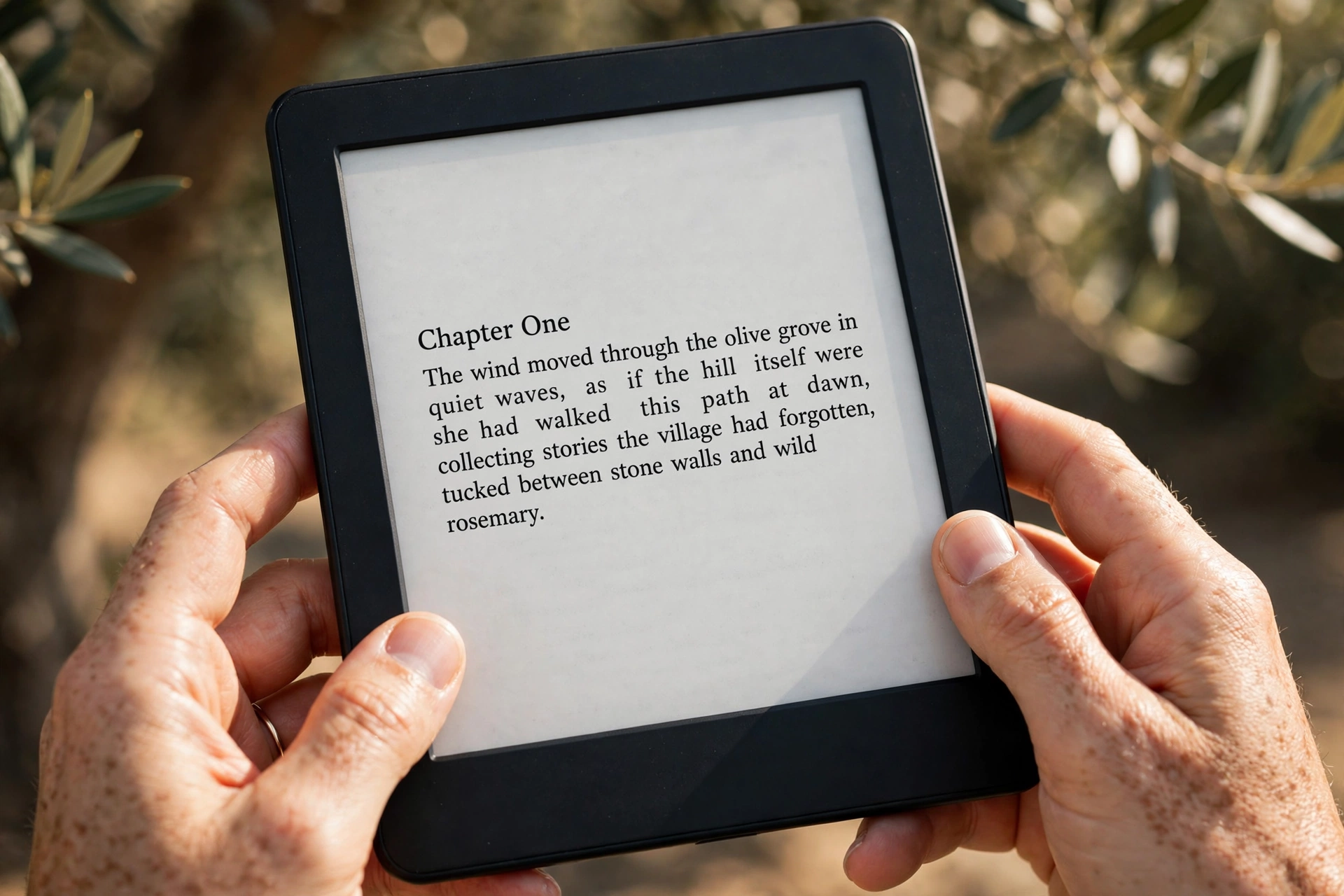
Because an E Ink screen reflects light instead of fighting it, bright conditions often make it easier, not harder, to read. A phone screen must get brighter than the sun bouncing off its glass to stay readable. An E Ink screen uses that same ambient light as its light source, so text can stay clear outdoors without straining to outshine the day.
In a dark room, the story changes. A basic E Ink panel does not glow on its own, so most modern e-readers add a front light. That light sits at the edge of the screen and shines across the surface, rather than shining directly into your eyes from behind the pixels. Many readers let you adjust brightness and warmth, and a warmer, dimmer setting at night is usually more comfortable, though comfort varies from person to person.
How does colour E Ink work?
Colour adds a layer of compromise. One common method places a colour filter over a black-and-white E Ink layer, splitting each pixel into red, green, and blue areas. Another method uses coloured particles themselves, so the display can show richer colour without quite the same filter loss. Either way, colour E Ink usually looks softer and less vivid than a phone screen, and it takes longer to refresh.
That trade-off makes sense for comics, highlighted textbooks, and diagrams, where gentle colour is more useful than punchy video colour. It makes less sense for fast-moving video or games. Colour e-readers have improved a lot, but they are still reading-first devices, not small tablets in disguise.
Why is refresh slower, and what is ghosting?
Changing an E Ink page takes longer than changing a phone screen because physical particles must actually move. The device applies a sequence of voltages, called a waveform, to shuffle particles into their new positions cleanly. That process takes a fraction of a second, which feels slow if you are used to instant scrolling.
Ghosting is the faint shadow of the previous page that sometimes remains after a turn. It happens when some particles do not fully reset. Many devices deal with this by doing a full refresh every few pages, briefly flashing the screen black and white to clear leftover particles. More frequent full refreshes look cleaner but feel slower, while less frequent refreshes feel quicker but may leave faint traces.
Where else is E Ink used besides e-readers?
E-readers made the technology famous, but the same low-power, always-visible idea fits many other jobs. Shops use electronic shelf labels so prices can be updated across a store without printing new tags. Airports, stations, and offices use E Ink signs for timetables and room bookings, where information changes a few times a day rather than every second.

What should you check before buying?
Start with how you will actually read. If you mostly read novels, a sharp black-and-white screen, comfortable size, and a good front light matter more than colour. If you read comics, textbooks, or PDFs with diagrams, colour and a larger screen may be worth the extra cost and slower refresh.
Next, check the practical details. Look at storage, battery life under realistic settings, and whether the device supports the file types and bookshops you already use. If you download books at home, a smooth Wi-Fi connection matters, and our guide to how Wi-Fi works explains what affects that connection. If you listen to audiobooks with wireless headphones, check Bluetooth support too, as explained in how Bluetooth works. Some readers also charge wirelessly, which is covered in how wireless charging works.
Finally, be honest about what you will not do with it. If you want one device for reading, video, browsing, and games, an E Ink device will frustrate you. If you want a calm, daylight-friendly reader, its limits are part of the appeal.
For broader background, see Wikipedia’s electronic paper article and E Ink’s technology pages.
FAQs
Does an E Ink screen use power when it is showing a static page?
Almost none for the display itself. Once the particles are in place, the image can remain without constant power. The device still uses power for its processor, front light, and wireless features, so total battery life still depends on how you use it.
Is E Ink better for your eyes than a phone screen?
It can feel more comfortable for long reading because it reflects light like paper and does not shine directly into your eyes, but comfort depends on lighting, font size, reading distance, and breaks. No screen guarantees eye comfort, so adjust the front light and take regular breaks.
Can E Ink displays show video?
Some can update fast enough for simple motion, but most are not designed for smooth video. Refresh is slower, colours are softer, and fast movement can leave ghosting. They are best for text, still images, and slow-changing information.
Why does my e-reader sometimes flash black when I turn a page?
That is usually a full refresh. The device clears leftover particles by flashing the screen so the next page starts clean. It can feel slower, but it reduces ghosting, and many devices let you adjust how often it happens.
Do E Ink devices work in the dark?
Only with a front light. The panel itself does not glow, so a built-in light or a reading lamp is needed at night. Front lights shine across the screen surface rather than directly from behind the pixels, which many readers find gentler than a backlit tablet.
Conclusion: try reading in sunlight before you judge it
If you are curious about E Ink, the practical next step is simple: borrow a friend’s e-reader or try one in a shop, then read a full page in bright daylight and another page in a dim room with the front light on. Notice how the text looks, how page turns feel, and whether the slower refresh bothers you or fades into the background. That short test will tell you more than any specification sheet, because E Ink’s appeal is not about raw speed or vivid colour. It is about a calmer screen that stays readable, sips power, and gets out of the way of the reading itself.