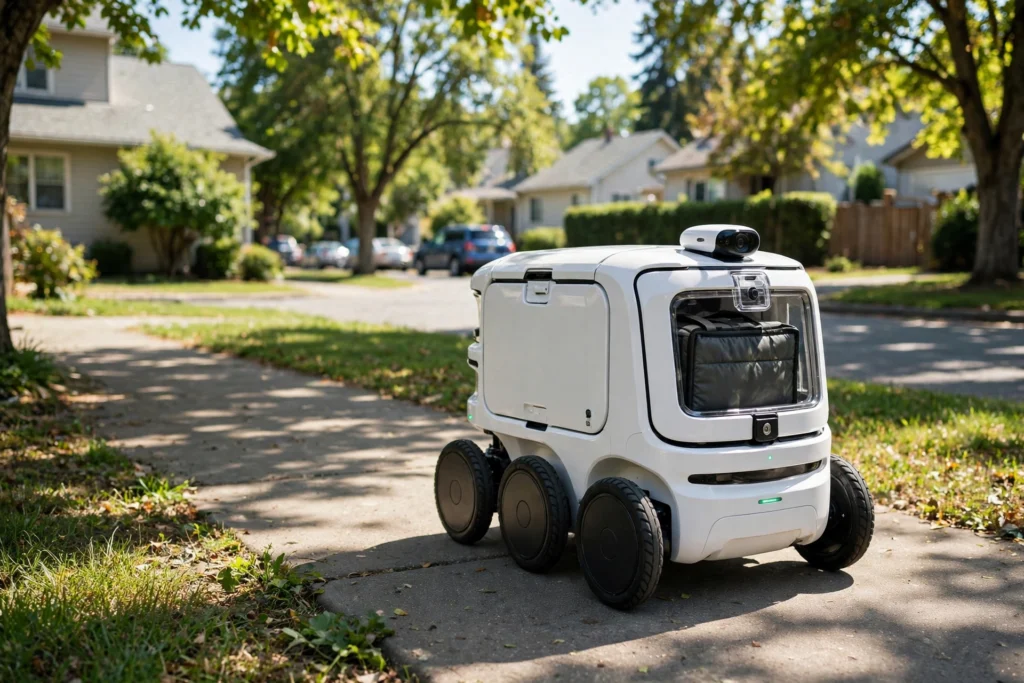
A delivery robot is a small, self-driving machine that carries food, groceries, or small parcels over the last short stretch of a journey, usually from a shop or restaurant to your door. It travels on sidewalks at walking pace, follows a mapped route, and keeps your order in a locked compartment until you open it.
Key Takeaways
- Delivery robots are built for short, slow trips on sidewalks, not highway driving.
- Cameras, sensors, and maps work together so the robot can spot kerbs, people, and obstacles.
- Most robots follow a planned route but can pause, steer around a problem, or ask a remote helper for guidance.
- Your order stays locked until you unlock it with a code or app.
- They work best in mapped, fairly flat areas and still struggle with snow, steep kerbs, and unmapped roadworks.
What exactly is a delivery robot?
Think of it as a cooler on wheels with a brain. The body is a sturdy box, often about knee height, with a lid or door that locks. Inside is room for one or two bags, sometimes insulated to keep hot food warm or cold items cool. Electric motors drive the wheels, and a rechargeable battery powers the trip. Nothing about it is meant to go fast. Keeping the speed low is part of the safety design: at walking pace, the robot has more time to stop, and a bump is far less serious than a car collision.
How does a delivery robot find its way?
Before a robot ever makes a real delivery, its operating area is mapped in detail. That map records sidewalks, crossings, kerbs, ramps, and usual stopping points. When you place an order, the system picks a route along those mapped paths to your address, much like a walking route on a phone map, only with extra detail about narrow pavements and crossings. As it travels, the robot constantly checks where it is against that map. Satellite positioning gives a rough location, while cameras and nearby landmarks refine it. If a path is blocked, the robot slows, reassesses, and tries a small detour if one is mapped and safe. If no safe detour exists, it stops and waits, or asks a remote operator for help.
How does a delivery robot see the sidewalk?
A delivery robot does not see the world the way you do, but it gathers a lot of overlapping information. Cameras watch for people, dogs, prams, bicycles, and street furniture. Other sensors measure distance to nearby objects and spot drops such as kerbs and steps. Together, these inputs build a constantly updated picture of the few metres around the robot.
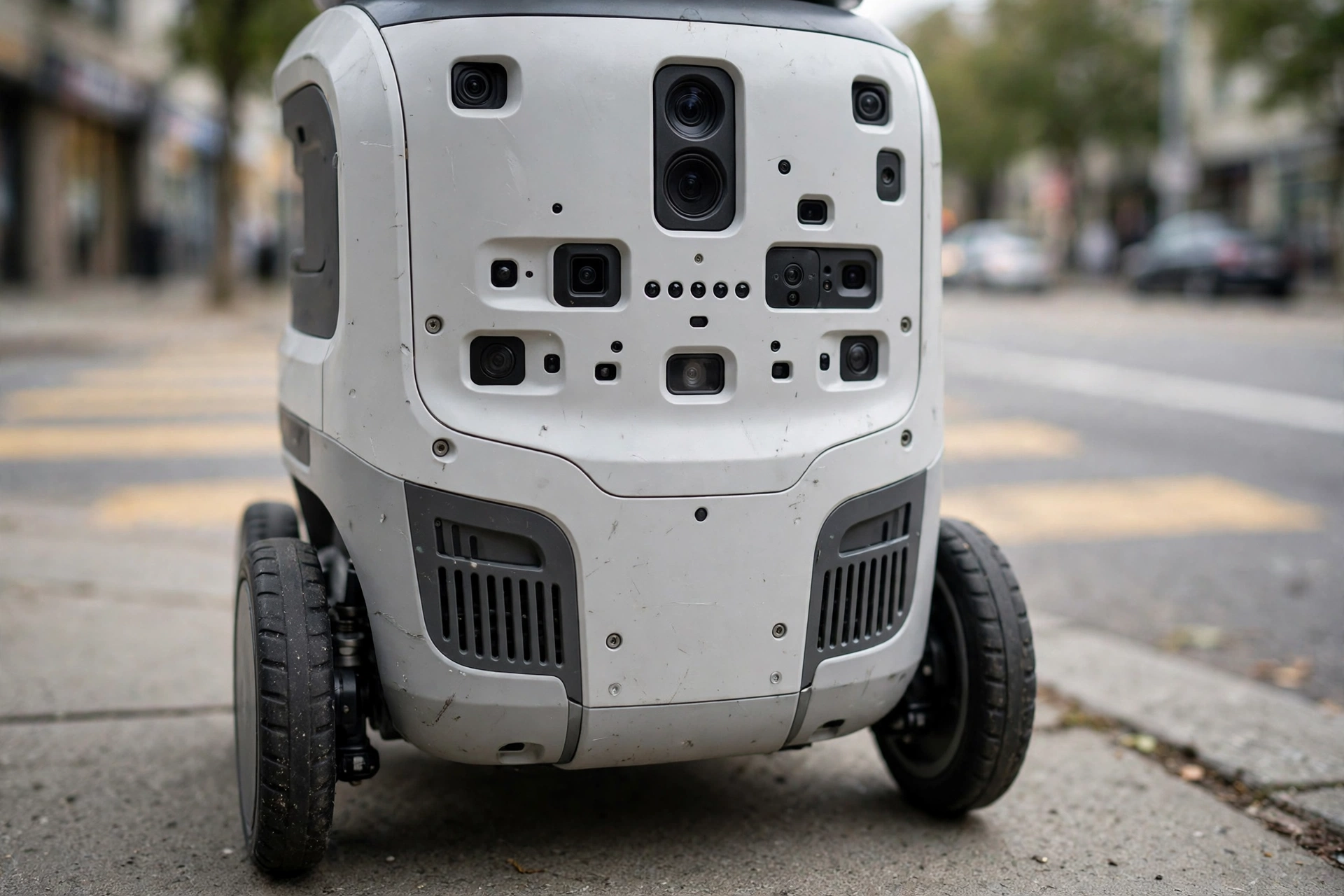
That picture is what lets it behave predictably. It slows near pedestrians, gives way at a crossing, and stops rather than squeezing past a wheelchair or a group of children. It follows rules such as keep a safe gap, stop if something is too close, and only move again when the path ahead is clear. Rain, glare, and fallen leaves can make sensing harder, which is one reason some services pause or slow down in bad weather.
How does it cross a road safely?
Crossing is the trickiest part of a sidewalk trip, so robots handle it cautiously. The route is planned to use marked crossings where possible, and the robot waits for a clear gap rather than rushing across. Its low speed helps: it does not dart into traffic, and drivers and pedestrians can see it coming. Even so, a robot crossing is not the same as a person crossing. It cannot make eye contact with a driver or wave thanks, so clear markings, lights, and slow, steady movement matter. If you meet one at a crossing, treat it like a slow pedestrian, give it room, and do not try to hurry it along by pushing it.
What happens if a delivery robot gets stuck?
Robots get stuck more often than their makers would like to admit. A blocked pavement, a badly parked scooter, a new building fence, or a deep puddle can all stop one. First, the robot tries to solve the problem itself: it backs up a little, steers around the obstacle, or waits for the path to clear. If that does not work, a remote operator can look through the robot’s cameras and guide it through the awkward moment, then hand control back. If even that fails, a staff member may need to collect the robot in person, and your order may be delayed or remade. It is inconvenient, but it beats the robot wandering into danger.
How do you collect your order?
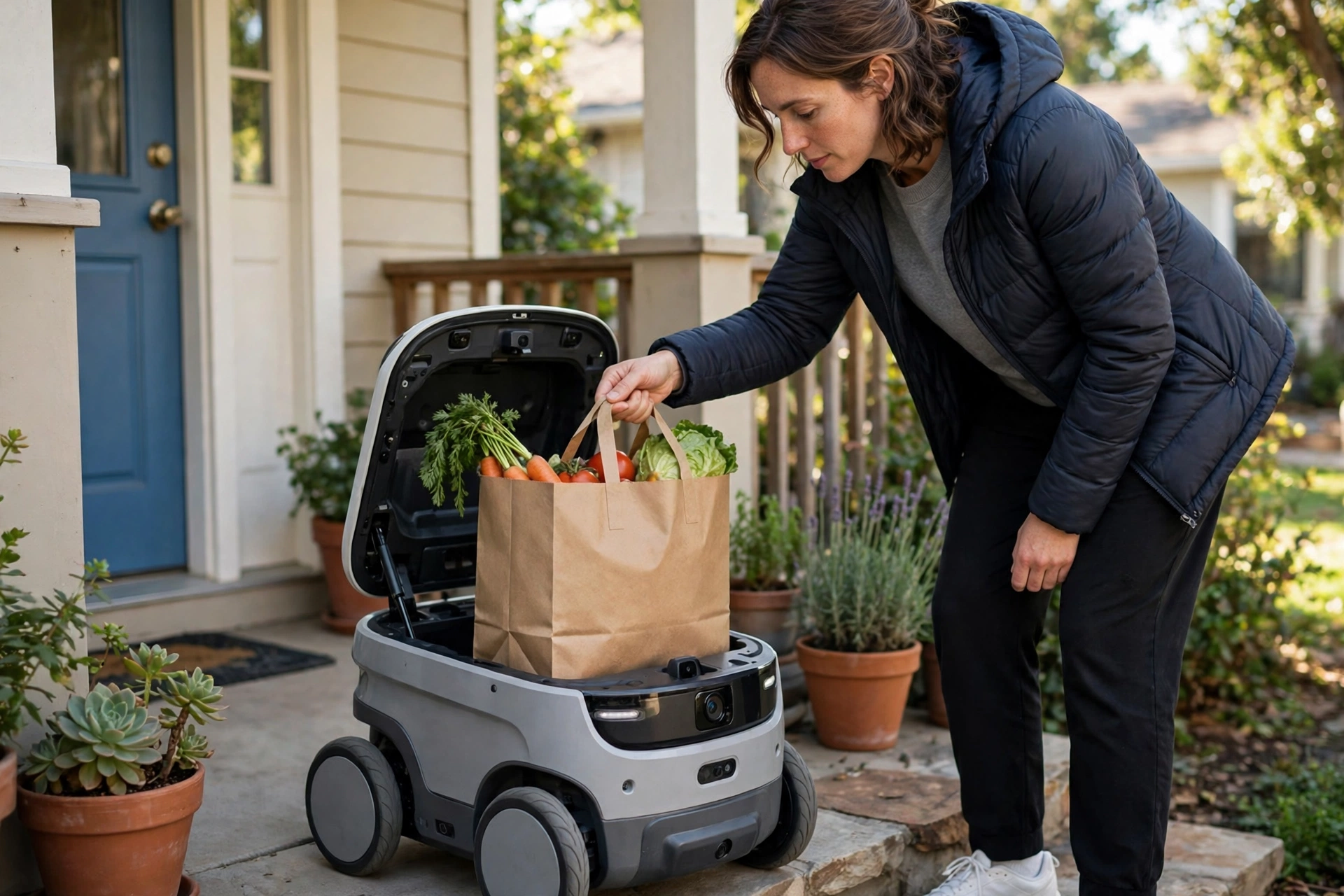
Collection is deliberately simple, and it is also a security step. When the robot arrives, you usually get a message telling you it is outside. You then unlock the compartment with a code, a link, or a button in the delivery app, and only then does the lid open. That lock matters: it stops a passer-by from opening the robot mid-trip and taking someone else’s food. Once you have taken your bag, close the lid firmly so the robot can head off to its next stop or back to charge. Check your items before the robot leaves if you can, especially drinks or anything fragile. If something is missing or damaged, report it through the app straight away rather than chasing the robot.
What can delivery robots carry, and what can’t they?
Sidewalk robots are best for small, fairly light orders: a takeaway meal, a few grocery items, a parcel, or medicines from a nearby pharmacy. They are not built for a full weekly shop, heavy furniture, or anything that needs to stay frozen for a long journey. Weather sets limits too. Heavy rain, snow, ice, and very high winds can reduce visibility, grip, or battery range. Some services keep running with slower speeds and shorter routes, while others pause until conditions improve. That variability is worth knowing before you rely on a robot delivery for something urgent.
Are delivery robots safe around people and pets?
Safety is the main reason these robots move so slowly and stop so readily. They are designed to yield to pedestrians, avoid collisions, and shut down or ask for help rather than force their way through. Still, a little common sense helps. Keep dogs on a lead near a robot, do not let children climb on it, and do not try to open a compartment that is not yours. If a robot seems stuck, leave it alone and report it through the service’s app.
How are delivery robots different from other robots?
It helps to compare them with relatives you may already know. Warehouse robots work indoors on flat, controlled floors, moving shelves and parcels along predictable paths. Robot vacuums also work indoors, but on a much smaller scale, mapping one home and dodging furniture. Robot arms usually stay in one place and move with great precision, while humanoid robots try to copy human shape and movement for a wider range of tasks. Delivery robots sit in between: they face the messy, changing outdoors, but at pedestrian speed and on footpaths. For broader background, see Britannica’s robotics overview and Wikipedia’s delivery robot article.
FAQs
How fast do delivery robots go?
Usually about walking pace, roughly 4 to 6 kilometres per hour on a sidewalk. That slow speed gives the robot time to spot obstacles and stop safely.
Do delivery robots drive themselves completely?
Mostly, yes, along a mapped route. A remote operator can step in when the robot gets stuck or faces something unusual, but the robot handles the routine driving itself.
Can a delivery robot cross a busy road on its own?
It uses marked crossings and waits for a clear gap, moving slowly and predictably so drivers can see it. It still depends on safe crossing points and clear sightlines, so busy or unmapped crossings can be a limit.
What should I do if a delivery robot is blocking the pavement?
Give it a moment first, as it may be waiting for a gap or guidance. If it stays stuck, do not push or lift it. Step around safely if you can, and report it through the delivery service if contact details are shown on the robot.
Are delivery robots available everywhere?
No. They run only in areas that have been mapped and approved for them, often around campuses, suburbs, or specific neighbourhoods. Availability also depends on local rules, weather, and whether a nearby shop offers robot delivery.
Conclusion: try one with a small order first
If a delivery robot service is available near you, the practical next step is to try it with a small, non-urgent order on a dry day. Check the size and weight limits, keep your phone handy for the unlock message, and meet the robot promptly so it is not left waiting on the pavement. Notice how it navigates, where it stops, and whether it leaves room for other pavement users. That one short trip will tell you far more than any advert: whether robot delivery is a handy option for you, or simply a novelty that is not quite ready for your street yet.