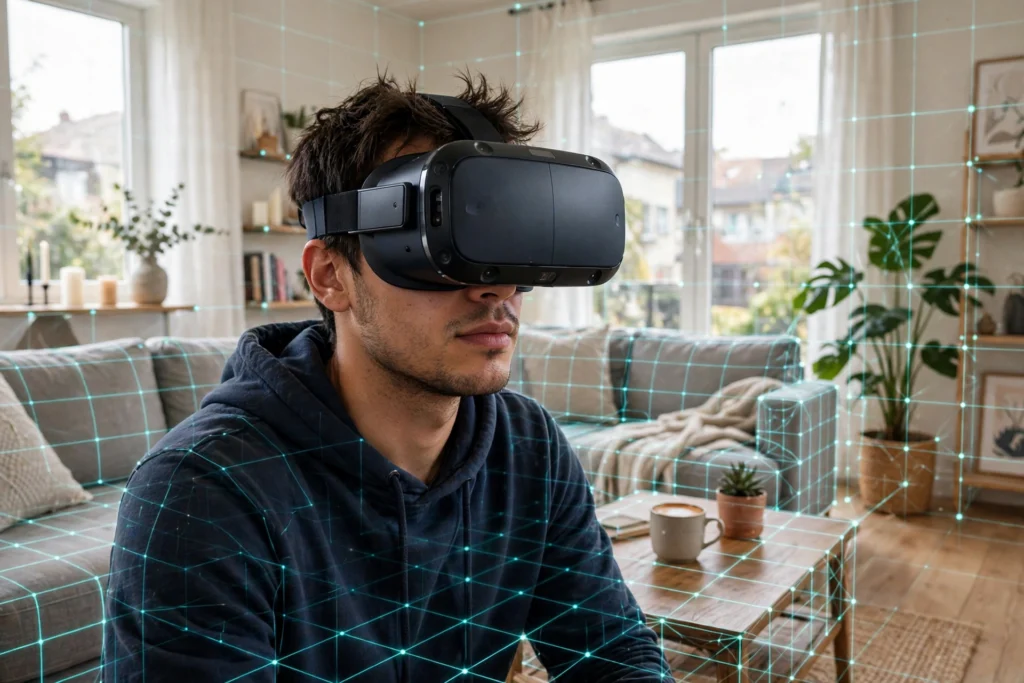
VR room mapping is how a headset learns the shape of your room — where the floor is, where the walls and furniture sit, and how much space you can safely move in — so virtual objects can sit still in the real world and a warning can appear before you walk into the coffee table. It happens in seconds when you put the headset on, using cameras, sensors, and software working together.
Key Takeaways
- Room mapping builds a live 3D picture of your space from what the headset’s cameras can see.
- Inside-out tracking means the headset watches the room itself, with no external sensors to install.
- A guardian boundary is the safety fence drawn around your play area; stepping near it brings up a warning.
- Good lighting, a clear floor, and a quick rescan after moving furniture keep tracking steady.
- Room mapping is a supporting piece of how headsets work, not a separate device you buy.
What exactly does a VR headset map?
Think of it less like a photograph and more like a rough sketch the headset keeps updating. When you first set up a play area, the headset looks for stable reference points: corners, edges, the pattern on a rug, the outline of a sofa. It notes where the floor is, so a virtual ball can rest on it rather than float, and it remembers obstacles so it can warn you about them.
It does not need to know what your furniture is called. It just needs geometry: distances, angles, and surfaces. That’s why a plain white room with no features can confuse tracking, while a room with a bookshelf, a plant, and a patterned rug gives the cameras plenty to hold on to.
How do the cameras and sensors do it?
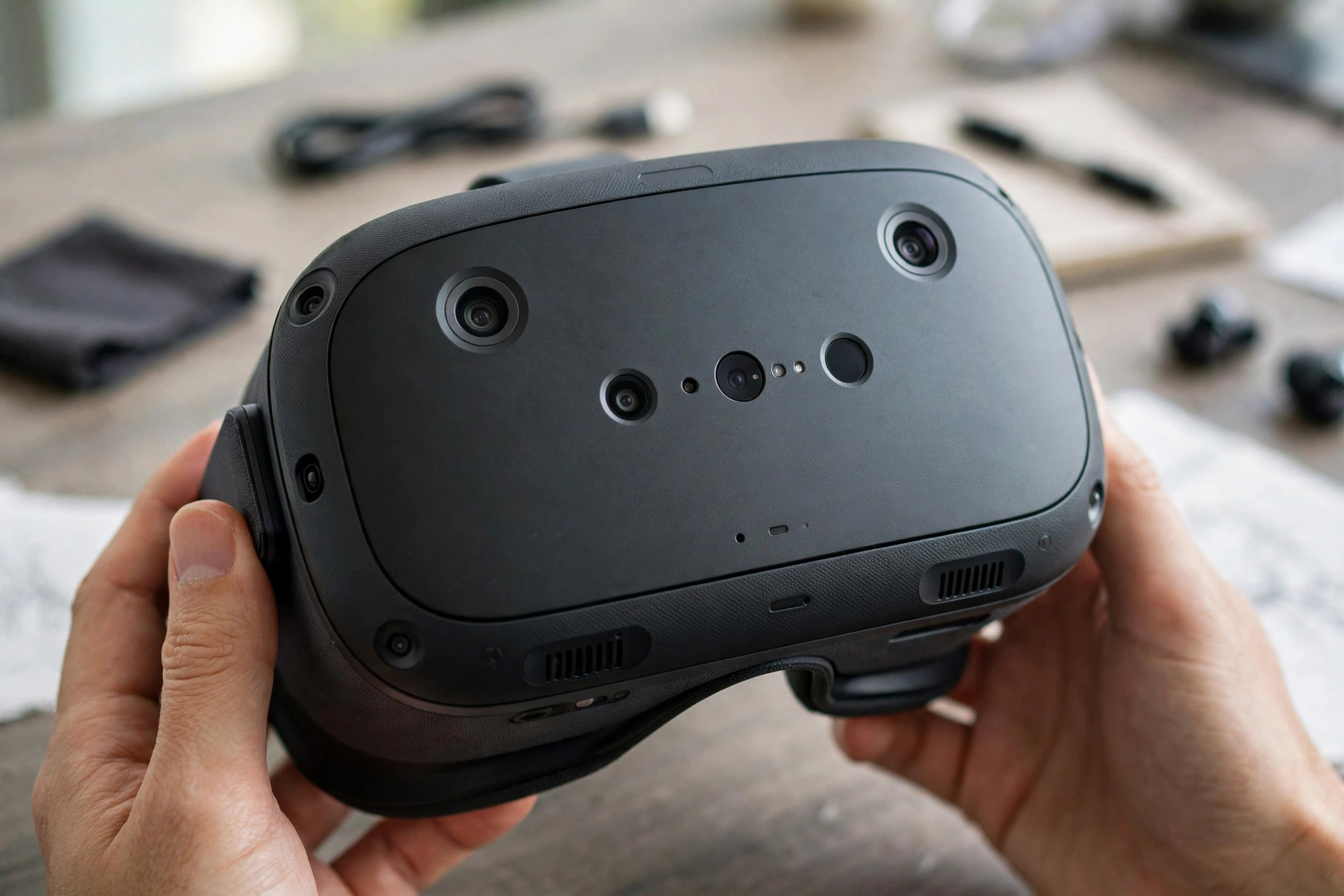
Most modern standalone headsets use inside-out tracking. Small cameras on the front and sides of the headset look outward at your room, dozens of times a second, and compare each frame with the last. If a corner of the bookshelf moves left in the image, the software works out that your head moved right. Combine that with motion sensors inside the headset that sense acceleration and rotation, and you get a smooth, continuous sense of where you are.
Some headsets add depth sensing, which measures how far away each surface is rather than just how it looks. That helps with trickier jobs, like placing a virtual screen on a real wall or letting your hands pass behind a real chair. Older or high-end PC setups sometimes used outside-in tracking instead, with base stations placed around the room watching the headset. That approach can be very precise, but it means extra hardware, cables, and setup — which is why most headsets you can buy today have moved to cameras on the headset itself.
Inside-out vs outside-in tracking: what’s the difference?
Inside-out tracking is the convenient option: everything you need is on your head, so you can set up in a new room in minutes. Its weakness is blind spots — if your hands drift behind your back, the cameras can’t see them, and the headset has to guess for a moment.
Outside-in tracking flips the job around. Sensors around the room watch the headset and controllers, so they can keep track of you even when the headset’s own cameras would be blocked. The trade-off is cost and clutter: you need to mount sensors and keep them powered. For most living-room use, inside-out wins on simplicity, and its accuracy is good enough for games, training, and design work.
What is a guardian boundary, and why does it matter?
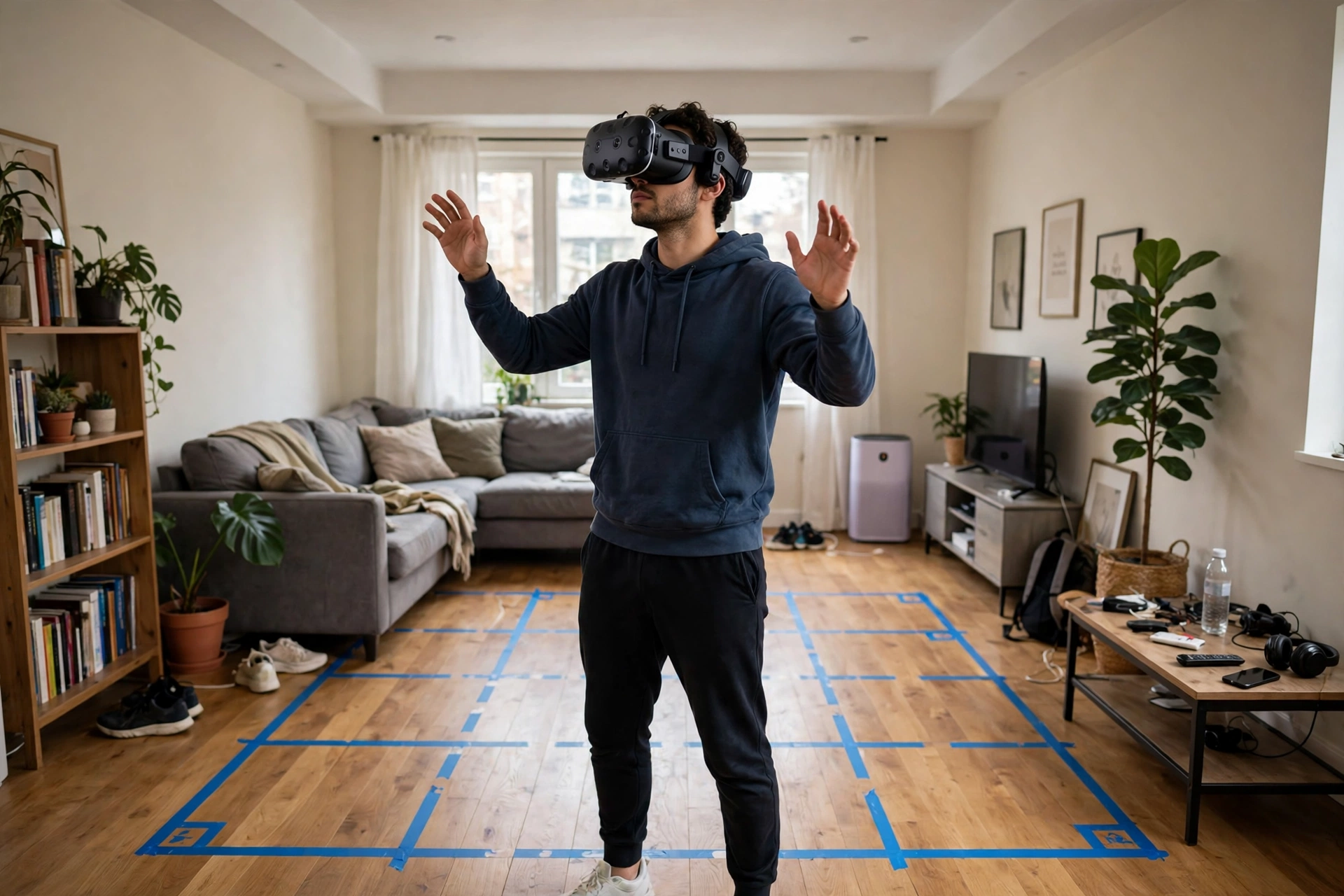
A guardian boundary is the safety line you draw — or the headset suggests — around your play space. During setup, you usually trace the edge of your clear floor area while looking through the headset, or confirm a suggested rectangle. The headset stores that shape and watches your position against it.
Step close to the edge and a grid wall fades into view; step further and your real surroundings appear in passthrough, so you can see the room before you bump into anything. It’s a simple idea, but it’s the feature that makes room-scale VR practical in an ordinary home. Without it, you’d need an empty hall to play safely.
If you move the furniture, take the headset to another room, or even shift a large rug, it’s worth redrawing the boundary. A stale boundary is the most common reason people clip a chair they forgot they’d moved.
Why does tracking sometimes drift or glitch?
Tracking is only as good as what the cameras can see. Dim light starves the cameras of detail, while bright sunlight through a window can wash images out. Mirrors and very shiny surfaces are another classic problem: the headset may track a reflection as if it were a second room.
Fast, jerky movements can also cause a brief wobble. The motion sensors fill the gaps for a fraction of a second, but they drift without visual reference points to correct them. That’s why a tracking hiccup usually fixes itself the moment you turn your head and the cameras lock on to something familiar.
Practical fixes are refreshingly low-tech: turn on a lamp, close the curtains against direct sun, cover a large mirror during a session, and clear clutter from the floor. If tracking stays off, restarting the headset and rescanning the room clears most stubborn glitches.
How do you set up a good play space?
Start with the floor. You need enough clear space to step, reach, and turn without hitting anything — even a modest rectangle works if it’s genuinely clear. Push chairs back, move the coffee table if you can, and keep pets’ beds and charging cables out of the zone. Next, check the light. A normally lit room is ideal: not dark, not flooded with direct sun. Then draw your boundary with a little margin, so the warning appears before you’re right on top of a wall. Finally, stand in the middle and confirm the headset’s view of the room matches what you see — if a virtual object sits in the wrong place, rescan before you start.
FAQs
Do I need extra sensors for VR room mapping?
With most modern standalone headsets, no. The cameras and sensors on the headset itself do the mapping, so you can set up in a new room without mounting anything on the walls.
How long does room mapping take?
Usually under a minute. The headset scans as you look around during setup, and it keeps refining the map while you use it. A full rescan after moving furniture takes about the same time.
Why does my headset ask me to redraw the boundary?
It asks when the room looks different from the stored map — after furniture moved, lighting changed a lot, or you started in a different room. Redrawing takes seconds and keeps the safety warnings accurate.
Does VR room mapping record video of my home?
Headsets process camera images on the device to work out positions and surfaces; they don’t need to keep a video of your living room to do it. Still, it’s sensible to check your headset maker’s privacy settings if that matters to you, since settings and options vary by device.
Try it yourself
Next time you put on a headset, pay attention to the setup step instead of skipping through it. Draw the boundary with a little margin, check the light, and notice how the headset reacts when you walk toward the edge. A two-minute setup is what turns a good VR session into a safe one.
Related reading: for the full picture of the hardware behind this, see our guide to how VR headsets work, and for what people actually do with the technology, see VR beyond gaming. For an introduction to the technology itself, see What Is Virtual Reality?
For safety guidance, see Meta Quest’s health and safety warnings, and for background on the technology, see Britannica’s overview of virtual reality.