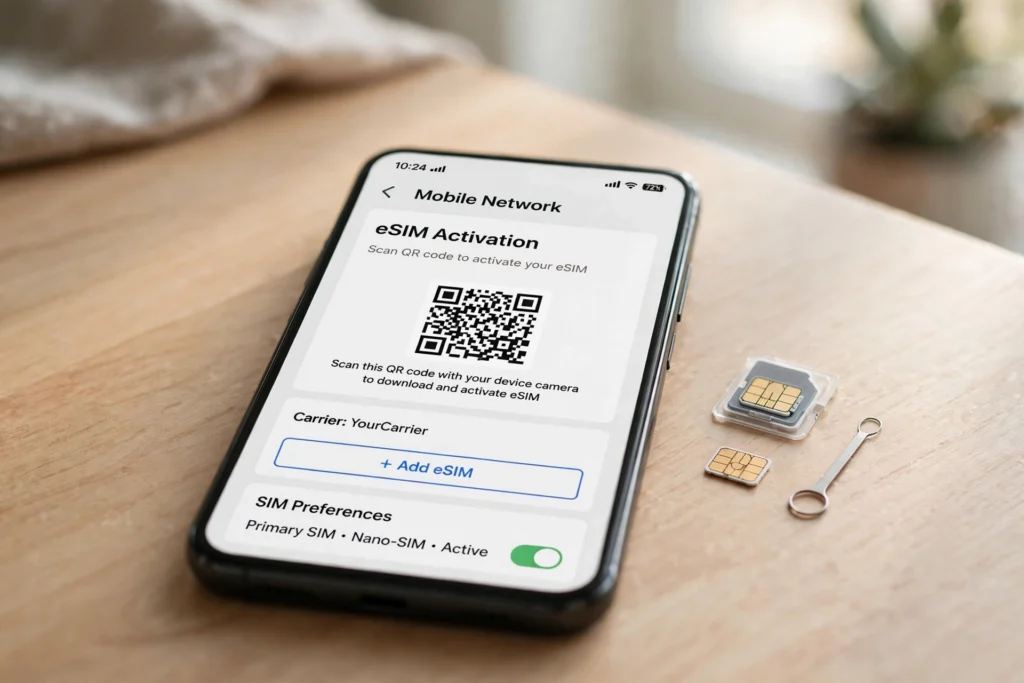
An eSIM is a SIM card built into your phone instead of a piece of plastic you slot into a tray. It does the same job as the card you know — identifying you to your mobile network — but the details arrive as a download, usually by scanning a QR code, rather than in the post.
Key Takeaways
- eSIM stands for embedded SIM: a small reprogrammable chip soldered onto your phone’s circuit board.
- It holds your carrier profile digitally, so switching networks is a download, not a trip to a shop.
- Most recent iPhones, Samsung Galaxy phones and Google Pixel phones support eSIMs.
- Setting one up takes a few minutes with Wi-Fi and a QR code from your carrier.
- Physical SIMs still suit older phones and frequent handset swaps.
What is an eSIM, exactly?
The “e” in eSIM stands for embedded. Instead of a removable plastic card with a gold chip, an eSIM is a tiny chip fixed permanently inside your phone, tablet or smartwatch. It stores the same details as a normal SIM: your number, your carrier and your plan.
Nothing about the job changes: your phone still has to prove who you are to the network before it can make calls or use mobile data. What changes is the form — a card you can hold, lose or snap in half becomes a software profile on a chip you never touch. That is why new phones keep arriving without a SIM tray: Apple dropped the slot from iPhone 14 models sold in the United States, and losing the tray removes one more opening for dust and water.
How does an eSIM work?
Think of it in three parts: the chip, the profile and the download. The chip is soldered to the phone’s main board and cannot be removed — but it is reprogrammable, so the same chip can hold one carrier’s profile today and another’s tomorrow.
The profile is the software: a small file from your carrier with your number, your plan and the credentials your phone uses to log in. A phone can usually store several profiles at once, though only one or two can be active — so a personal line and a work line, or a home line and a travel line, can live side by side on the same chip.
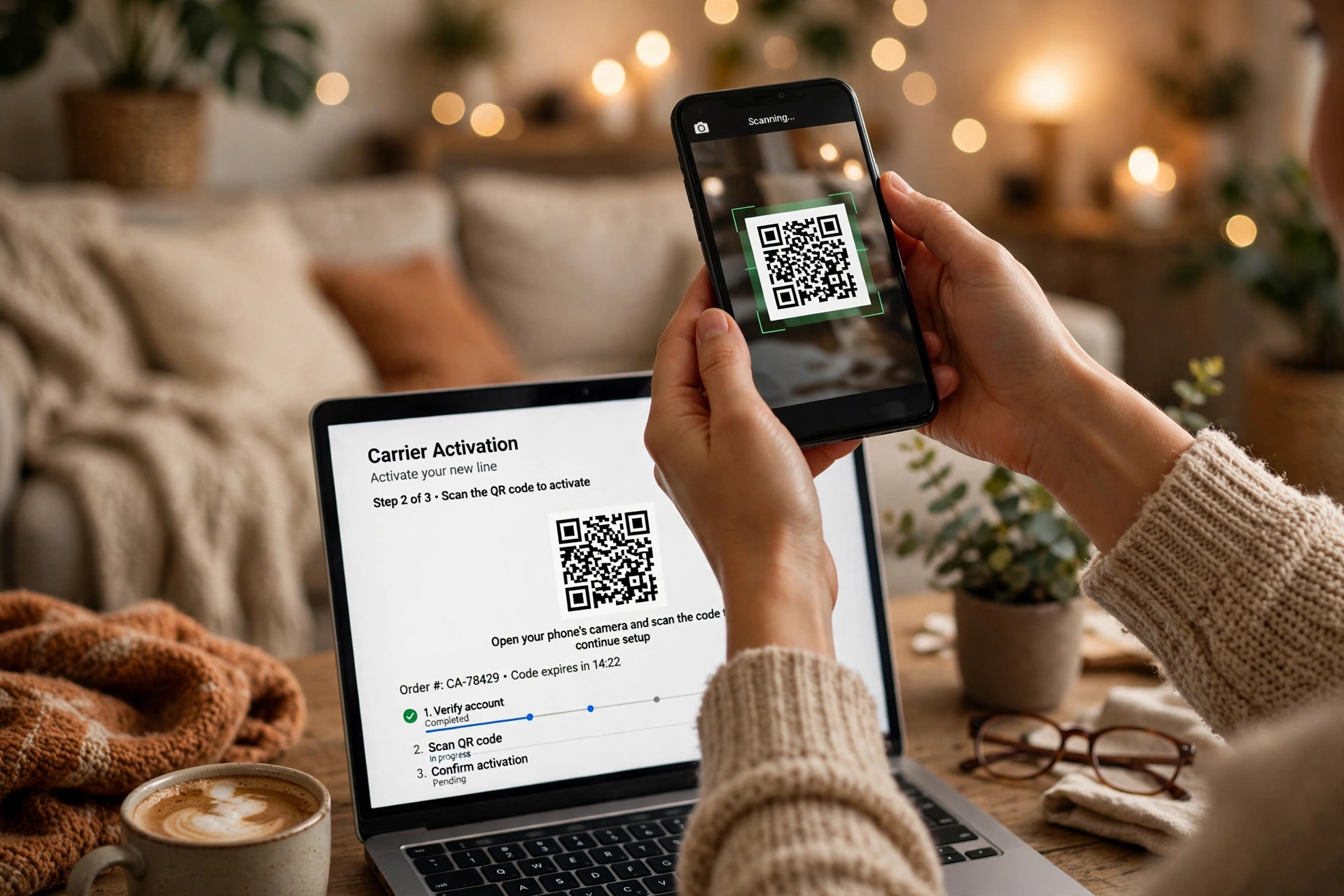
The download is how the profile gets there. Your carrier sends you a QR code — by email, in their app or on their website — and you scan it in your phone’s settings. The phone fetches the profile over Wi-Fi and registers with the network. It runs on a shared GSMA standard called Remote SIM Provisioning, which is why setup looks much the same on iPhone and Android.
eSIM vs physical SIM: what’s actually different?
Day to day, very little: calls sound the same, data speeds are the same and your number works the same way. The differences show up when you change something.
| eSIM | Physical SIM | |
|---|---|---|
| Form | Chip built into the phone | Removable plastic card |
| Switching carriers | Download a profile in minutes | Wait for a card or visit a shop |
| Multiple lines | Several profiles stored on one chip | One card per slot, plus a tray to swap |
| Moving to a new phone | Transfer it in settings or scan a new code | Move the card to another phone |
| If the phone breaks | Carrier must reissue the profile | Take the card out and use it in another phone |
| Travelling | Buy a local plan online before you fly | Buy a local card at the airport |
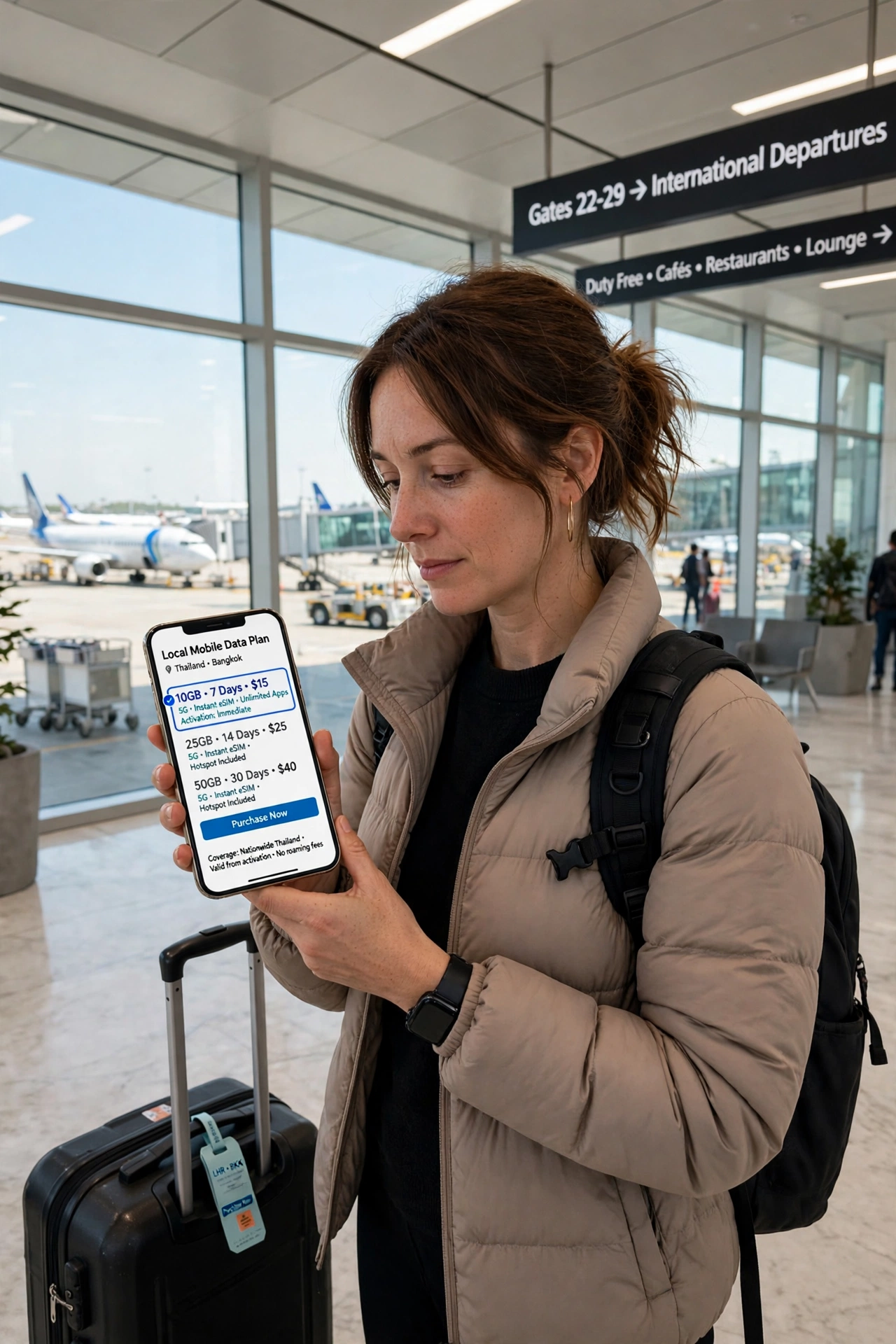
The last row is where eSIMs quietly shine. A traveller landing in Bangkok can buy a local data plan online before take-off, scan the QR code at home and step off the plane already connected — no SIM kiosk, no ejector tool, and the home number stays reachable on the same phone.
How to set up an eSIM
The menus differ slightly between iPhone and Android, but the job is the same:
- Check your phone supports eSIMs. On an iPhone, look under Settings, then Mobile Service; on Android, under Settings, then Network and Internet, then SIMs. If you see “Add eSIM”, you are in business.
- Buy a plan and ask for an eSIM. Your carrier will give you a QR code or an activation link in their app.
- Connect to Wi-Fi — the profile downloads over the internet, so you need a connection before the new line goes live.
- Scan the code, or tap the activation link, and follow the prompts.
- Choose which line does what: one for calls, one for data.
It usually takes a few minutes. If the scan fails, check the Wi-Fi connection, make sure the code has not expired, and try the manual activation code your carrier also supplies.
Which phones support eSIMs?
Most flagship and mid-range phones sold in the last few years do. Apple has supported eSIMs since the iPhone XS, and every iPhone sold in the United States since the iPhone 14 is eSIM-only. Samsung’s Galaxy S and Z ranges, Google’s Pixel phones from the Pixel 2 onwards and recent Motorola flagships all include it. Cellular iPads and many smartwatches use eSIMs too — unsure about yours? Search your model and “eSIM support”.
When a physical SIM still makes sense
Swapping phones is slower with an eSIM. With a plastic card you move your number by moving the card; with an eSIM you transfer the profile through settings, or ask the carrier for a fresh QR code — fine at home, less fun when your phone has just died and you need the spare working now. Not every carrier supports eSIMs yet, either: the large networks and most travel eSIM sellers do, but smaller carriers may still be plastic-only, so check before you buy a phone with no tray at all. And if you sell a phone, wipe its eSIM profiles first — a physical SIM leaves with you, but a profile stays on the chip until you delete it.
FAQs
Does an eSIM cost more than a physical SIM?
Usually not. Most carriers charge the same either way, and many issue the eSIM free. Travel eSIM plans are often cheaper than airport roaming, though prices vary between sellers, so compare before you buy.
Can I use an eSIM and a physical SIM at the same time?
Yes, if your phone has both. Many phones support one physical SIM plus one eSIM, and some support two eSIMs at once — you choose which line handles calls, texts and data.
What happens to my eSIM if I change phones?
You move it: most phones offer an eSIM transfer during setup, moving the profile over Wi-Fi or Bluetooth. If that fails, your carrier can issue a new QR code.
Is an eSIM safer than a physical SIM?
In one respect, yes: nobody can steal your number by popping the card out of a lost phone, because there is no card to pop out. Still set a screen lock and remove profiles before selling the phone.
Can I go back to a physical SIM after switching to eSIM?
On most phones, yes, as long as the phone still has a SIM tray: ask your carrier for a physical card, put it in the tray and remove the eSIM profile. Phones with no tray at all, like US iPhone 14 models and later, cannot take one.
The short version
An eSIM is the same idea as a SIM card with the plastic removed: your carrier details live on a chip inside the phone, you install them by scanning a QR code, and switching networks becomes a download instead of a delivery. If your phone supports it, try it on your next trip or plan change — set it up at home on Wi-Fi and keep your old SIM until the new line works.
Further reading: Android Authority’s eSIM guide and Popular Science’s eSIM explainer.