
AI budgeting means letting software do the boring half of managing money: it sorts your transactions, spots patterns you would miss, and warns you before a category runs dry. You still decide what matters; the tool just keeps the numbers honest while you get on with life.
This article is general information, not financial advice. If you need guidance on debt, tax, or investments, talk to a qualified professional.
Key Takeaways
- AI budgeting tools connect to your accounts, sort each transaction, and build a budget from what you actually spend.
- The biggest wins are automatic categorisation, subscription spotting, and cash-flow forecasts that flag trouble weeks ahead.
- Free tools such as Cleo cover the basics; paid apps such as Monarch and YNAB add shared budgets and deeper planning.
- AI budgeting works best as a second pair of eyes, not a replacement for your judgement — check its categories and keep your bank login details private.
What an AI budgeting tool actually does
A traditional budget is a spreadsheet you fill in by hand and forget by the third week. An AI budgeting tool flips that around. You link your bank accounts and cards once, and the software reads each transaction as it lands, guesses the category — groceries, transport, takeaway, streaming — and files it away. Over a month or two it learns your habits: the Friday takeaway, the annual car insurance, the gym payment you forgot you had.
Sorting spending without the spreadsheet slog
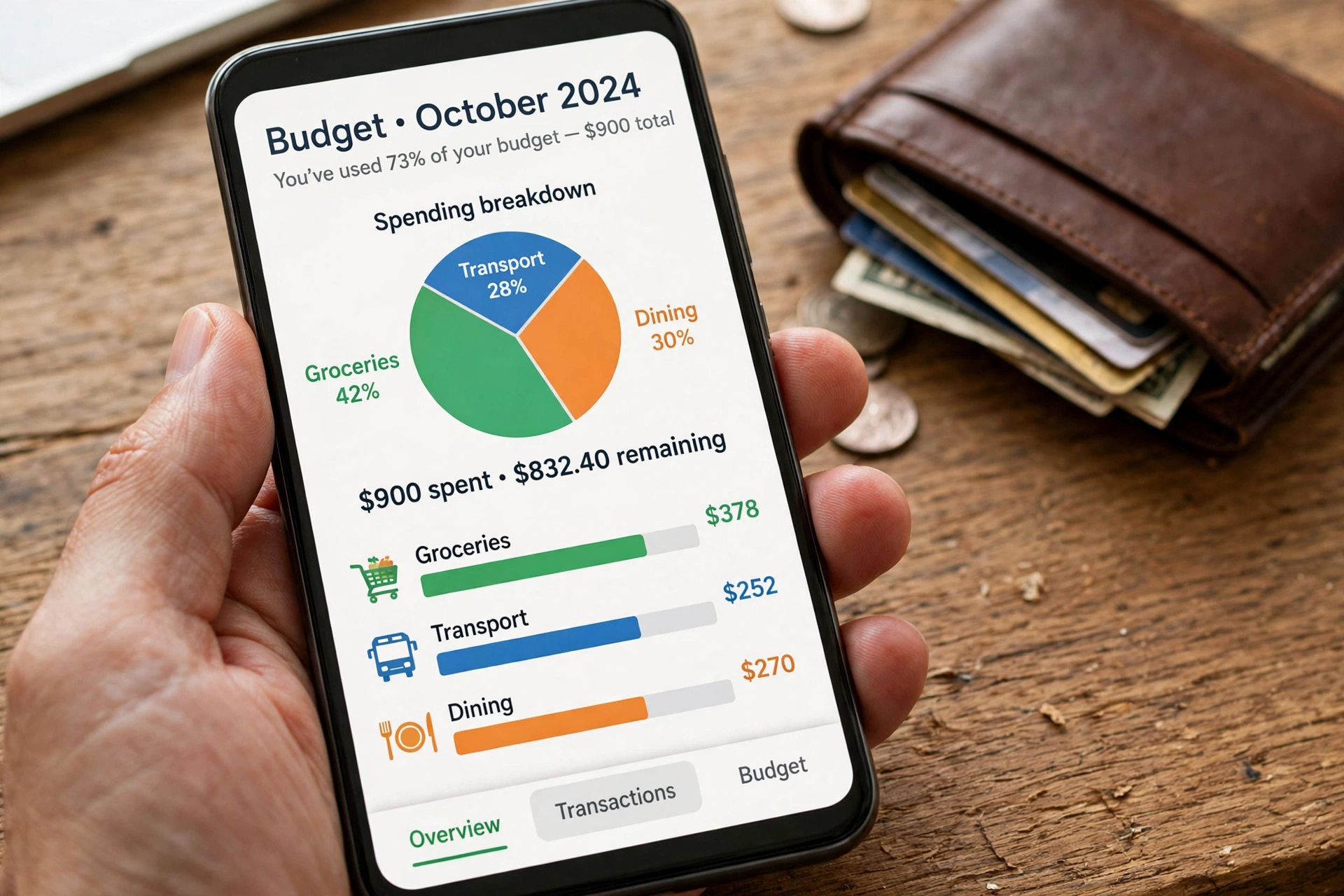
The first job, and the one AI does best, is categorisation. Every card payment arrives with a merchant name that is often cryptic — “SQ *CAFE 0421” tells you nothing. The tool matches it against known merchants and your own history, then files it under the right heading. When it gets one wrong, you correct it once and it remembers.
A worked example helps. Say you earn £2,400 a month after tax and your rent is £950. An AI tool can show that your “wants” are running at 38% of your income, mostly takeaway and streaming, and suggest a gentler target for next month rather than an impossible one. The advice stays grounded in your own data, which is why people stick with it longer than a template downloaded from the internet.
Manual budgeting vs AI budgeting
| Manual budgeting | AI budgeting | |
|---|---|---|
| Setting up | An evening with a spreadsheet | Link accounts, about 10 minutes |
| Sorting transactions | You type each one in | Sorted automatically, you correct the odd mistake |
| Spotting drift | Only if you check | Alerts when a category creeps up |
| Forecasting | Rough guesswork | Projects cash flow from your real history |
| Cost | Free, apart from your time | Free tiers exist; paid apps run roughly £5–£15 a month |
| Weak spot | Easy to abandon | Needs your data to work, so privacy matters |
Neither approach is magic. Manual budgeting fails when life gets busy; AI budgeting fails when the data it sees is wrong or incomplete. The honest choice is the one you will still be using in three months.
Subscriptions: the quiet leak AI finds first
Subscriptions are where AI budgeting earns its keep. A single streaming service is £10 or so a month — easy to justify. Five of them, plus a cloud plan, a fitness app you opened twice, and a free trial that quietly converted, can add up to £60 or £70 a month before you notice.
AI tools scan your recurring payments and list them in one place, with renewal dates and totals. Rocket Money built its name on exactly this: find the recurring charges, show the total, and offer to cancel the ones you no longer use. Monarch does a similar job while also tracking shared household spending, which matters when two people split the bills. Even a free chatbot-style tool such as Cleo will tell you what you are paying for each month if you ask.
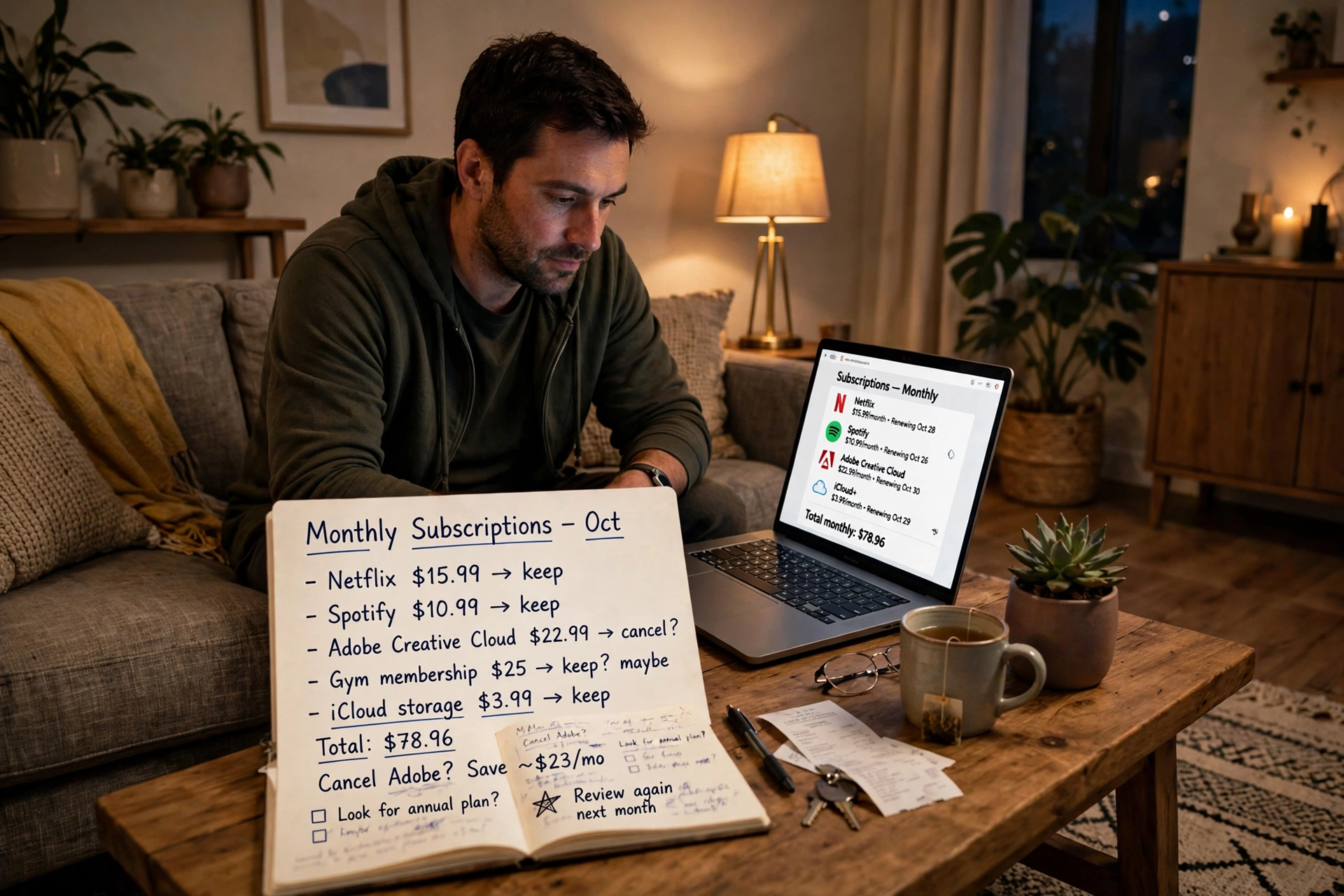
Cancel one £12-a-month service you forgot about and you have paid for a year of most budgeting apps in a single move. It is the closest thing to free money in personal finance — and the easiest win to explain to a sceptical partner.
Forecasting: seeing the tight month before it arrives
Categorising the past is useful; forecasting the future is where AI budgeting starts to feel clever. The tool knows your payday, your direct debits, and your usual spending pace. Put those together and it can project your balance two or three weeks ahead, and warn you early enough to move money, delay a purchase, or dip into savings on purpose rather than by accident.
That matters most for people whose income varies — freelancers, shift workers, anyone paid weekly. A fixed monthly budget assumes a fixed monthly income, which is fiction for millions of people. Keep the forecasts in perspective, though: they are estimates, not promises, and a car repair or a sudden bill can still throw any plan off. Treat a forecast as a weather report — good for planning, useless as a guarantee.
Where to stay careful
AI budgeting asks for a lot of trust. The tool can only work if it can read your transactions, which means connecting it to your bank accounts through a service such as Plaid or open banking. That is standard practice and heavily regulated in most countries, but it is still worth checking before you sign up: confirm the app uses read-only access, and turn on two-factor authentication.
Watch out for the sales pitch, too. Some tools earn money by recommending credit cards or loans based on your spending — a suggestion that you “could afford” a new card is advertising dressed as insight, not neutral advice. If a recommendation feels pushy, ignore it, and never let an app apply for credit on your behalf.
Finally, check the categories. AI miscategorises things — a pharmacy purchase filed as groceries, a work lunch filed as entertainment. A five-minute check once a week keeps the whole system honest. The tool is a helper, not an accountant, and the moment you stop checking is the moment a wrong category quietly distorts every chart it draws.
Getting started in an afternoon
Pick one tool and give it a month. Start free: Cleo or a bank’s own built-in insights cost nothing and show whether you like the approach. Most tools also answer plain questions about your money — ask how much you spent on coffee last month and you get a number, not a spreadsheet. If you want shared budgets or deeper planning, Monarch and YNAB are the names that come up most often in reviews, and both offer a trial before you pay.
Link one current account first, not every account you own. Let the tool categorise a few weeks of spending, correct its mistakes, and look at the subscription list. If the picture it paints feels true, add the rest of your accounts and set one goal — an emergency cushion, a holiday, a debt to clear. Then check in once a week, same time, five minutes: look at the forecast, glance at the categories, cancel anything you do not use. That small habit, not the app itself, is what turns AI budgeting from a novelty into something that leaves more money in your account at the end of the month.
FAQs
What is AI budgeting?
AI budgeting uses software to sort your transactions, track spending patterns, and forecast cash flow automatically, instead of you entering every expense by hand.
Is AI budgeting safe?
It is generally safe with a reputable app that uses read-only bank access and two-factor authentication — but read the privacy policy first, and never share your bank password directly with an app.
How much do AI budgeting tools cost?
Many offer a free tier, such as Cleo, while paid apps such as Monarch and YNAB usually cost roughly £5 to £15 a month, often with a free trial first.
Can AI budgeting really save me money?
It can, mostly by finding forgotten subscriptions and showing where spending has crept up. The savings come from acting on what it shows you, not from the app alone.
Do I still need to check my budget myself?
Yes. Spend five minutes a week checking categories and the forecast. AI miscategorises purchases sometimes, and a quick review keeps the numbers accurate.
Conclusion
AI budgeting does not make you good with money overnight. What it does is remove the tedious half of budgeting — the sorting, the adding up, the noticing — so the part that needs a human, the deciding, gets your full attention. Link one account this week, look at your subscription list, and cancel one thing you do not use. That single step is the best test of whether AI budgeting earns a place in your routine.