
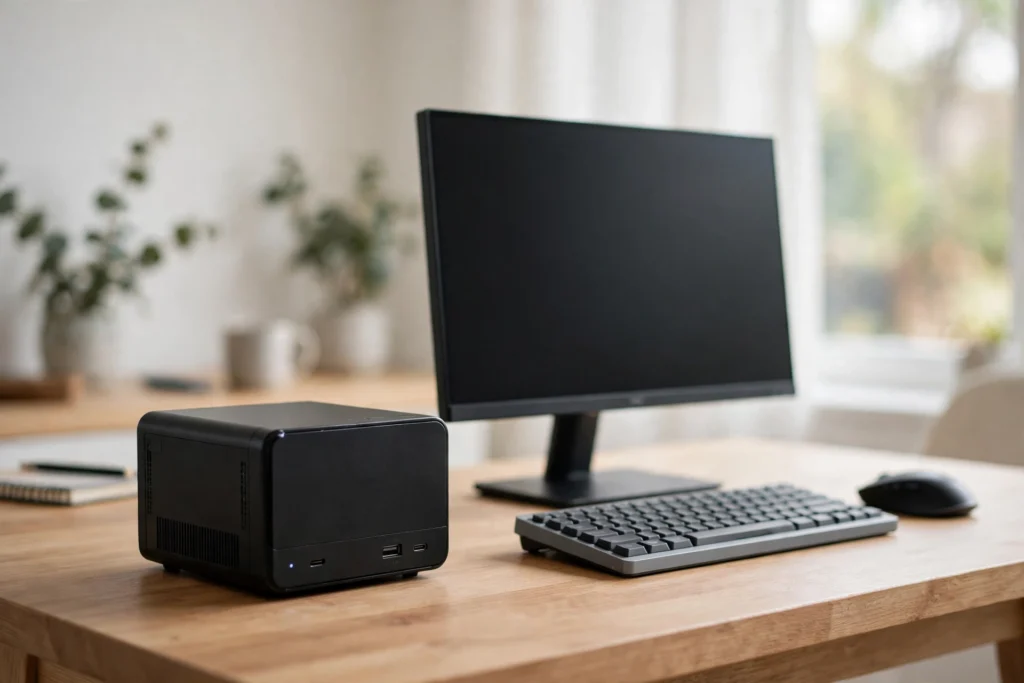
A mini PC is a full desktop computer squeezed into a box about the size of a paperback book. It runs the same Windows or Linux software as a tower PC, plugs into a monitor, keyboard and mouse, and sits quietly on your desk. If a big tower feels like overkill, this is the machine worth a look.
Key Takeaways
- A mini PC is a complete desktop computer in a box roughly half a litre to two litres in size.
- It uses laptop-style parts, so it sips power — often 10 to 65 watts — and runs quietly.
- It needs a separate monitor, keyboard and mouse; it has no screen or battery.
- Everyday jobs run fine, but heavy gaming and video editing usually need a bigger machine.
- Check processor, RAM, storage, ports and upgrades before you buy, not just the price.
What sits inside a mini PC?
Inside is the same core kit as any desktop, just smaller. The processor is usually a laptop-class chip — an Intel Core i3 or i5, or an AMD Ryzen 3 or 5 — with 8GB or 16GB of RAM and a fast M.2 NVMe solid-state drive instead of a spinning hard disk. Graphics come from the chip itself, so most models have no separate graphics card, and cooling is a small fan or the metal case alone.
That choice of parts is the whole trick. Laptop chips run cool and sip power, so a mini PC gets away with a tiny case and a power brick barely bigger than a phone charger. Apple’s Mac mini is the best-known example, but Windows and Linux models from Beelink, Minisforum, Asus and Lenovo fill the same shelf. The format is formally called the small form factor PC.
What you give up is expansion. A tower has room for extra drives and a graphics card; a mini PC has almost none, and some models won’t even let you add RAM later — so what you buy is largely what you keep.
How is a mini PC different from a laptop or a desktop?
It is a desktop that borrows a laptop’s parts, and the trade-offs follow from that:
| Mini PC | Laptop | Desktop tower | |
|---|---|---|---|
| Size | Paperback-sized box | Thin slab, folds shut | Large box on the floor |
| Screen and keyboard | None — you supply them | Built in | None — you supply them |
| Power use | Low, often 10–65 watts | Low, plus a battery | High, 300 watts or more |
| Upgrades | RAM and storage, sometimes | Very limited | Easy: GPU, drives, RAM |
| Portability | Carries in one hand | Works anywhere | Stays put |
| Typical price | Roughly $150–$700 | Roughly $300–$1,500 | Roughly $500 and up |
If you want a computer that travels, a laptop still wins — a Chromebook is the budget end of that idea, and a tablet computer covers the lightest travelling. But if the machine never leaves your desk, a mini PC gives you the same setup as a tower, minus the box on the floor.
What can you actually do with one?
More than the size suggests. A mid-range model with a Ryzen 5 chip, 16GB of RAM and a 512GB SSD handles the working day without complaint: browser tabs, email, video calls, spreadsheets and documents all at once. It also works as a media centre under the TV or a homework machine in a small bedroom.
Here is a worked example. Say you have a spare monitor, keyboard and mouse, and about $350 to spend. A mini PC in that range with 16GB of RAM and a 512GB SSD gives you a complete home office that takes up no more desk space than a mug. Pair it with a portable monitor and the whole setup packs into a bag for a weekend away.
There are limits. Photo editing in small batches is fine, but scrubbing through 4K video is not what these machines are for. Light and indie games run well; demanding modern titles generally do not, with no dedicated graphics card to lean on. And unlike a hobby board such as the Raspberry Pi, a mini PC is a finished product: plug it in and it works.
What should you check before buying one?
Mini PCs are not all equal, and the cheapest box is rarely the best buy. Check this list first:
- Processor: a recent Core i3 or Ryzen 3 covers everyday use; an i5 or Ryzen 5 if you multitask heavily.
- RAM: 8GB minimum for smooth Windows use, 16GB if you keep lots of tabs open; check it can be upgraded.
- Storage: an NVMe SSD of at least 256GB; avoid slow eMMC-only models.
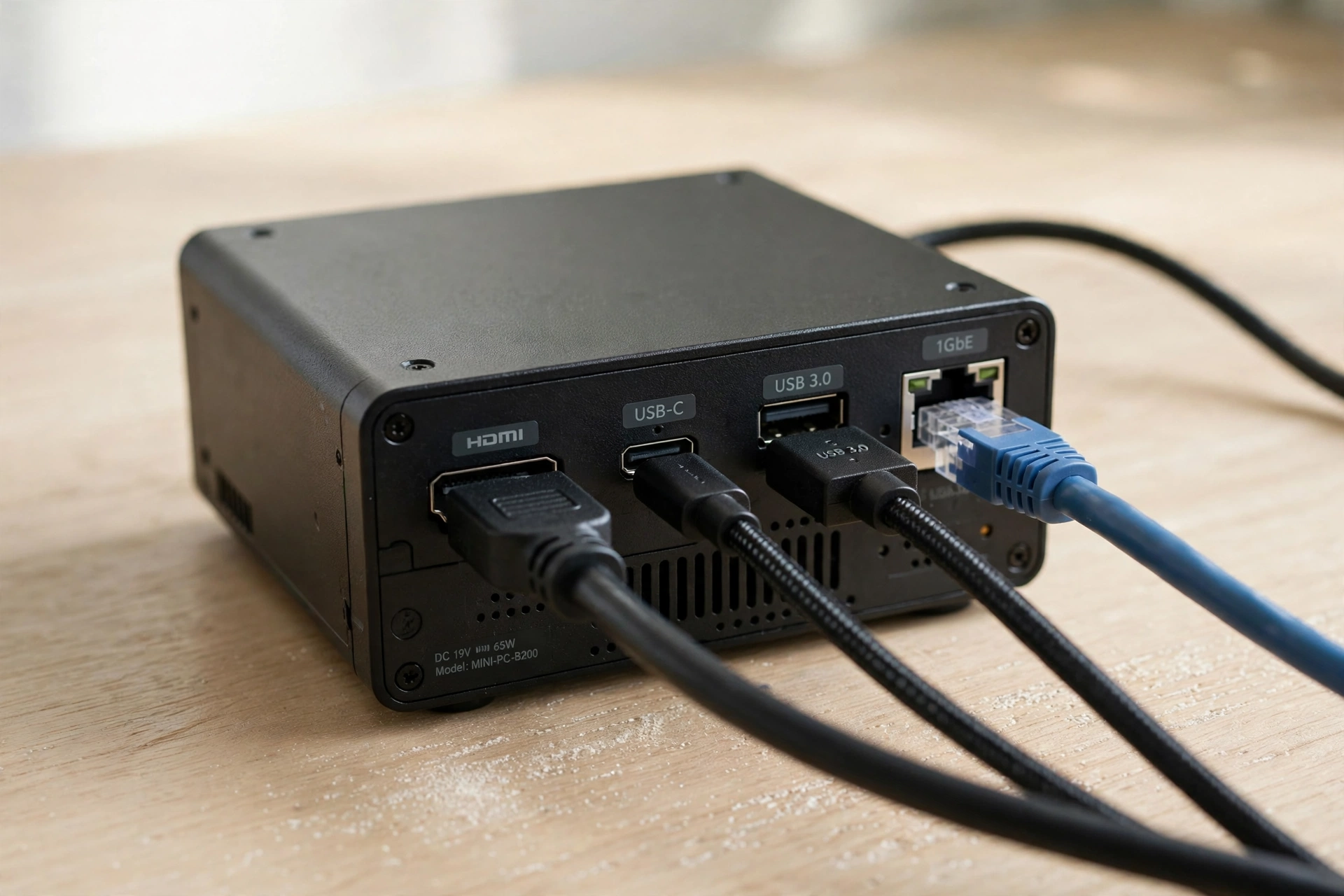
- Ports: count what you plug in — enough USB, HDMI or DisplayPort for your monitors, and Ethernet if you like a wired connection.
- Cooling: fanless is silent but can slow down under sustained work; a small fan is the better compromise.
- Wireless: Wi-Fi 6 and Bluetooth are standard on recent models and worth having for a cable-free desk.
How-To Geek’s rundown of 5 reasons to buy a mini PC (and 3 reasons not to) is a useful second opinion on the same trade-offs.
Who should skip a mini PC?
Not everyone, and better to know now than after the return window closes. Serious gamers should look elsewhere — most mini PCs have no dedicated graphics card and no room to add one. The same goes for video editors working with 4K footage and anyone who expects to keep adding drives and cards. A tower suits those jobs better, and a laptop suits life on the move.
Frequently Asked Questions
Is a mini PC as powerful as a normal desktop?
For everyday tasks, yes — browsing, office work, streaming and video calls feel the same. For heavy work like 3D rendering or high-end gaming, no: mini PCs use laptop-class chips and integrated graphics.
Can a mini PC run Windows 11?
Most new models ship with Windows 11 ready to go. Barebones kits may come with no operating system, so check the listing — and that the model meets Microsoft’s requirements, including TPM 2.0.
Do mini PCs overheat?
They run warm rather than hot. Give the vents breathing room and keep the box out of direct sun; fanless models may slow down under long, heavy loads.
Can you upgrade a mini PC?
Sometimes. Many models let you add RAM or swap the SSD. The processor and graphics are almost always fixed, so buy the performance you need up front.
Is a mini PC good for gaming?
Older titles, indie games and cloud gaming run well. Demanding modern games at high settings generally need a desktop with a dedicated graphics card.
The bottom line
A mini PC is a real desktop computer the size of a book. It won’t replace a tower for heavy work or follow you around like a laptop, but at a fixed desk it gives you the full desktop experience with a fraction of the clutter, noise and power draw. Measure your desk space, list the ports and monitors you need, and check RAM, storage and upgrade options before buying the cheapest model.
Further reading: Wikipedia — Small form factor PC · How-To Geek — 5 Reasons You Should Buy a Mini PC (and 3 Reasons Not To)