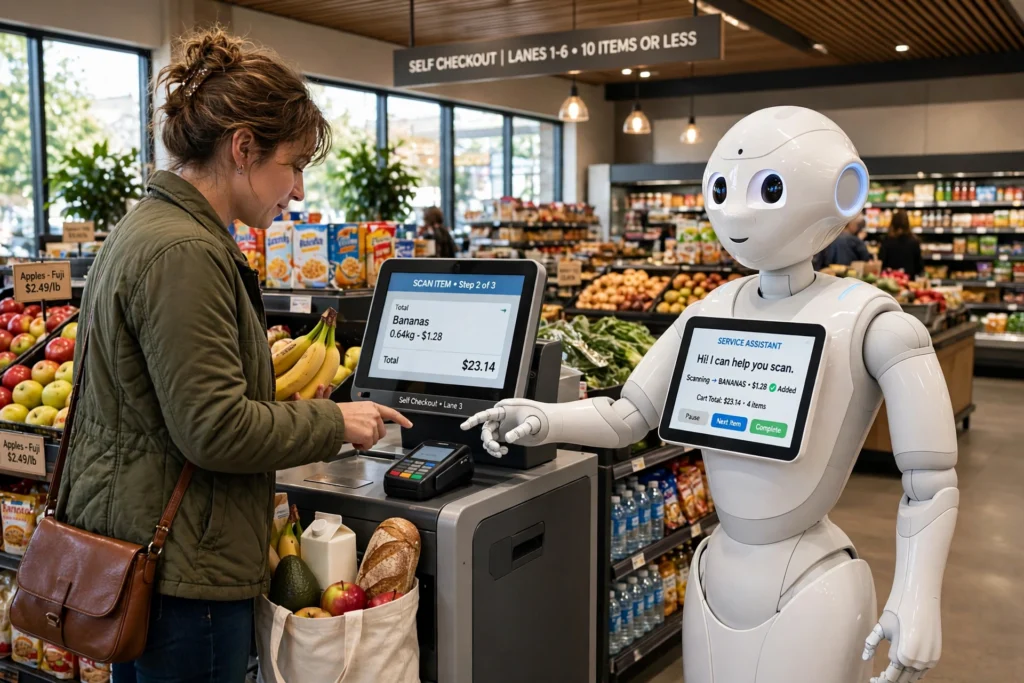
Robot cashiers scan your items, weigh them and take your payment — all without a person behind the till. Most are self-checkout machines with a barcode scanner, scales and a card reader, watched over by one attendant running four to six lanes. They handle routine shops well, but age-restricted goods, errors and anything unusual still need a human.
Key Takeaways
- Robot cashiers are mostly self-checkout tills: scanner, scales, touchscreen and card reader in one machine.
- The bagging-area scales check each item’s weight, which catches most mistakes.
- One attendant usually watches four to six lanes, stepping in for errors, age checks and payment problems.
- Camera-based “just walk out” shops skip the till entirely, but they are still rare.
- They are fastest for small, simple shops — big trolleys and loose items still slow them down.
What is a robot cashier?
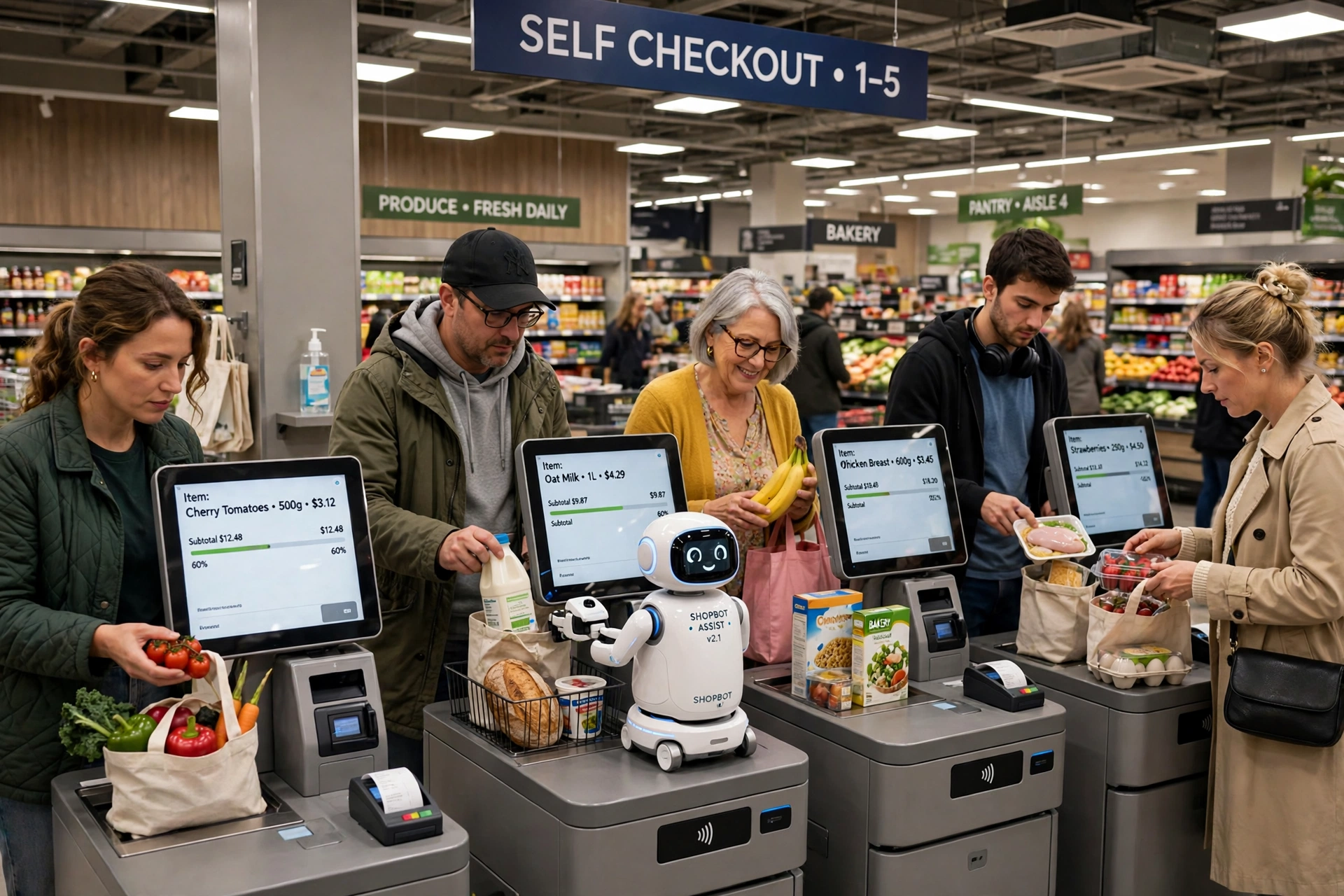
You have probably already used one. Walk into a supermarket, pick the self-checkout lane, scan your milk and bread, tap your card, and walk out — no cashier involved. That machine is a robot cashier: a till that does the cashier’s job with a scanner, a set of scales, a touchscreen and a payment terminal, instead of a person.
There are three kinds in shops today. The most common is the self-checkout kiosk, where you do the scanning yourself and the machine checks your work. Then there are scan-as-you-shop systems, where you scan items with a handheld device as you walk around and pay on the way out. The newest kind is the camera-based store, where cameras watch what you pick up and charge you as you leave — but those are still rare outside a few trial stores.
It is the same idea behind delivery robots: hand a repetitive job to a machine and keep people for the parts that need judgement. Shops already use other service robots too — robot baristas pour coffee while you wait.
How does it scan and weigh your shopping?
A robot cashier’s main skill is turning a pile of shopping into a correct total, and it does that in three steps.
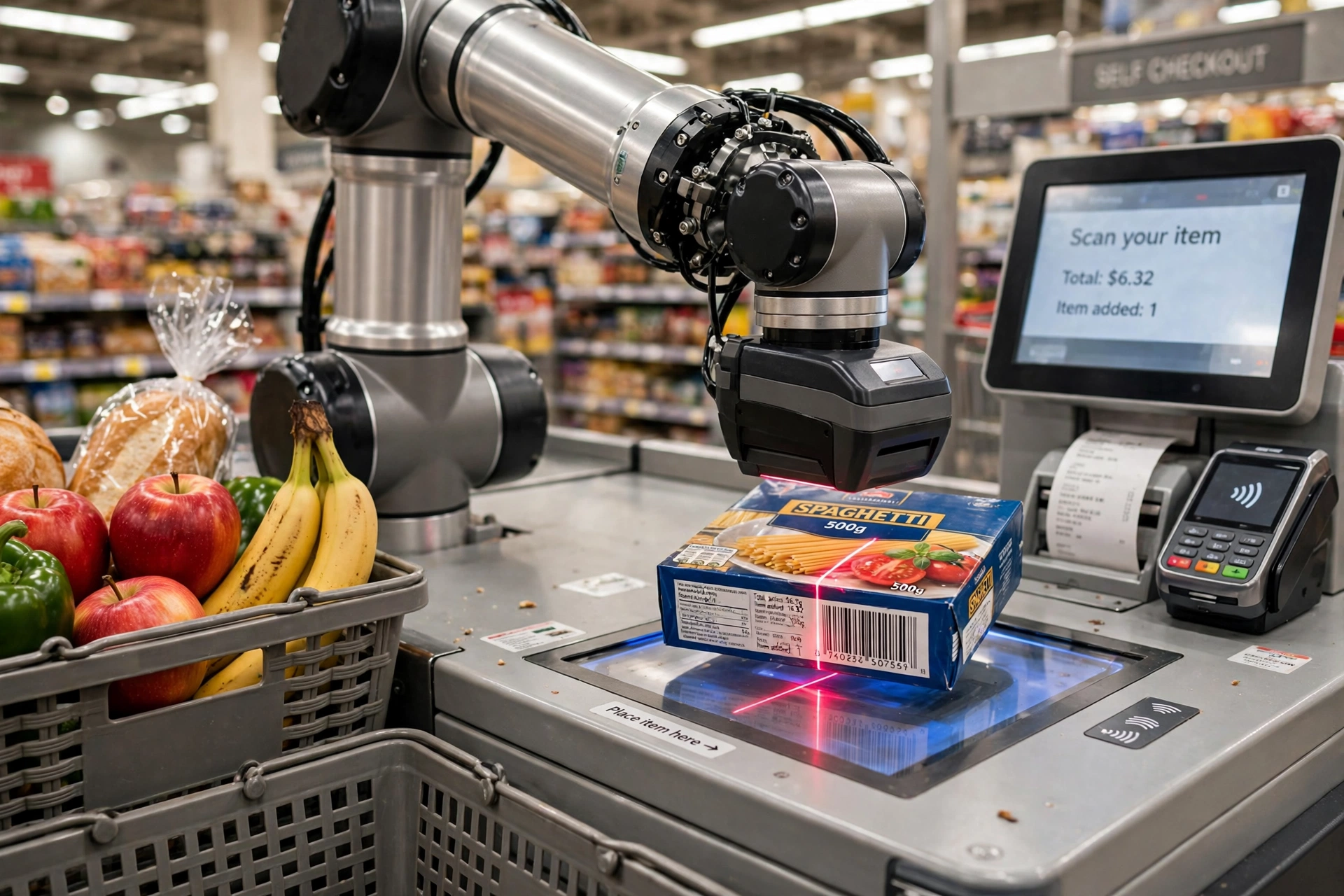
First, it identifies each item. Most products carry a barcode, and the till reads it with a barcode scanner — the same red-light reader a human cashier uses. Loose fruit and vegetables have no barcode, so you pick them from a picture menu on the touchscreen and the machine weighs them to work out the price. Some newer systems skip barcodes entirely and use cameras to recognise products by sight.
Second, it checks your work with scales. After you scan an item, you place it in the bagging area, which sits on a scale. The till knows roughly how much that item should weigh, and it compares the two. If they match, you carry on. If they do not — say you scanned a chocolate bar but put a bottle of wine in the bag — the machine stops and calls the attendant. This weight check is the till’s main defence against mistakes and theft, and it is why shoppers see the dreaded “unexpected item in the bagging area” message so often: a bag shifted, or an item was placed a fraction too early.
Third, it takes your payment. Most self-checkout tills accept cards and phones, and many still take cash through a note and coin slot. The till totals everything, applies loyalty-card discounts, and prints or emails a receipt. One attendant usually watches four to six lanes at once — that is how the shop saves on staffing.
How do you pay, and what happens when it goes wrong?
Paying is the easy part. You tap a card or phone on the reader, or feed in cash, and the till confirms the payment in a second or two. The problems come before that, and they are almost always the same few.
The most common is the weight mismatch: the bagging area disagrees with the till and freezes the lane. The fix is usually simple — the attendant re-weighs the bag or clears the error — but it needs a person. Age-restricted items are the second: alcohol and cigarettes cannot be sold without an age check, so the till stops and waits for the attendant. The third is the item that will not scan: a crumpled barcode or a wet label. Then the attendant types in the code by hand.
Theft is the harder problem. Self-checkout is vulnerable to a few well-known tricks, such as scanning a cheap item while bagging an expensive one. The weight check catches some of this, and cameras above the lanes deter more, but no system catches everything. Some shops have pulled self-checkout from certain stores in response. The machines cut labour costs, but the shop has to weigh that against what walks out unpaid.
Robot cashier vs human cashier vs camera-only store
| Robot cashier (self-checkout) | Human cashier | Camera-only store | |
|---|---|---|---|
| Who scans | You do, machine checks | The cashier does | Nobody — cameras track items |
| Speed, small shop | Fast when nothing goes wrong | Steady, rarely stops | Fastest, no queue at all |
| Speed, big trolley | Slow, lots of scanning | Fast, practised hands | Same as a small shop |
| Age-restricted items | Stops, needs attendant | Checks directly | Flagged at the exit |
| Mistakes | Weight check catches most | Cashier spots them | System corrects itself |
| Staff needed | One attendant per 4–6 lanes | One per till | A few staff on the floor |
| Where you find it | Most supermarkets | Everywhere | A few trial stores |
Where do robot cashiers fall short?
The limits are easy to see once you have used one. A robot cashier is good at the routine and bad at the exception. Anything out of the ordinary — a damaged barcode, a price that looks wrong, a customer who needs help — stops it, and nobody is standing there. The attendant is shared across several lanes, so at busy times you can wait longer for help than you would have in a staffed queue.
Accessibility is another weak spot. The touchscreens, scales and card readers assume a shopper who can see the screen, lift items onto the bagging area and follow on-screen steps. For older shoppers or anyone unfamiliar with the machines, a staffed till is simply easier. Good shops keep both options open rather than forcing everyone through the machines.
Then there is the question of jobs. Robot cashiers do not remove people from shops entirely — someone still stocks shelves, watches the lanes and handles problems — but they do cut the number of cashier hours a shop needs. That is the point for the retailer, and it is also why the machines are controversial. A small shop with long queues gains more from them than a big supermarket where most shoppers still choose a person.
FAQs
Are robot cashiers the same as self-checkout?
Mostly, yes. A self-checkout till is the commonest kind of robot cashier: it scans, weighs and takes payment without a person behind the till. Camera-based stores and scan-as-you-shop systems are newer variations on the idea.
How does a self-checkout know if I scanned everything?
It checks weight. After each scan you place the item in the bagging area, and the till compares the weight it measures with the weight it expects. If they do not match, the lane stops and an attendant is called.
Why does it keep saying “unexpected item in the bagging area”?
Usually because the scale measured something the till did not expect — a bag shifted, or an item was placed before it was scanned. Moving the items and letting the attendant clear the error normally fixes it.
Can a robot cashier sell alcohol?
Not on its own. Age-restricted items make the till stop and wait for an attendant to check ID and approve the sale. The machine will not complete the purchase without that approval.
Will robot cashiers replace all human cashiers?
Not any time soon. They handle routine, small shops well, but they still need attendants for errors, age checks and anything unusual — and many shoppers still prefer a person for a big weekly shop.
Conclusion
Robot cashiers have quietly taken over a large part of the checkout: scan, weigh, pay, all without a person behind the till. For a small shop with a few items, they are quick and convenient. For a big trolley, a damaged barcode or a bottle of wine, they still need a human nearby — and that is unlikely to change soon.
The practical next step is simple. Next time you shop, try the self-checkout with a small basket and notice where it stops: the weighing, the age check, the item that will not scan. Those stopping points are exactly where the robot ends and the human begins.
Further reading: Epos Now’s guide to self-checkout systems, and Wikipedia’s overview of self-checkout.