
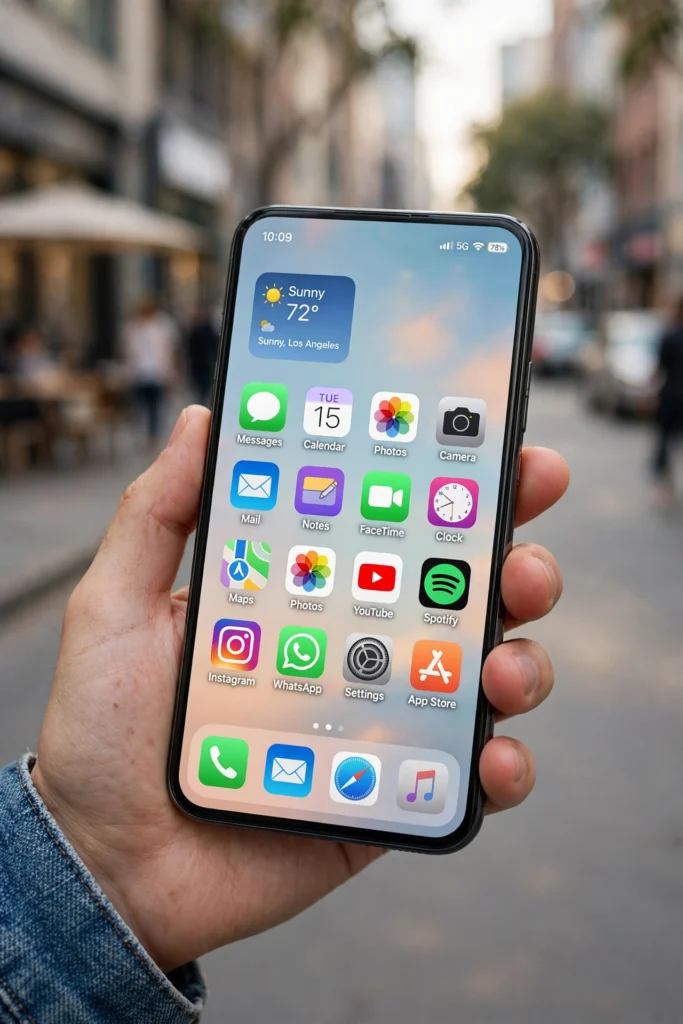
A smartphone is a pocket-sized computer, camera, telephone and map rolled into one slim slab. How a smartphone works comes down to teamwork: a chip does the thinking, a touchscreen takes your orders, cameras turn the real world into data, radios carry that data to the world, and a battery powers the lot.
Key Takeaways
- The chip is several processors in one, each handling a different job.
- The touchscreen senses your finger, the chip works out what you meant.
- A photo is light turned into numbers, then cleaned up by software.
- Wi-Fi, mobile data, Bluetooth and GPS are separate radios sharing antennas.
- The battery wears out first, and charging habits decide how fast.
Follow one tap through your phone
Open the camera app, take a photo of a friend, then send it to them. That small act wakes up nearly every part of the device in a fraction of a second. It starts with your finger. The screen is a touchscreen, a sheet of glass with a fine grid of sensors that notices the tiny electrical charge in your skin. It needs contact, not pressure, which is why a glove usually fails. The touchscreen reports where you tapped, the chip works out which icon sits there, and the camera app opens.
What does the chip inside your phone do?
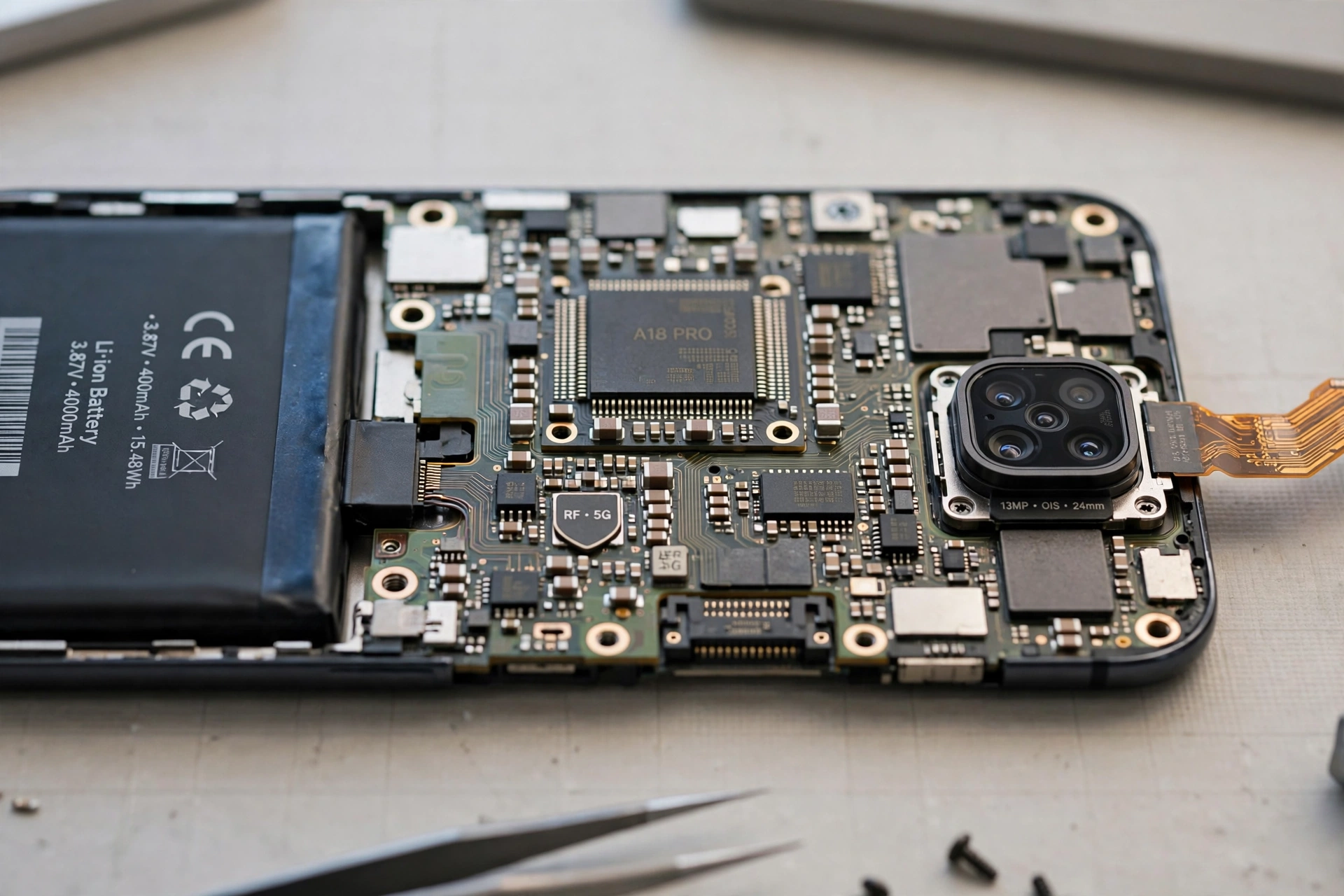
At the heart of the phone sits a single chip about the size of a fingernail, usually called a system-on-a-chip. Instead of one processor doing everything, it packs several specialists side by side: a central processor, a graphics processor, a modem for mobile signals, and a small AI accelerator for jobs like recognising faces.
The central processor makes the decisions and runs your apps, while the graphics processor paints everything you see. The chip also calls on RAM, short-term memory for whatever you are using right now, while photos and apps live in flash storage, which keeps everything even when the phone is off. When storage fills up, the phone slows down.
How does the camera turn light into a photo?
Tap the shutter and light passes through the lens onto an image sensor, a grid of millions of tiny light-sensitive spots. Each spot measures how much light hits it, and the phone turns those measurements into numbers — a digital picture.
That raw picture is only the start. A dedicated image processor inside the chip cleans it up: it balances the colours, lifts the shadows, steadies a shaky hand and, in low light, blends several quick shots into one brighter image. This is why two phones with similar lenses can take very different photos — the software matters as much as the glass.

How does your phone talk to the world?
A phone is full of radios, and each one speaks a different language. The mobile modem connects to the nearest tower for calls and data. Wi-Fi links to your router at home. Bluetooth pairs with earbuds and watches over a short distance. GPS listens to satellites to work out where you are.
They all share the same thin antennas tucked around the edge of the phone, and the chip decides which radio does what, moment by moment. That is why your phone can stream music over Bluetooth while downloading a map over Wi-Fi and still receive a call. The radios also explain why your battery drains faster far from a tower: the phone turns its radios up and searches harder for a signal.
Where does the power come from — and why does the battery fade?
Everything runs on a lithium-ion battery, a flat pack that fills much of the space inside the phone. It stores energy chemically and releases it as electricity, while a small power-management chip rations it out. You can charge it over a cable or, on many phones, over wireless charging.
Batteries wear out gradually rather than suddenly. After roughly 500 full charge cycles — a cycle being a full drain and refill, spread across many partial charges — most lithium-ion batteries hold noticeably less charge than when they were new. Heat speeds the process up, so a phone left on a car dashboard ages faster than one kept cool. Keeping the charge between about 20% and 80% most days slows the decline.
How do all these parts stay in step?
None of this would work without the operating system, the software that sits between the hardware and your apps. Android and iOS both do the same core job: they tell the chip what to run, manage memory, and ask your permission before an app uses the camera or your location. The whole chain repeats hundreds of times a day, and it feels instant because each step takes only a few thousandths of a second.
What your phone’s parts do
| Part | What it does | What you notice |
|---|---|---|
| Chip | Runs apps, draws the screen | Speed, smooth scrolling |
| Touchscreen | Senses your finger, shows the picture | Taps and swipes |
| Cameras | Turn light into photos and video | Photo quality, night mode |
| Radios | Towers, Wi-Fi, Bluetooth, GPS | Calls, internet, maps |
| Battery | Stores power, feeds every part | How long the phone lasts |
| Operating system | Coordinates hardware and apps | Updates, privacy prompts |
A photo’s journey, from tap to sent
Here is the whole chain in one go. You tap the camera icon and the chip opens the app. You press the shutter; light hits the image sensor, the image processor cleans the picture up, and the photo is saved. You tap share, the chip picks Wi-Fi or mobile data, the radio sends the file, and a second later your friend sees it. Six parts, one second — and that is how a smartphone works.
Frequently asked questions
Why does my phone get warm during games or video calls?
The chip is working at full speed, the screen is bright and the radios are busy at once. Warmth is normal under heavy use; if the phone feels hot while idle, close background apps.
Does more megapixels mean a better camera?
Not on its own. The lens, the sensor size and the image processing matter at least as much. A well-tuned 12-megapixel camera can beat a careless 100-megapixel one, especially in low light.
Why does my battery drain faster in some places?
Weak signal is the usual cause: the phone raises its radio power and keeps searching for a tower. Aeroplane mode or Wi-Fi calling can help where the signal is poor.
What is the difference between RAM and storage?
RAM is short-term working space for apps you are using now; it empties when the phone restarts. Storage is long-term space for photos, apps and files, and it keeps everything when the phone is off.
Should I close apps to save battery?
Usually not. The operating system freezes unused apps efficiently, and reopening a closed app often uses more power than leaving it frozen.
Conclusion
Your phone looks simple from the outside — a screen, a few buttons, a camera or two — but inside it is a small team of specialists working together. The chip thinks, the touchscreen listens, the cameras watch, the radios talk and the battery keeps the lights on. The practical next step is a quick health check: see which app uses the most power, check how much storage is free, and clear out what you no longer need.
Further reading: Wikipedia Smartphone and ScienceNewsToday — How Do Smartphones Work?