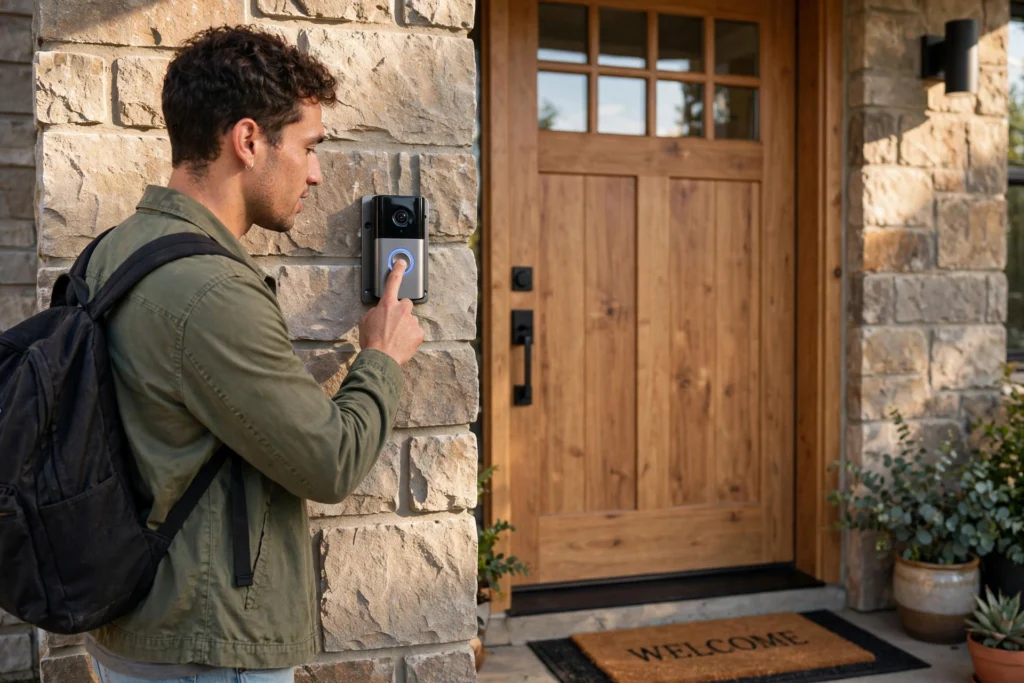
A smart doorbell is a small camera, a button, and a speaker fitted into one device beside your front door. When someone presses the button, or when its motion sensor spots movement, it wakes up, records a short video clip, and sends an alert to your phone. You can then see who is there, talk to them through the app, and decide whether to answer, ignore them, or check the recording later. In short, it turns a doorbell you can only hear into one you can see and answer from almost anywhere.
Key Takeaways
- A smart doorbell combines a camera, microphone, speaker, motion sensor, and Wi-Fi connection in one unit.
- Pressing the button or triggering motion starts a live view and a phone alert, often within a few seconds.
- Most models run on existing doorbell wiring or a rechargeable battery, and each option has trade-offs.
- Video may be stored in the cloud, on the device, or both, depending on the model and plan.
- Motion zones, privacy settings, and a strong home Wi-Fi signal matter more than fancy extras.
What happens when someone presses the button?
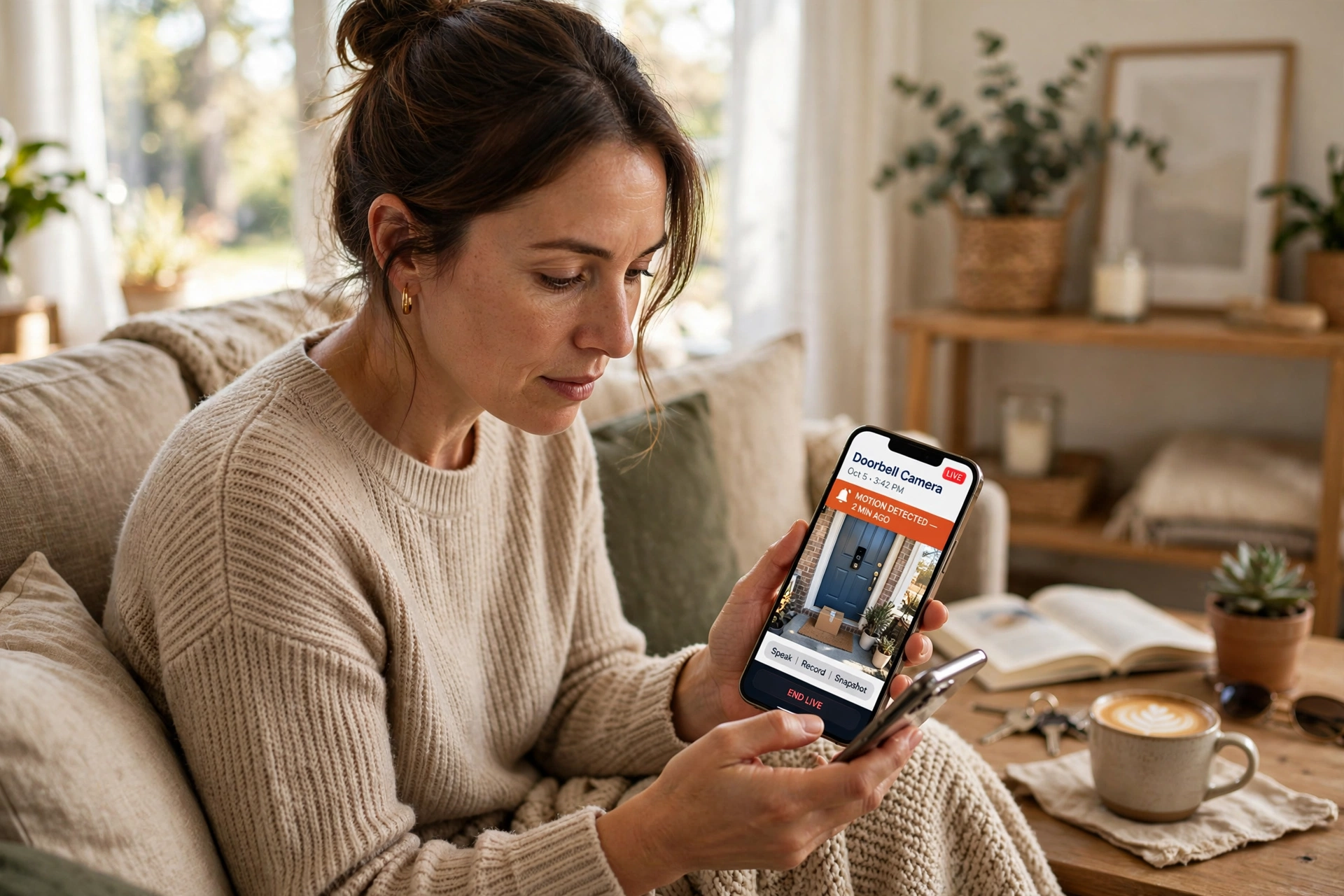
Think of the button as the doorbell’s front door, in a manner of speaking. A press sends a signal through the device’s processor, which starts the camera and microphone and opens a connection to the maker’s servers. Your phone then gets a notification, much like a call, and tapping it opens the live view.
From there, you can speak through the built-in speaker. The visitor hears you through the doorbell, and you hear them through your phone. If you don’t answer, many models record a clip anyway, so you can watch it later and see whether it was a courier, a neighbour, or someone you weren’t expecting. That simple chain — press, alert, live view, talk — is the core of the whole product.
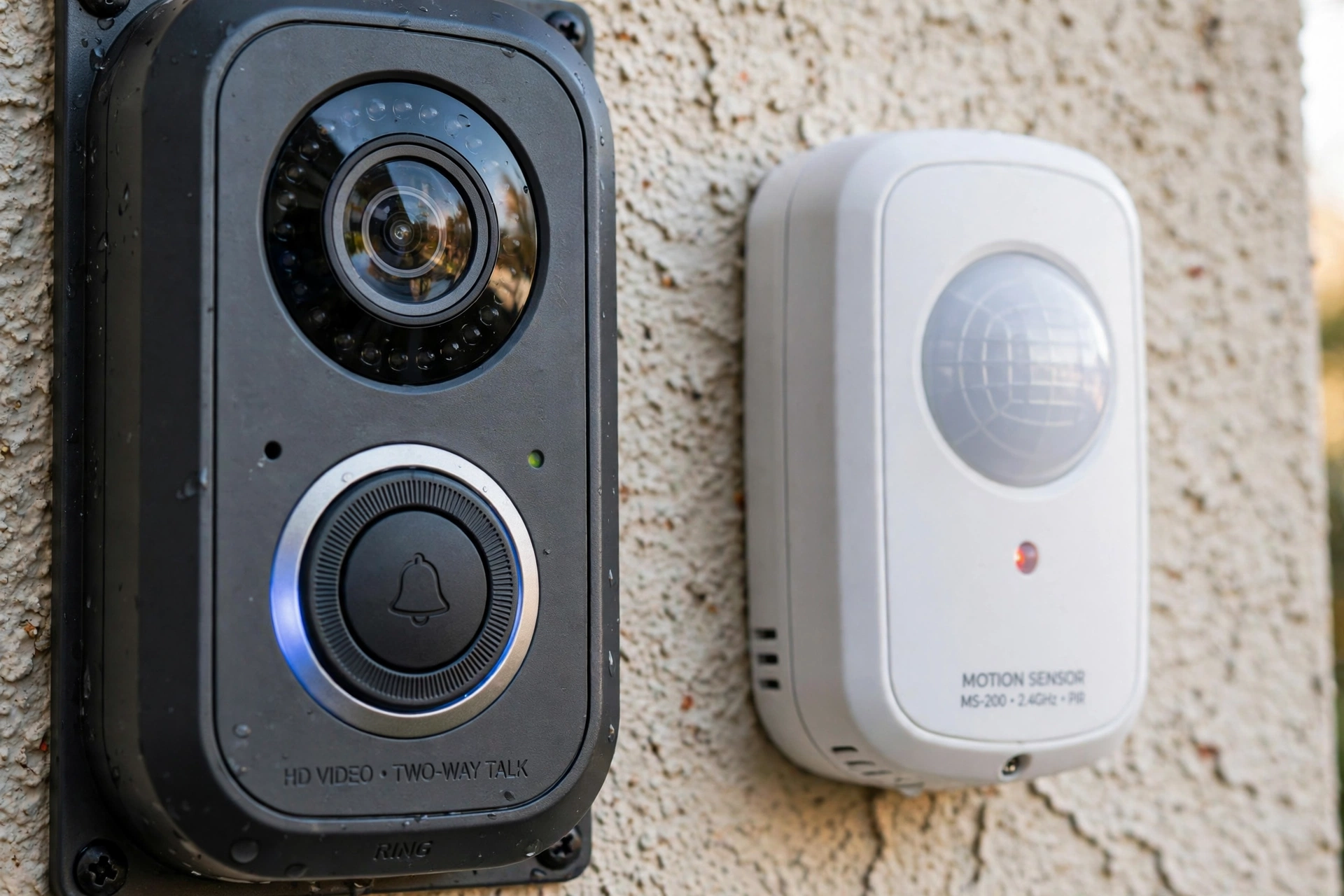
How does it detect motion without a button press?
Most smart doorbells also watch for movement, even when nobody rings. They usually use a passive infrared sensor, which notices changes in heat, such as a person walking up the path. Some models add camera-based detection, which looks for changes between video frames, and a few use radar to judge distance more precisely.
That sounds clever, and it is, but it also explains the false alerts. A passing car, a swaying branch, or a cat crossing the porch can all trigger a notice. To cut the noise, most apps let you draw motion zones — for example, only the path and porch, not the street — and adjust sensitivity. Taking five minutes to set those zones up usually makes the difference between a useful alert and a phone that buzzes all afternoon.
How does the video get to your phone?
Your doorbell needs a steady internet connection, and in most homes that means Wi-Fi. When motion or a button press wakes it, the camera compresses the video into a stream small enough to send quickly, then sends it through your router to the maker’s cloud service, which forwards it to your phone app. A weak signal at the front door is one of the commonest reasons for slow alerts or frozen video, so the doorbell’s location matters: thick walls, a metal door, or a router tucked at the back of the house can all weaken the link.
If your home Wi-Fi is already stretched, a mesh unit or a Wi-Fi extender near the front of the house often helps more than buying a pricier doorbell. The related guide to how Wi-Fi works explains why signal strength drops with distance and walls, and it is worth a quick read before you blame the doorbell itself.
Wired or battery powered: which is better?
Wired models connect to your existing doorbell wiring, usually low-voltage wiring that also powers a traditional chime. The big advantage is that you don’t have to think about charging; the doorbell stays on all the time. The catch is installation: if you don’t already have suitable wiring, you may need an electrician, and not every home has it in the right place.
Battery models are easier to fit — screw the mount to the wall, clip the doorbell in, and you’re done — but the battery needs recharging every few weeks or months, depending on how often it records. Cold weather can shorten that time, and a busy street-facing door will drain it faster. Some battery models can also be wired later, which gives you a useful middle path: start wireless, then wire it in if you find charging a chore. A power bank is not a practical long-term fix for a doorbell, but the same charging basics — capacity, voltage, and safe charging habits — apply to its removable battery.
Where does the recorded video go?
This is the part people often skip, and it matters. Many doorbells store clips in the cloud, which means you can watch them from anywhere and they survive even if the doorbell is stolen. Cloud storage often needs a subscription after a free trial, though, and clips may only be kept for a set number of days.
Other models store video locally, on a memory card in the doorbell or on a hub inside your home. That avoids a monthly fee and keeps recordings in your house, but if the device is damaged or taken, those clips can go with it. A few models offer both. Before you buy, check three things: how long clips are kept, whether a subscription is needed for basic features like person detection, and whether you can download a clip you want to keep. Those answers change the real cost far more than the sticker price.
Can a smart doorbell work at night?
Yes, and night vision is one of its most useful features. Most models use infrared light, which is invisible to us but lets the camera see in the dark. The picture turns black and white at night, and faces close to the door usually come out clearly, while distant detail fades.
A porch light helps a lot. It gives the camera colour detail and makes it easier to recognise a face, and it also makes visitors feel more at ease. If your porch is very dark, check sample night footage for the model you’re considering, rather than trusting the box alone — night performance varies more between models than daytime quality does.
What about privacy and neighbours?
A doorbell camera points outward, so it will inevitably capture more than your own doorway: passers-by, neighbours, and delivery drivers. That is worth thinking about before you install one. Point the camera at your own entrance rather than deep into a neighbour’s garden, and use privacy zones in the app to blank out areas you don’t need to record, such as a neighbour’s windows.
Also check who can access the footage. Use a strong, unique password for the doorbell account, turn on two-factor authentication if it is offered, and keep the app and doorbell software updated. If you share access with family members, give each person their own login where possible, rather than sharing one password. These are small steps, but they protect both you and the people who walk past your door.
Do you need a smart lock or a chime as well?
No, a smart doorbell works on its own. It can ring your phone instead of a traditional chime, and many models can also sound an indoor chime if you add one. Pairing it with a smart lock or a smart speaker can be handy — for example, asking a speaker to show the doorbell feed on a screen — but it is not required. Bluetooth pairing is sometimes used during setup, when the app finds the doorbell for the first time, but day-to-day alerts and video normally travel over Wi-Fi, not Bluetooth.
Start simple, then add extras only if you actually miss them. A doorbell that reliably alerts you and records clear clips is already doing its job; a stack of add-ons that you never open is just clutter.
How do you choose the right one?
Start with power: do you have doorbell wiring, or do you want battery? Then check video quality, field of view, and whether the camera can see packages left on the ground as well as faces at head height — a wide, tall view helps here. Next, look at storage costs and how long clips are kept. Finally, check the app: is it easy to adjust motion zones, turn off alerts at night, and download a clip?
Weather resistance matters too. A doorbell lives outside in rain, heat, and cold, so check its weather rating and whether the maker covers outdoor use in its warranty. And if you rent, check that your landlord is happy with screws in the wall, or look for a mount that avoids permanent damage.
FAQs
Does a smart doorbell work without Wi-Fi?
It can still ring a wired chime in some setups, but live video, phone alerts, and cloud recordings need an internet connection. Without Wi-Fi, you lose the features that make it smart.
Does it record all the time?
Most models record only when motion is detected or the button is pressed, to save battery and storage. Some offer continuous recording with a subscription and wired power, but event-based recording is the norm.
Can I use a smart doorbell in a flat?
Often yes, but check building rules and consider neighbours’ privacy. A camera in a shared hallway may be restricted, and a battery model avoids wiring work in a rented flat.
How long does the battery last?
It varies widely, from a few weeks on a busy door to several months on a quiet one. Motion frequency, video length, temperature, and Wi-Fi strength all affect it, so treat maker claims as a best case.
Is my video private?
It depends on the maker and your settings. Use a strong password, two-factor authentication, and privacy zones, and read the storage policy so you know how long clips are kept and who can access them.
Conclusion
A smart doorbell is not magic: it is a camera, a sensor, and an internet connection, packaged to answer a very old question — who is at the door? — from wherever you happen to be. Get the basics right and it earns its place: solid Wi-Fi at the front door, sensible motion zones, a power option you can live with, and storage terms you understand before you buy.
If you’re considering one, your practical next step is simple. Stand at your front door with your phone and check your Wi-Fi signal there, then look at whether you have doorbell wiring or would prefer a battery model. Those two checks will narrow your shortlist faster than comparing spec sheets, and they will save you from the two commonest disappointments: slow alerts and constant recharging.