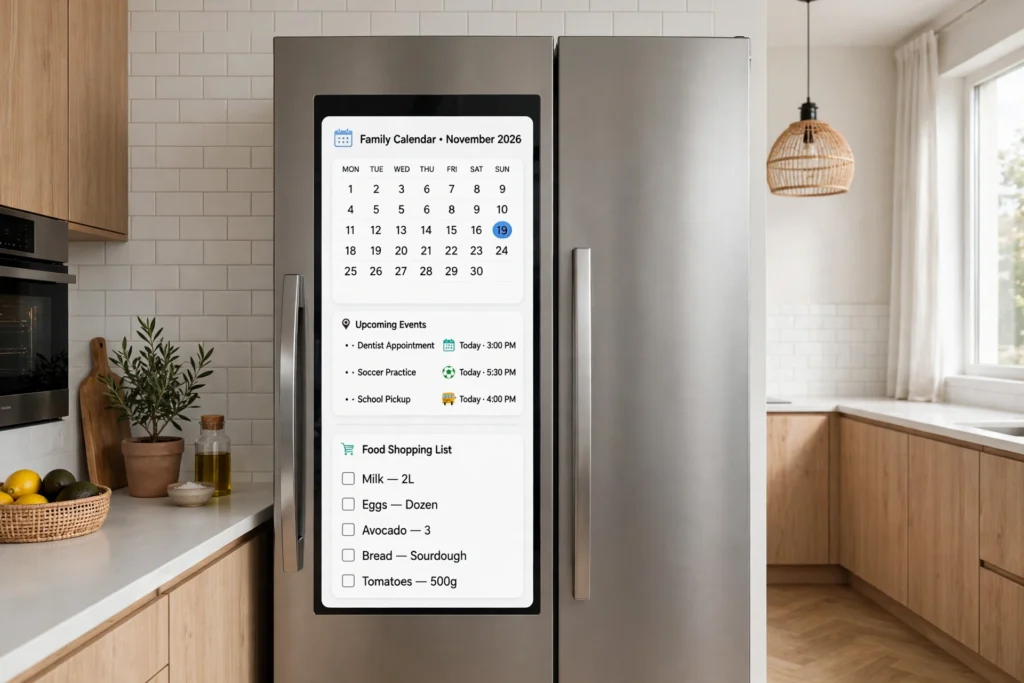
A smart fridge works like a regular fridge with extra senses and a connection to your home network. It still cools food with a compressor and refrigerant, but it adds a touchscreen, interior cameras, temperature sensors, and Wi-Fi. Together they track what’s inside, warn you about expiry dates, and let you check the contents from your phone.
Key Takeaways
- A smart fridge is still a fridge first: a compressor, refrigerant, and insulation do the cooling, while the smart parts sit on top.
- Interior cameras photograph the shelves each time the door closes, so the app can show you what’s inside from the shop.
- Temperature and door sensors watch for problems and send alerts, such as a door left ajar or a compartment warming up.
- The touchscreen handles calendars, shopping lists, and recipes, and the phone app mirrors most of those features.
- Smart features depend on Wi-Fi and on the maker’s software support, so they can age faster than the cooling hardware.
What makes a fridge “smart”?
The word “smart” here means connected and aware, not clever in the human sense. A smart fridge has a small computer inside, a Wi-Fi radio, and a set of sensors that a plain fridge does not need. The computer runs the touchscreen, talks to the cameras, and sends information to an app on your phone.
Most models keep the familiar layout: a fridge compartment, a freezer section, shelves, and door bins. Some fridges have a large screen built into the door; others have a small display and do most of their work through the phone app.
How does a smart fridge keep food cold?
Cooling works the same way it does in an ordinary fridge. A compressor squeezes a refrigerant gas until it gets hot, the heat is released outside the cabinet, and the refrigerant then expands and turns cold inside. A fan moves that cold air around the compartments, and insulation keeps the warmth out. You can read more about the history of this cycle in the Wikipedia article on the refrigerator.
Where a smart fridge differs is in how closely it watches that process. Temperature sensors sit in the fridge and freezer compartments and report back several times a minute. If the temperature drifts above the safe range, the fridge can run the compressor a little longer, speed up the fan, or send you a warning.
The usual target is around 3 to 5 degrees Celsius in the fridge section and about minus 18 in the freezer. A smart fridge does not change those numbers. It just notices sooner when something goes wrong, which is genuinely useful if a door is left open overnight or a power cut warms the freezer while you are out. If the screen stops getting updates in five years, the fridge should still keep milk cold — the smart features are a bonus, not the foundation.
How do the cameras and food tracking work?
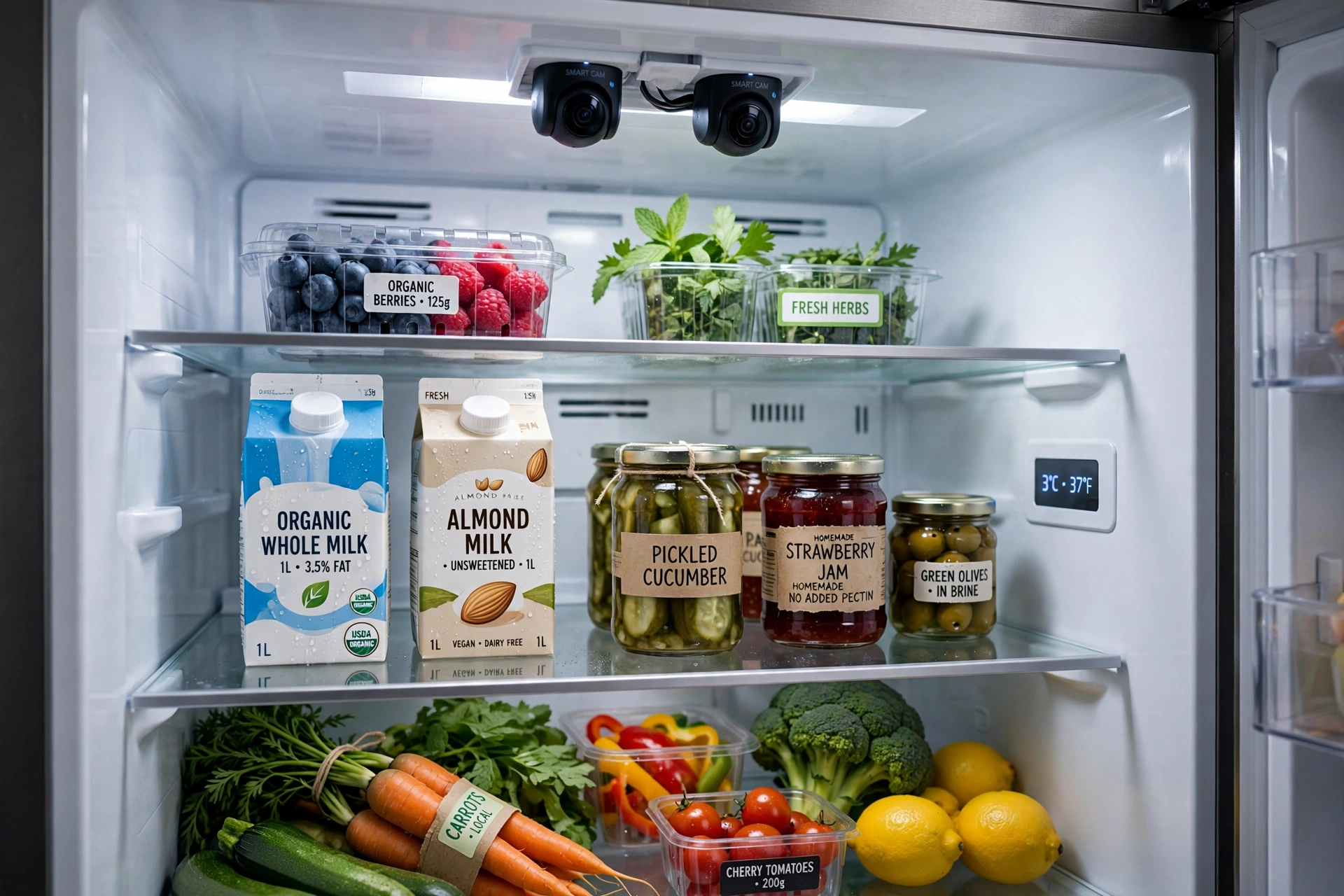
The best-known smart fridge trick is the inside camera. When you close the door, one or more small cameras photograph the shelves. The next time you open the app, you see those photos instead of a guess. Standing in a supermarket aisle, you can check whether you already have eggs, rather than buying a second box out of habit.
Some systems go a step further and try to recognise what is in the photo. Image-recognition software looks for familiar shapes and labels, such as milk cartons or yoghurt pots, and builds a rough inventory. It works best with packaged items that look the same every time, so the inventory is usually approximate rather than exact.
Expiry tracking works in a similar way. You can scan a barcode when you put something away, type in a date, or let the fridge guess from the product. The app then flags items as they approach their date — handy for cutting down on the quiet waste of things forgotten at the back of a shelf.
What does the touchscreen actually do?
The door screen is the fridge’s control panel and family noticeboard in one. From it you can change temperatures, switch on fast-freeze before a big shop, and see alerts such as a filter that needs replacing. Many screens also show a shared calendar, shopping lists, notes, and photos, which is why they often end up in busy family kitchens.
Some screens can also show recipes based on what the fridge thinks you have, play music, or mirror a phone. These extras are pleasant, but they are also the features most likely to feel dated first, while the cooling side keeps working exactly as it did on day one.
How does a smart fridge connect to your phone?
The fridge joins your home Wi-Fi network, much like a phone or a laptop, and talks to the maker’s servers. Your phone app then talks to those same servers, which is how you can check the fridge from the supermarket rather than only from the kitchen. This is the same kind of connection your Wi-Fi router provides to the rest of the house, and a weak signal in the kitchen can make the app slow or unreliable.
Setup usually means installing the maker’s app, creating an account, and following the on-screen steps to join the network. Some fridges also use Bluetooth for the first part of setup, because it is simpler to pair a nearby phone than to type a long Wi-Fi password on a fridge screen. Once connected, the app can show camera photos, temperatures, and alerts, and it can update shopping lists.
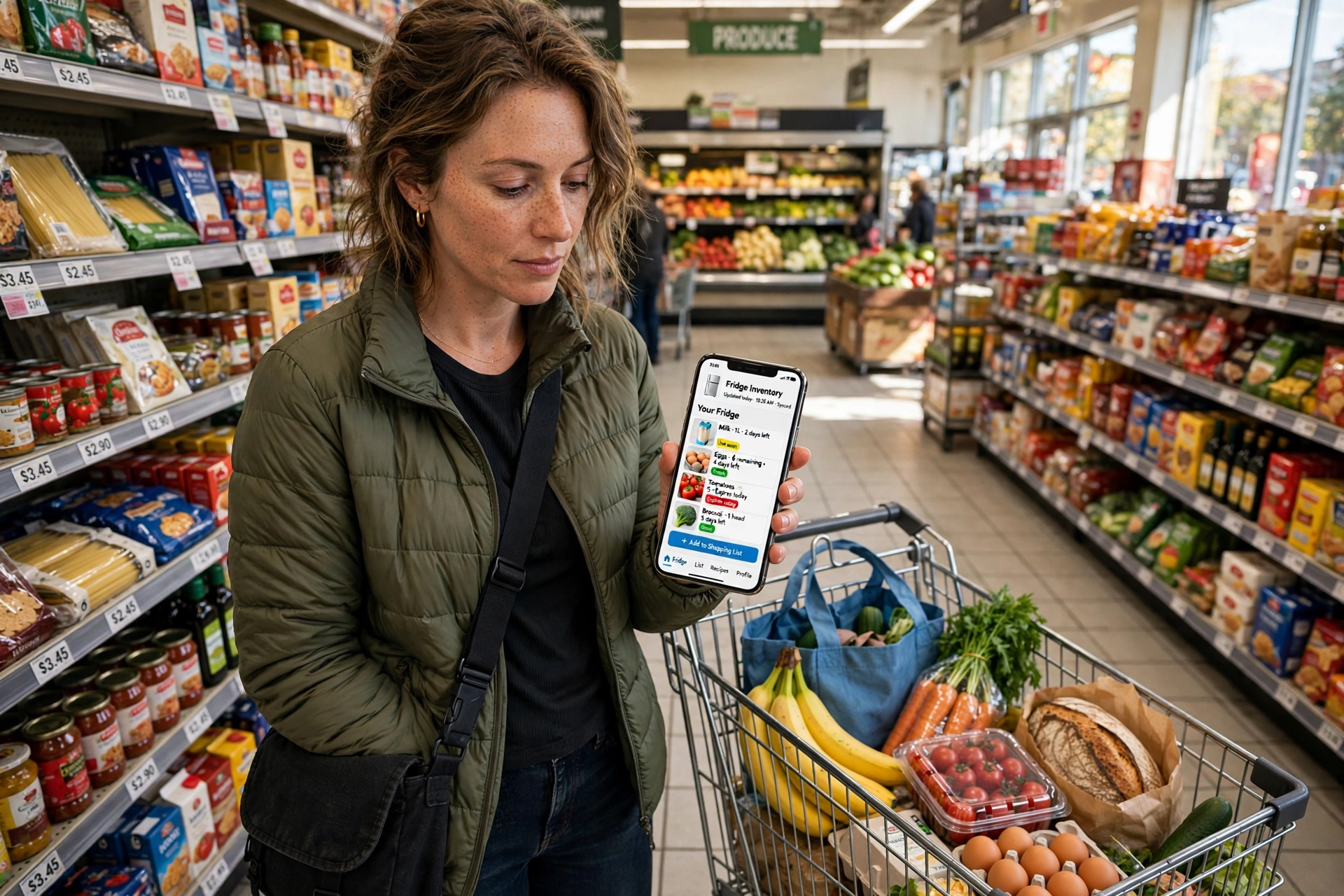
If the internet drops, the fridge keeps cooling exactly like a normal fridge — you only lose the remote features until the connection returns.
What are the downsides of a smart fridge?
The first downside is price. A large touchscreen, cameras, and sensors add a noticeable premium over a similar plain fridge, and the screen is the part most likely to feel old before the appliance does. Repairs can also cost more, because a failed screen or camera board is a specialist job rather than a simple thermostat swap.
The second is privacy and security. A fridge with cameras and a constant internet connection collects more information than a plain appliance. Makers have had security flaws in connected fridges before, so use a strong account password, install updates when offered, and switch off features you do not use. The Wikipedia article on the smart refrigerator describes some of the early security concerns that came with these appliances.
The third is support. A fridge can last fifteen years, but phone apps and cloud services rarely get that long a promise. Before buying, it is worth asking how many years of software updates the maker guarantees, and what happens to the app features if that support ends.
Frequently Asked Questions
Do smart fridges use more electricity than normal fridges?
They use a little more, because the screen, cameras, and Wi-Fi radio all draw power. In practice the difference is small next to the compressor, which does most of the work.
Can a smart fridge order groceries by itself?
Some models can add items to a shopping list automatically when they think you are running low, and a few can place an order with a linked supermarket. Most owners check the list themselves before ordering, because the fridge’s inventory is approximate and a wrong guess can mean duplicate deliveries.
How long do smart fridge screens and apps get supported?
It varies by maker and model, and it is usually much shorter than the life of the fridge itself. Check the support promise before buying, and assume the screen will age faster than the cooling hardware.
Is a smart fridge worth it for a small household?
It depends on what you value. A single person or a couple may not need a shared calendar on the door, but the camera check from the shop and the expiry reminders can still save wasted food. If the price gap over a plain fridge is large, a good phone list and a quick photo of the shelves before shopping can cover most of the same ground for free.
Conclusion
A smart fridge is an ordinary fridge with cameras, sensors, a screen, and Wi-Fi added on top. The cooling has not changed much in decades; what is new is the information around it — a photo of your shelves from the supermarket, a warning when the door is ajar, and a shared list on the kitchen door. Those features are genuinely useful, but they age faster than the appliance and they depend on the maker’s software support.
If you are thinking of buying one, start with the fridge itself: size, layout, energy use, and noise. Then weigh the smart features against their price and the length of the support promise, and check the Wi-Fi signal where the fridge will stand. And if you already own one, the simplest next step is to open the app today, turn on the door and temperature alerts, and check the camera view before your next shop — that one habit is where most of the value lives.
Related reading: Wi-Fi, Bluetooth, Smart Lock, Digital Photo Frame.