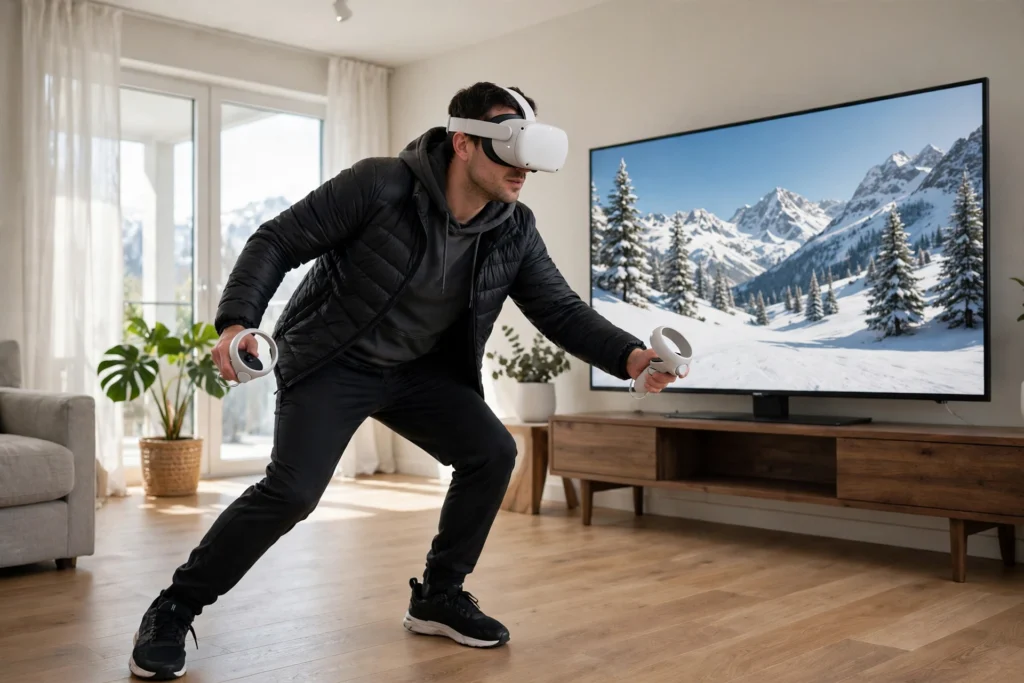
VR skiing puts you on a slope at home. A headset shows a snowy mountain scene, controllers or a balance board track how you lean and turn, and the software reacts — carve left, and the view sweeps left. It is a way to practise turns and balance, though it cannot recreate snow or the feel of real skis.
Key Takeaways
- VR skiing uses a headset, controllers, and sometimes a balance board to turn your leaning and turning into movement down a virtual slope.
- It is best for practising turn shape, balance, and looking ahead, not for replacing time on real snow.
- A clear play space, a guardian boundary, and short first sessions matter more than expensive accessories.
- Motion sickness, sore legs, and bumping into furniture are the most common problems, and all three are largely avoidable.
- Start simple and add gear only if it clearly helps.
What is VR skiing, exactly?
VR skiing recreates downhill skiing indoors. You put on a headset and find yourself at the top of a snowy run, with pine trees, piste markers, and a valley below. As you lean and shift your weight, the scene responds: the slope rushes past, the turns tighten or widen, and your speed changes with the steepness of the virtual hill.
Some apps are games, with gates to pass through and timed runs. Others are closer to training tools, with drills for carving and stopping. Both use the same foundation: the headset tracks your head, the controllers track your hands, and the software turns those movements into skiing. If you are new to headsets, our guide to how VR headsets work explains the screens, lenses, and tracking behind the scene.
How does leaning become turning?
On real skis, a turn starts with your body: you shift your weight, edge the skis, and your upper body stays quiet while your legs do the work. VR skiing copies the first part of that chain and guesses at the rest.
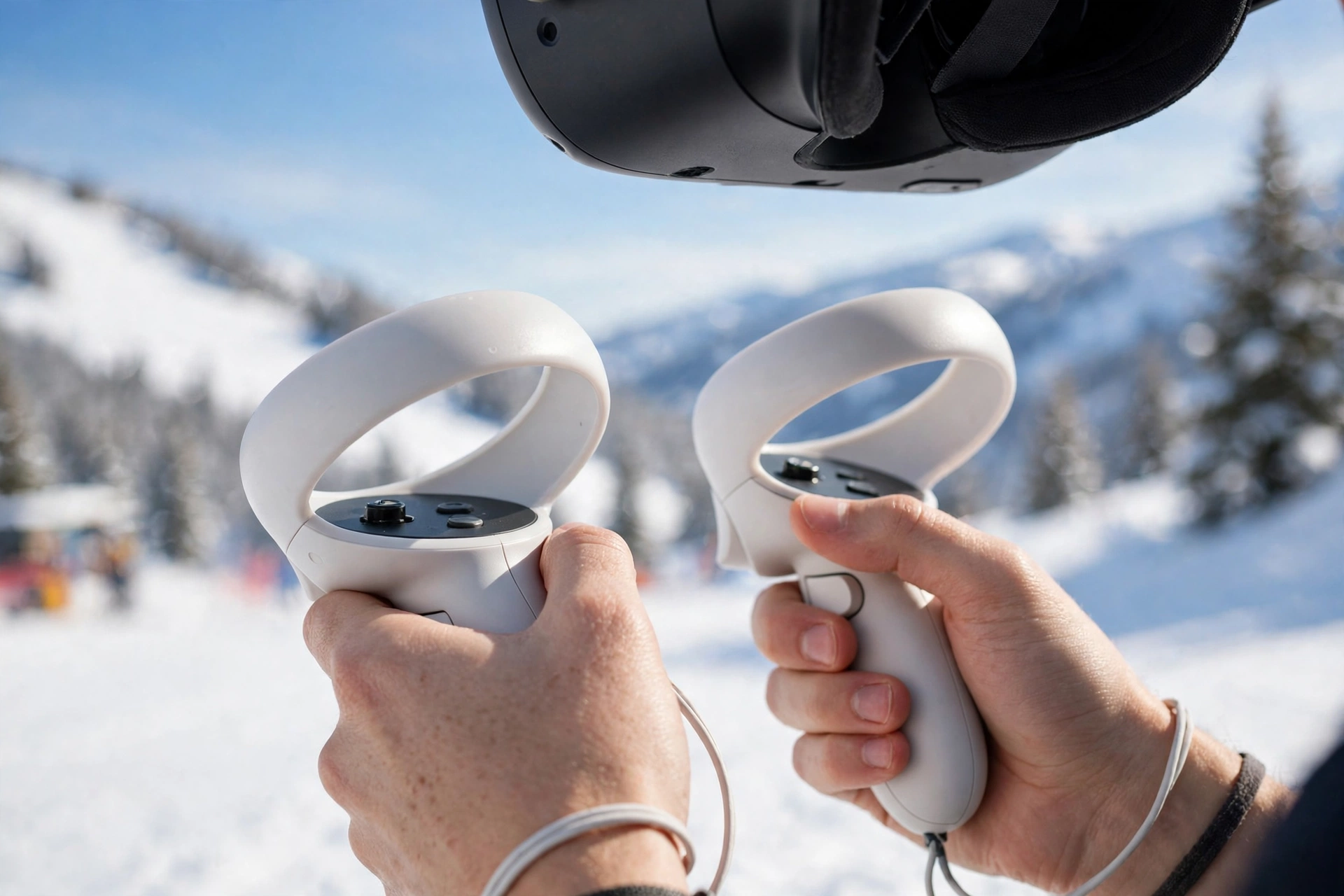
In a basic setup, the headset watches how you tilt and turn your head, while the controllers watch your hands. Lean to one side and the software reads it as a turn in that direction; hold your arms out like poles and the app may use their position to steady your virtual balance. A sharp lean makes a sharp turn, and a gentle lean makes a wide, lazy arc.
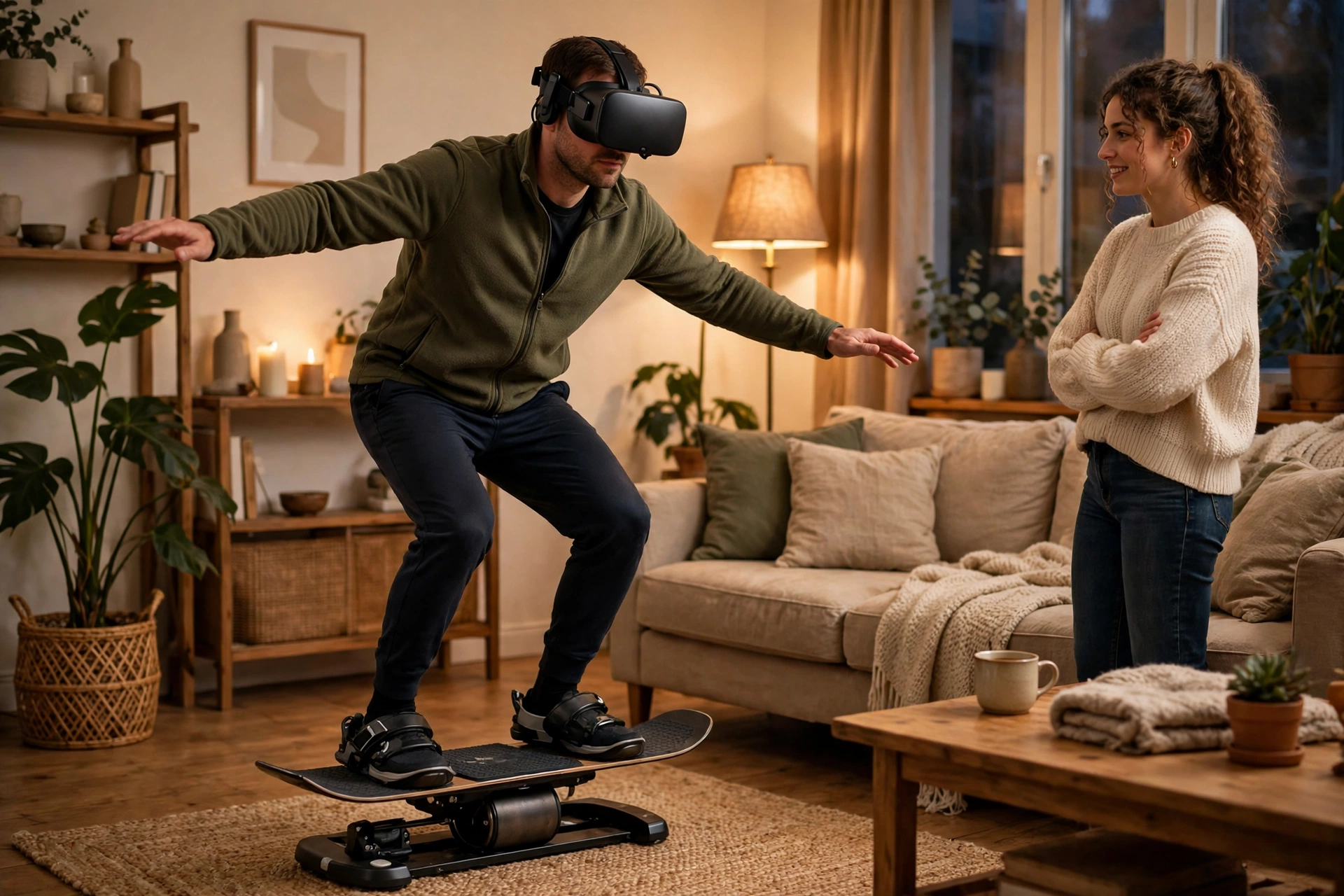
A balance board adds the missing piece: your feet. Stand on a small board that tilts and rolls, and sensors report how your weight shifts from side to side. That feels much closer to real skiing, because the turn now starts where it should — at your feet, not your head. Your legs and core also work to stay centred, much as they would on a gentle slope. The trade-off is cost and space, and a board needs a flat, firm floor to work safely.
What equipment do you need to start?
The minimum is a standalone VR headset and its two controllers — the same kit used for VR fitness and other active experiences. A clear floor space of roughly two metres in each direction is the next essential, enough to lean, step, and turn without reaching furniture.
Optional extras come later. A balance board adds foot tracking and a more convincing turn feel, and a fan pointed at you can make a long run feel cooler, which some people find helps with motion sickness. Start with the headset alone, learn one app well, and only buy extras once you know which part of the experience you want to improve.
What can VR skiing actually teach you?
Turn shape and timing are the strongest lessons. A good app shows you the line through a series of gates and lets you repeat the same run until the turns feel smooth — repetition that is hard to get on a real mountain, where every run means a chairlift ride back up. It is the same logic behind VR sports training in general: isolate one skill, repeat it often, and get instant feedback.
Balance is the second gain. Shifting your weight in a headset teaches you to keep your centre over your feet and to look ahead rather than down at your skis, and it can build confidence before a trip: a nervous skier can practise in a living room where falling means stepping off a board, not tumbling down a slope.
Where does VR skiing fall short?
Snow is the honest answer. No headset can recreate the grip of an edge cutting into snow, the resistance of powder, or the way a ski chatters on ice. Your feet stay mostly still and your speed is an illusion. A virtual turn can look right while your real body is barely moving.
That gap matters most for advanced technique. Edge control, pressure through a turn, and recovering from a skid all depend on feel — the feedback your feet and legs get from real snow. VR can show you the shape of a good turn, but it cannot teach your muscles what that turn feels like, so treat it as a warm-up for your eyes and your balance, not as a replacement for lessons on a real slope.
How do you set up a safe session?
Clear the space first. Move coffee tables, rugs that slide, and anything at shin height out of the way, and set the headset’s guardian boundary honestly — not wider than the clear area you actually have. Wear shoes with grip if you are using a balance board, and keep a towel and water bottle just outside the boundary.
Start short: ten to fifteen minutes is plenty for a first session. Stop if you feel dizzy, warm, or off-balance rather than pushing through; motion sickness usually gets worse, not better, if you ignore it. Keep the room cool, take breaks between runs, and have someone nearby for your first few sessions. Our guide to how VR treadmills work covers the same balance and safety thinking for walking in virtual worlds.
FAQs
Do you need real skis or a balance board for VR skiing?
No. A headset and controllers are enough for most apps. A balance board adds foot tracking and a more convincing turn feel, but it is optional.
Can VR skiing make you motion sick?
Yes, it can, especially on fast downhill runs where your eyes see speed but your body stays still. Short sessions, a cool room, and slower slopes help. If you feel queasy, take the headset off and rest.
Will VR skiing make me a better skier?
It can help with turn shape, balance, and looking ahead, and it can build confidence before a trip. It cannot teach edge control or the feel of real snow, so pair it with lessons and real slope time.
Is VR skiing good exercise?
It is light to moderate exercise: your legs, core, and balance all work, especially on a balance board. It is not a substitute for the fitness a full day of skiing demands, so add walking and leg strength work alongside it.
Can children use VR skiing apps?
They can, with supervision, short sessions, and age-appropriate apps — but headset makers set minimum age guidance for a reason. Keep sessions short, clear the space, and stop if a child feels dizzy or unwell.
Conclusion
VR skiing works by turning your leaning, turning, and balance into movement down a virtual slope: a headset shows the mountain, controllers or a balance board track your body, and software answers every shift with a turn or a change of speed. It is strongest as a way to practise turn shape and balance, and weakest where real snow, speed, and edge feel matter most.
If you are curious, the practical next step is simple: clear a space, try a short session in a beginner-friendly app, and notice whether the turns start to feel natural. Then take what you practised — looking ahead, staying centred, turning smoothly — to a real slope, where the snow will finish the lesson. For background, Britannica’s overview of skiing covers its history and disciplines, and Wikipedia’s article on skiing explains the equipment and techniques behind the real thing.