
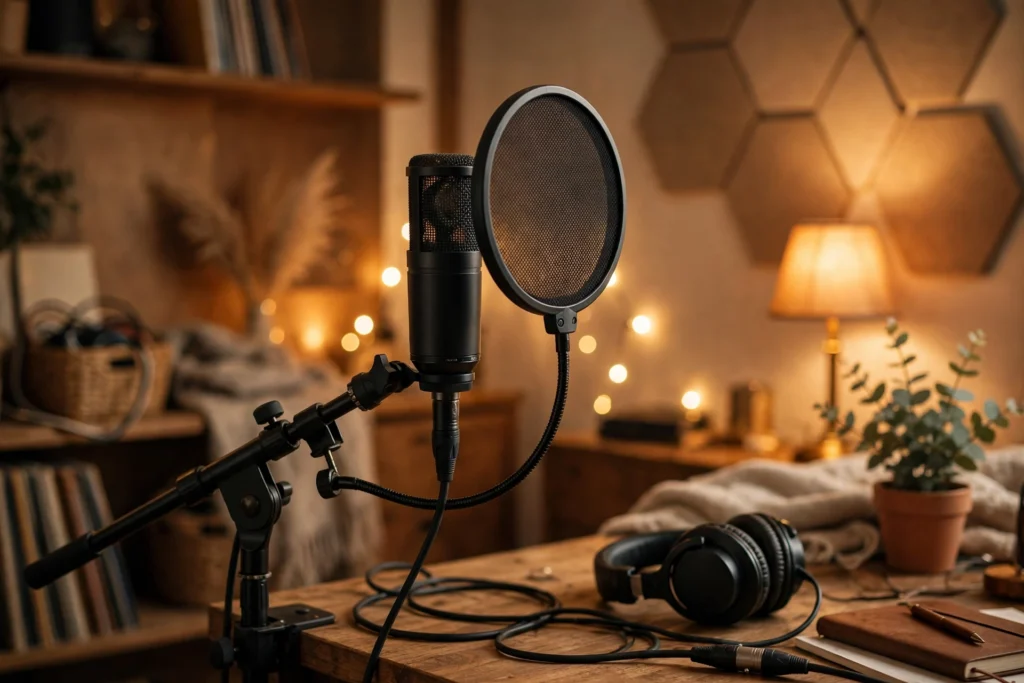
A microphone turns sound into an electrical signal your phone, computer, or recorder can store, send, or play back. Sound waves push a thin diaphragm inside the microphone, that movement becomes a changing electrical current, and an amplifier or recorder turns that current into usable audio.
Key Takeaways
- A microphone is a transducer: it converts sound energy into electrical energy.
- Most microphones use a moving diaphragm, but dynamic, condenser, and ribbon types convert that movement in different ways.
- Dynamic microphones are tough and simple; condenser microphones are usually more detailed but need power.
- Pickup pattern matters as much as type: it decides how much room sound you capture.
- For everyday calls and recording, placement and room noise often matter more than price.
What happens when you speak into a microphone?
Your voice is a series of tiny pushes and pulls in the air. When you speak, those disturbances travel outward as sound waves, and a microphone catches them with a diaphragm, a very thin, flexible surface that vibrates in step with the sound.
That vibration alone is not audio your devices can use. The microphone turns the pattern of vibration into a matching pattern of electricity. Louder sounds move the diaphragm further and produce a stronger signal; faster vibrations produce higher sounds. If the electrical pattern follows the sound pattern faithfully, the recording sounds natural. If it does not, voices can sound thin or muffled.
In a neat sense, a microphone is a speaker in reverse. A speaker takes an electrical signal and moves a cone to create sound waves, while a microphone takes sound waves and moves a diaphragm to create an electrical signal. Our guide to how a computer speaker works explains the speaker side of that pair.
How does a dynamic microphone work?
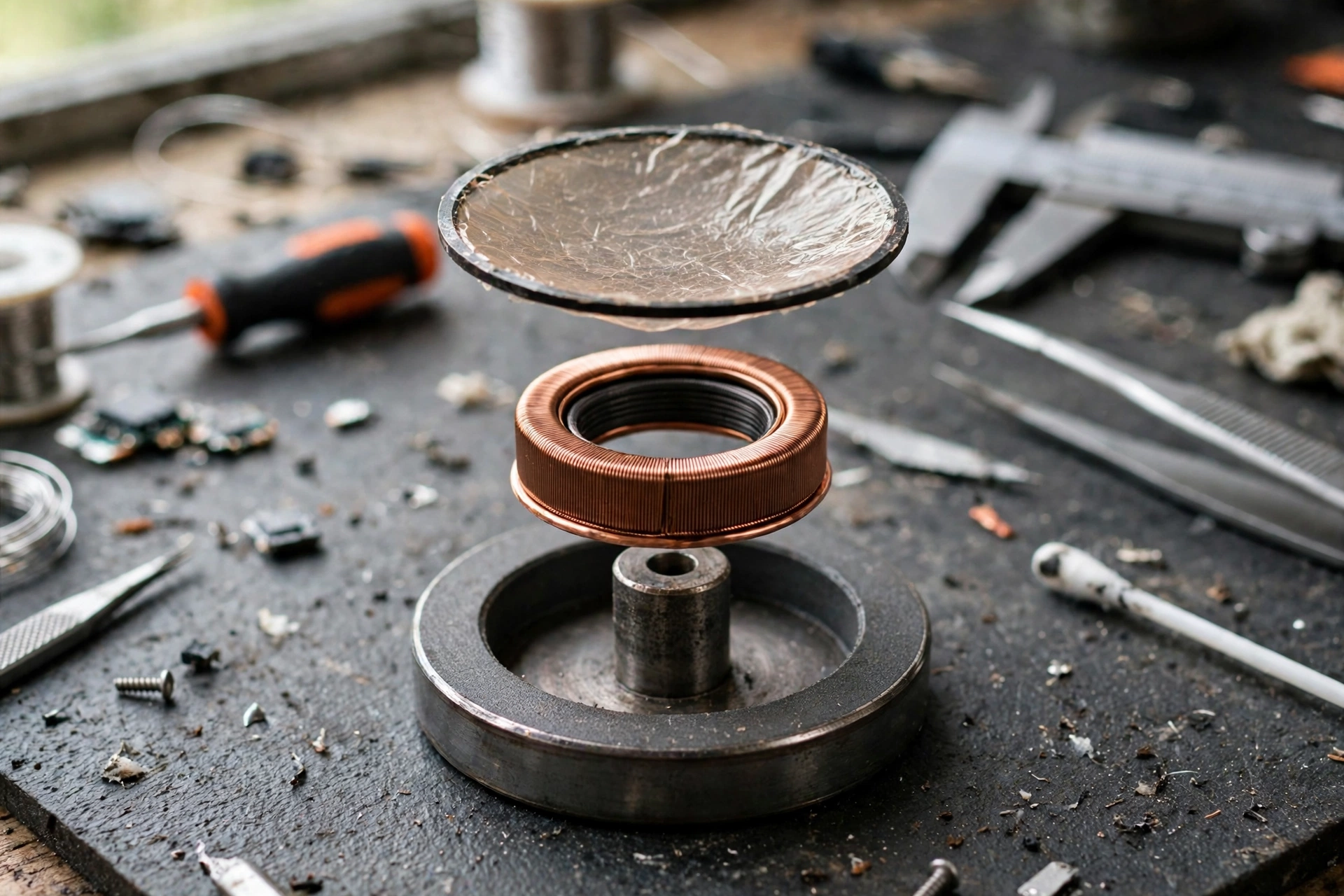
A dynamic microphone is the workhorse you see on stages, and its parts are easy to picture. Inside, a diaphragm is attached to a small coil of wire, and that coil sits inside the field of a permanent magnet. When sound hits the diaphragm, the diaphragm and coil move back and forth together, and as the coil moves through the magnetic field it generates a small electrical current that rises and falls with the sound.
No battery or external power is needed for this basic conversion, which is one reason dynamic microphones are so rugged and simple. They also handle loud sounds well, which is why singers and drummers often prefer them on stage. The trade-off is sensitivity: because the coil and diaphragm have some mass to move, dynamic microphones can be a little less responsive to very quiet or delicate sounds than condenser types.
How does a condenser microphone work?
A condenser microphone, also called a capacitor microphone, works differently. Its diaphragm is one plate of a capacitor, a component that stores electrical charge, with a second, fixed plate sitting very close behind it. When sound moves the diaphragm, the distance between the plates changes, the capacitance changes, and electronics inside the microphone turn that change into an audio signal.
Because the diaphragm can be extremely light, condenser microphones often pick up fine detail, soft voices, and high frequencies more clearly. That is why they are common in studios and podcast setups. The catch is power: a condenser microphone needs a power source, usually phantom power from an audio interface or mixer, or power from a USB connection in simpler models.
Condenser microphones also tend to hear more of the room. That can be wonderful in a quiet space, and unhelpful in a noisy kitchen, where a condenser microphone may capture the fridge hum and echo faithfully. If your room is noisy, that faithfulness is not always what you want.
What about ribbon and tiny phone microphones?
Ribbon microphones use a thin strip of metal suspended in a magnetic field instead of a diaphragm and coil. Sound moves the ribbon, and that movement generates the signal. Classic ribbon microphones have a warm, smooth sound that many engineers love for instruments, but older designs are delicate, and they are less common for everyday use.
At the other end of the scale, most phones, laptops, earbuds, and smart speakers use tiny MEMS microphones, built like miniature chips with a tiny diaphragm etched onto silicon. They are cheap, small, and good enough for calls and voice commands, which is why a single phone can contain several of them. They will not match a good studio microphone for music, but they show how far the same basic idea scales down.
What do pickup patterns mean?
Microphone type tells you how sound becomes electricity. Pickup pattern tells you where the microphone listens. An omnidirectional microphone picks up sound fairly evenly from all directions, which suits a group discussion around a table.
A cardioid microphone, named for its heart-shaped pattern, picks up mainly from the front and rejects much of the sound from behind. That is the pattern most podcasters choose, because it focuses on the speaker and reduces keyboard clicks and room echo from behind the microphone. A figure-eight pattern picks up from the front and back but rejects the sides, which can suit a two-person interview facing each other.
Pattern is not a magic fix, though. A cardioid microphone still hears a noisy room if the noise is in front of it, and speaking too far off-axis can make a voice sound dull. Before you buy, it helps to know where your noise comes from and where you will sit relative to the microphone.
Wired, USB, or wireless: does the connection change the sound?
The capsule does the converting, but the connection decides how the signal reaches your device. A traditional wired microphone with an XLR connector sends an analogue signal to a mixer or audio interface, which gives you control over gain but adds extra gear. A USB microphone has its own converter and preamplifier built in, so it plugs straight into a computer and is often the simplest choice for a home desk.
Wireless microphones add a radio link between the microphone and a receiver, freeing a presenter to move around, at the cost of batteries to manage and a radio signal to keep clear. For a desk setup, wireless rarely improves sound quality; for a stage or video shoot, freedom of movement can matter more.
Noise-cancelling headphones show the same idea from the other side: their tiny microphones listen to the world around you so the headphones can cancel unwanted sound. Our guide to how noise-cancelling headphones work explains that trick in detail.
How do you get a clearer recording from the microphone you already have?
Start with distance. Most voice microphones sound best when you are about a hand’s span away, roughly 15 to 20 centimetres, speaking slightly across the microphone rather than directly into it. Too close, and “p” and “b” sounds can thump; too far, and the room takes over.
Next, quiet the room. Close a window, move away from a humming appliance, and record in a smaller, softer room if possible. Curtains, a rug, and bookshelves break up reflections better than bare walls, and a simple pop filter, a mesh screen in front of the microphone, helps tame plosive bursts without changing your voice.
Then check your levels. Speak at your normal volume and watch the meter in your recording app: it should peak well below the top, not slam into the red. A quiet recording can usually be raised later, but a distorted, clipped recording is hard to rescue. Test before anything important: record thirty seconds, listen back on headphones, and adjust distance or gain while it is still easy to fix.
Many webcams include a small built-in microphone for convenience. Our guide to how a webcam works explains its lens and sensor, and its built-in microphone is a useful backup, though a separate microphone placed closer to you usually sounds clearer on a call.
What should you check before buying a microphone?
First, be honest about the job. A USB condenser microphone is a sensible starting point for podcasts, streaming, and online lessons. A dynamic microphone may suit a loud room or a live stage. A lavalier microphone that clips to your shirt suits video work where you move around, and a headset microphone suits long calls where your hands need to stay free.
Second, check what you already own. If your computer has only USB ports, a USB microphone avoids buying an interface. If you already have an audio interface, an XLR microphone gives you more choice. Third, think about the room again: a detailed condenser microphone in an echoey room can disappoint, while a forgiving dynamic microphone in the same room may sound cleaner simply because it hears less of the space.
Smart speakers are a reminder that microphones are now part of everyday listening, not just recording. Our guide to how a smart speaker works explains how its microphones listen for a wake word and pick out your voice from household noise.

FAQs
Do I need phantom power for every microphone?
No. Dynamic microphones do not need it, and USB microphones handle their own power from the computer. Condenser microphones with an XLR connection usually do need phantom power, normally 48 volts, supplied by an interface or mixer.
Why does my voice sound thin on calls?
It is often distance, a small built-in microphone, or a noisy connection rather than a faulty microphone. Move closer, choose the right microphone in your app’s settings, and test in a quieter spot. If the problem persists on different apps, try another microphone to rule out the first one.
Can a microphone pick up sound from another room?
Only faintly, through walls and doors, and not usefully for a clear recording. Microphones respond to air movement at the diaphragm, so a closed door and a wall block most sound. What you hear in a recording is usually room echo and nearby noise.
Is a more expensive microphone always better?
Not necessarily. A well-placed, modest microphone in a quiet room often beats an expensive microphone in an echoey, noisy one. Spend first on placement, a pop filter, and a quieter recording spot, then upgrade the microphone itself if you still hear a limit.
How do I stop “p” sounds from thumping in recordings?
Use a pop filter, angle the microphone slightly so you speak across it rather than straight into it, and keep a consistent distance. Lowering the gain a little also helps, because a thump is often a sudden peak that clips the recording.
Conclusion
A microphone is not complicated at its heart: sound moves a diaphragm, that movement becomes electricity, and your devices turn that electricity back into sound you can store or share. The differences between types, patterns, and connections are really choices about detail, noise, and convenience.
Practical next step: before you buy anything new, try a two-minute test with the microphone you already have. Sit a hand’s span away, record in the quietest room you can find, listen back on headphones, and note what bothers you most. That test will tell you whether you need a different type, a different pattern, or simply a better spot to record.
For a deeper reference, Wikipedia’s microphone article walks through dynamic, condenser, and ribbon designs in more detail, and ExplainThatStuff explains how microphones work as loudspeakers in reverse, with diagrams for each main type.