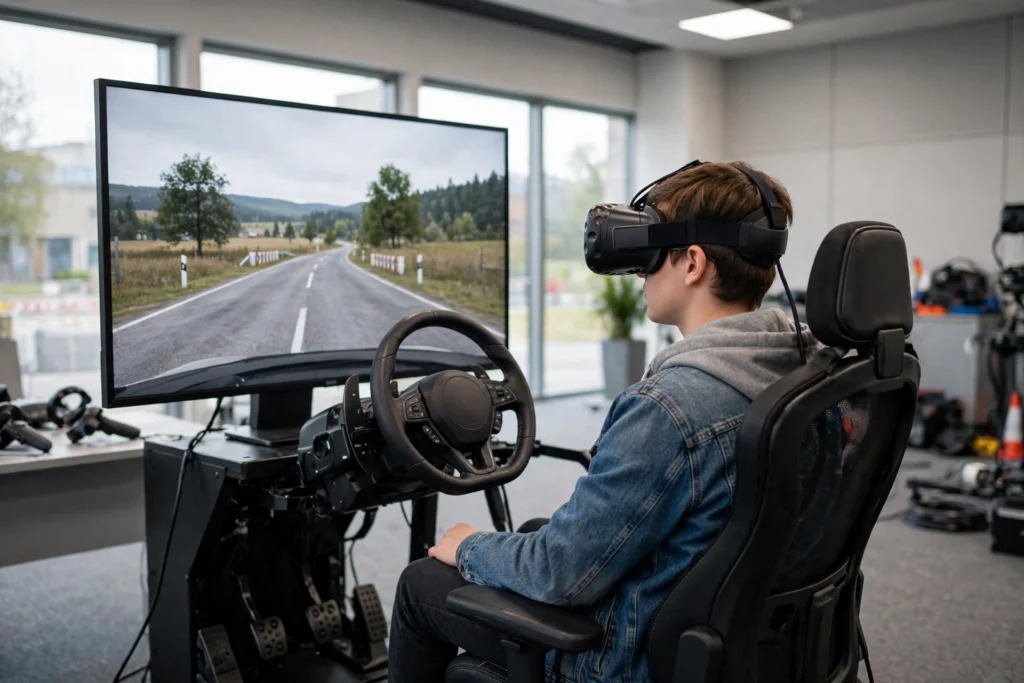
VR driving training puts a learner inside a virtual car, on a virtual road, with virtual traffic — so they can practise steering, braking, mirror checks and hazard spotting before facing a real junction. The software can replay mistakes, change the weather, or add a sudden hazard in seconds. It does not replace real lessons or a licensed instructor, but it gives beginners a calm, repeatable place to build good habits.
Key Takeaways
- VR driving training combines a headset, a steering wheel and pedals, and driving software that simulates roads, traffic and weather.
- Learners can repeat tricky moments — roundabouts, night driving, sudden braking — without any real-world risk.
- Instant feedback and replays help learners see exactly where they looked, when they braked, and what they missed.
- It works best as preparation and practice alongside real lessons, not as a substitute for supervised driving on real roads.
- Sessions should stay short, with breaks, especially for anyone prone to motion sickness.
How does a VR driving setup actually work?
A typical setup has three parts working together. First, the headset tracks the learner’s head movements, so looking left at a junction or checking a mirror feels natural rather than like watching a flat screen. You can read more about that hardware in our guide to VR Headsets. Second, a steering wheel, pedals and sometimes a gear shifter translate hand and foot movements into the virtual car. Good wheels push back slightly when the car turns or hits a bump, which helps a learner feel how much steering is enough — and how much is too much.
Third, the software builds the world: lanes, signs, traffic lights, other cars, cyclists and pedestrians, all following rules the learner must also follow. When the learner brakes late, drifts out of lane, or forgets to signal, the system notices. That combination — seeing, doing and getting a response straight away — is what separates VR practice from reading a driving manual or watching a video.
Some setups are simple: a headset and a basic wheel at a desk. Others are full simulator rigs with a seat, a wraparound screen or motion platform, and an instructor’s screen that shows exactly what the learner sees. Driving schools tend to use the middle ground: realistic enough to feel convincing, simple enough to run for many learners in a day.
What can learners practise in VR?
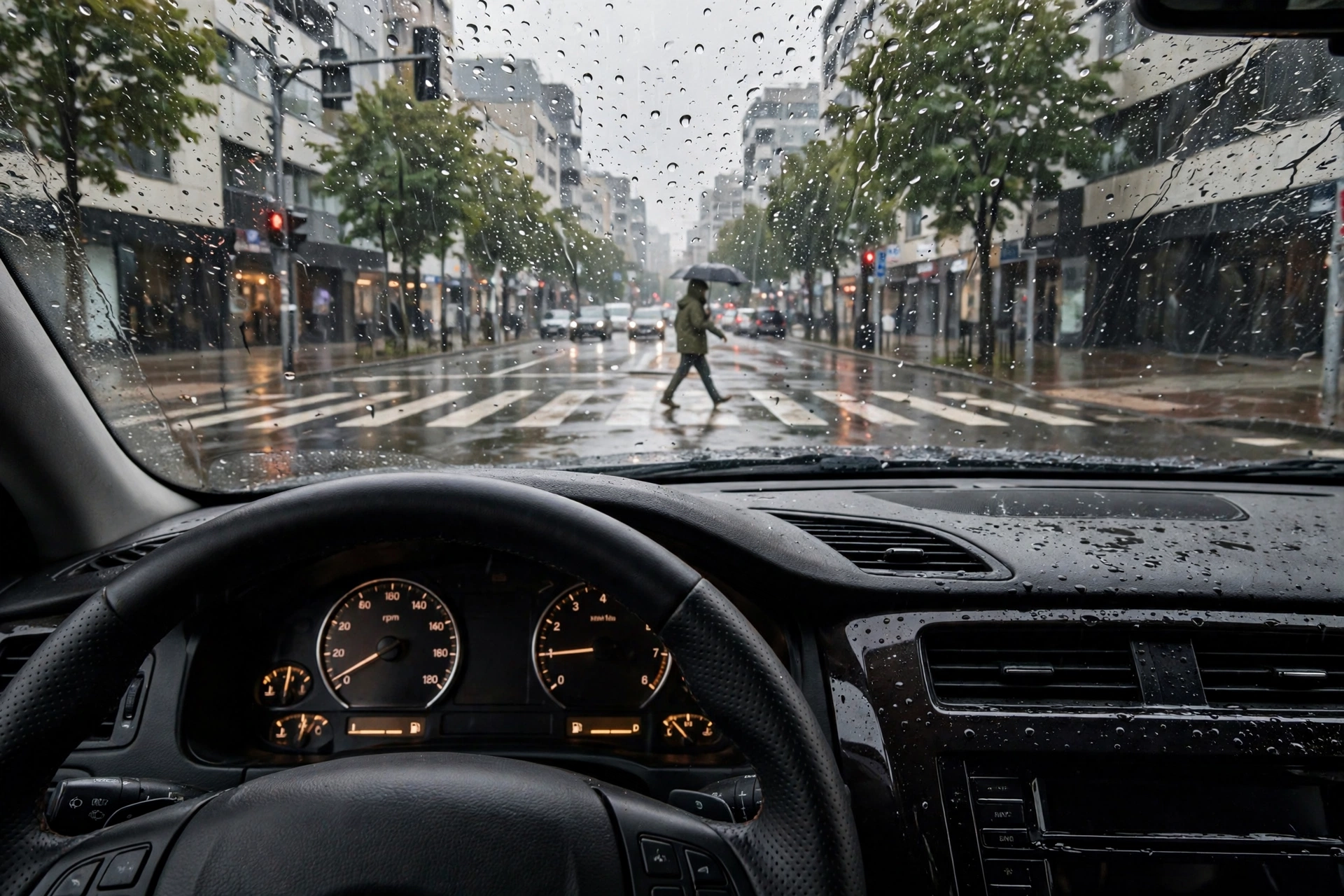
The short answer is: the moments that are hardest to practise safely on a real road. A beginner can try a busy roundabout ten times in one session, without holding up traffic or worrying a more experienced driver. They can practise merging onto a fast road, parking in a tight space, or driving in rain at night — conditions a learner might otherwise meet for the first time, unprepared, months into lessons.
Hazard perception is a strong fit. The software can place a child stepping between parked cars, a cyclist in a blind spot, or a car pulling out without warning, then pause and ask: did you see it, and when? That pause matters. On a real road, the moment is gone in a second. In VR, the learner can rewind, look around from the driver’s seat, and understand what clue they missed — a brake light, a shadow, a gap in parked cars.
VR also helps with routine skills that look easy but take repetition: smooth braking, keeping a steady speed, checking mirrors in a set order, and signalling early. Because sessions can be repeated exactly, an instructor can set the same junction three times and watch whether the learner’s mirror check becomes automatic rather than something they remember only when prompted.
What does the feedback look like?
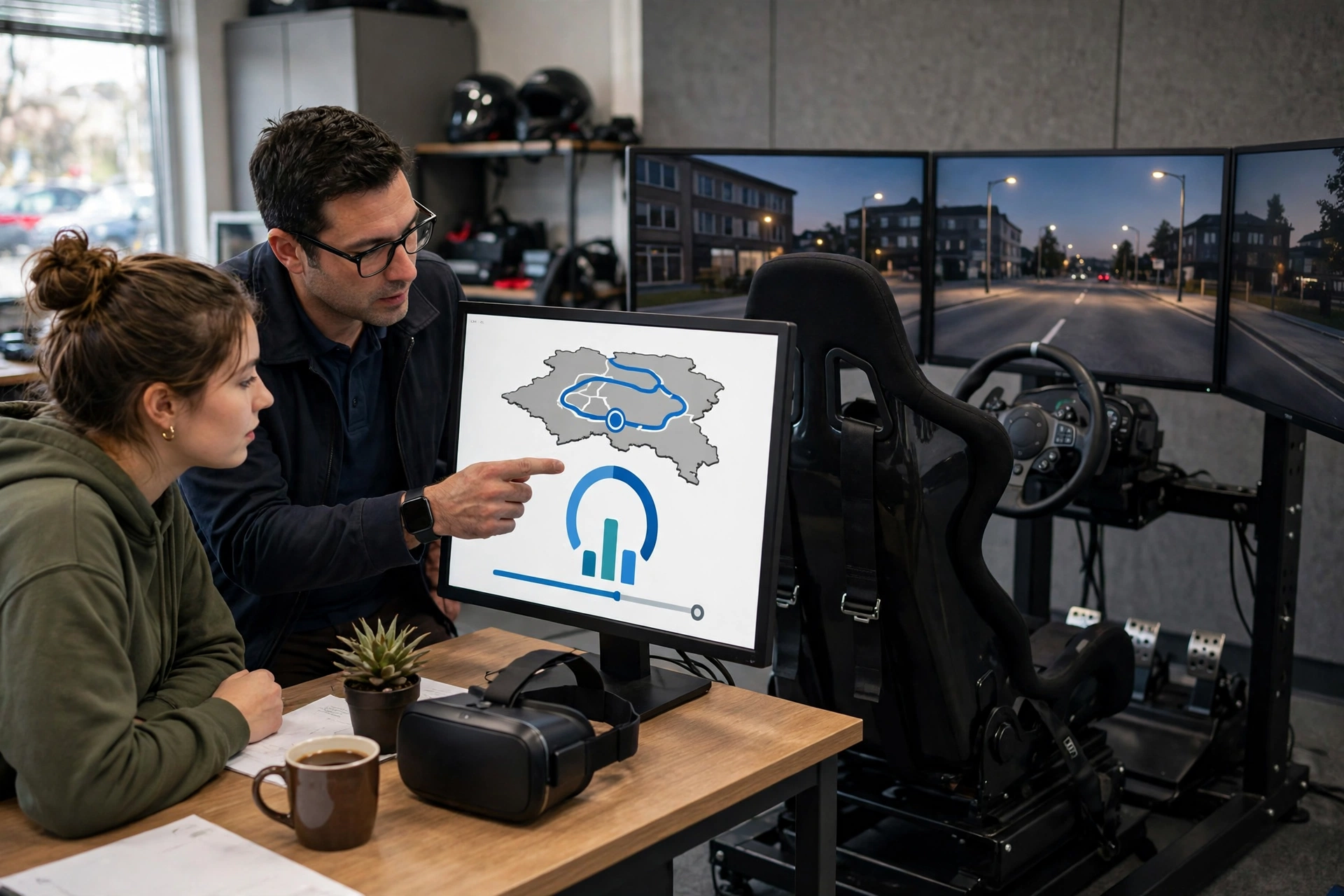
Feedback in VR is usually immediate and specific, which is one of its main advantages. After a run, many systems show a score or a short report: speed at key points, lane position, reaction time to a hazard, and any missed signals or mirror checks. Some let the learner watch a replay from above the car, or from the driver’s seat, so they can see the gap they failed to notice.
An instructor can use that replay like a coach uses match footage. Instead of saying “you were a bit late there,” they can point to the exact second the pedestrian appeared and the exact moment the learner braked. That makes the lesson concrete, and it gives the learner something clear to fix next time.
Feedback should still come with human judgement. A simulator can flag a late brake, but it cannot always tell whether the learner was being cautious, confused, or simply distracted by a new control. A good session pairs the software’s numbers with a short conversation: what did you see, what were you thinking, and what will you do differently? Without that conversation, a learner can end up chasing a score instead of learning to drive well.
How is VR driving training different from a driving game?
This is a fair question, because the two can look similar from the outside. The difference is purpose and structure. A game is designed to entertain: it often rewards speed, risky overtaking and dramatic crashes. A training simulator is designed to teach: it rewards smooth control, early hazard spotting, safe gaps and correct signalling, and it can slow a session down to explain a mistake.
Training software also tends to follow real road rules more strictly. Speed limits matter, right of way matters, and a crash ends the exercise with a review rather than a restart and a laugh. That does not mean training has to feel dull — a well-designed session can still feel engaging — but the goal is a safer driver, not a higher score.
That distinction matters for parents and learners choosing a course. If a session feels mostly like a game, with little feedback and no instructor review, it may still build some familiarity with steering and pedals, but it is less likely to build the judgement that matters on a real road. Ask what the session measures, and how the instructor uses the results.
Who benefits most from VR driving training?
Nervous beginners are an obvious group. For someone who feels anxious just sitting in a driver’s seat, a virtual car removes the fear of stalling in traffic or making a mistake in front of other drivers. They can learn where the controls are, practise the sequence of mirror, signal and manoeuvre, and build a little confidence before the first real lesson.
It can also help learners who cannot practise often. If lessons are expensive, or a learner has no access to a car between lessons, a simulator session keeps skills fresh. The same applies to experienced drivers returning after a long break, or drivers preparing for a new environment — for example, someone moving to a country where traffic drives on the other side of the road.
Professional training uses similar ideas at a larger scale. Bus, truck and emergency-service drivers can practise rare, high-risk situations — a tyre blowout, a vehicle pulling out at speed, or driving in heavy fog — without putting anyone at risk. Those scenarios are hard to arrange safely on a real road, and that is exactly where simulation earns its place. Our look at Virtual Reality Beyond Gaming covers more of these training uses.
What are the limits of VR driving training?
VR has real limits, and honest training providers say so. First, a headset cannot fully reproduce the feel of a real car: the weight of the steering, the vibration of the engine, the sense of speed from your body, and the pressure of real traffic around you. A learner who feels confident in VR may still feel shaky on a real road, and that is normal. The first real lessons still matter.
Second, some people feel sick in VR, especially when the virtual car turns quickly or the frame rate drops. Short sessions, a well-fitted headset, and breaks between runs help, but anyone who feels dizzy or nauseous should stop and tell their instructor. Pushing through motion sickness rarely helps learning.
Third, VR can teach bad habits if it is used carelessly. If the simulator’s physics are too forgiving, a learner may brake later than they safely could in a real car, or rely on a virtual rear-view display that a real car does not have. That is why the software and the instructor both matter: the tool needs to be realistic enough, and the instructor needs to point out where the virtual world differs from the real one.
Finally, rules and tests vary by place. VR practice does not automatically count towards required driving hours, and it does not replace a driving test. Learners should check local rules with their driving school or licensing authority rather than assuming simulator time counts in the same way as supervised road time.
How should a learner use VR alongside real lessons?
Think of VR as a rehearsal room, not the performance itself. A useful pattern is: learn a skill in VR, discuss it with an instructor, then try it on a real road while it is still fresh. For example, practise a roundabout in VR on Monday, talk through the mirror and signal sequence, then drive a quiet real roundabout with an instructor later in the week.
Keep sessions focused. Twenty to forty minutes on one or two skills — say, hazard spotting at junctions, then parking — usually teaches more than two hours of unfocused driving around a virtual city. After each session, note one thing that went well and one thing to fix. That short reflection turns a fun drive into a lesson.
It also helps to practise in small steps. Start with quiet roads and clear weather, then add rain, night driving, or busier traffic only when the basics feel steady. Jumping straight into a virtual rush hour can overwhelm a beginner and teach them to react in panic rather than to plan ahead.
Can VR help with specific driving fears?
For some learners, the fear is specific: motorways, night driving, or parallel parking. VR lets them face that one situation repeatedly, in a controlled way, until it feels less unknown. A learner afraid of motorway merging can practise joining a fast road ten times, at increasing traffic levels, without ever entering a real motorway. That gradual exposure can lower anxiety, because the situation stops being a mystery.
That said, VR is not therapy, and it does not replace professional help for strong anxiety. If fear of driving is severe or persistent, a learner should talk to their instructor, and if needed a health professional, about the right support. VR can be one tool in that process, not the whole answer.
What should you check before choosing a VR driving course?
A few practical questions help separate a good course from a flashy demo. Ask what headset and controls are used, and whether the software follows real road rules for your country. Ask how feedback works: will you get a replay, a report, or just a score? Ask whether an instructor reviews your sessions, and how simulator time fits with real lessons and any local requirements.
Also ask about session length and comfort. A course that plans short sessions with breaks, checks headset fit, and lets learners stop if they feel unwell is taking the experience seriously. And be wary of any claim that VR alone will make you pass a test or guarantee a result. Good training improves preparation; it cannot guarantee an outcome on the day.
For background on how the underlying technology creates a convincing virtual world, see Britannica’s overview of virtual reality and this look at how driving simulators are changing driver training.
FAQs
Does VR driving training replace real driving lessons?
No. It prepares learners and lets them practise safely, but real lessons with a licensed instructor, on real roads, are still needed to learn the feel of a car, real traffic behaviour, and local test requirements.
Is VR driving training suitable for complete beginners?
Yes, often it is ideal for beginners, because they can learn controls, mirror checks and basic manoeuvres without the pressure of real traffic. Sessions should start simple, with quiet roads and clear weather.
How long should a VR driving session last?
Short, focused sessions usually work best — often around 20 to 40 minutes, with breaks. Longer sessions can cause fatigue or motion sickness, which makes learning harder rather than easier.
Will simulator skills transfer to a real car?
Many skills transfer well, especially hazard perception, mirror and signal routines, and decision-making at junctions. Physical feel and real-traffic judgement still need real-road practice, so transfer is partial, not automatic.
Do I need my own headset to try VR driving training?
No. Most driving schools and training centres provide the headset, wheel and pedals. Trying a centre-based session first is a sensible way to see whether VR practice suits you before buying any equipment.
Conclusion
VR driving training works by giving learners a safe, repeatable version of the road: a headset for sight, a wheel and pedals for control, and software that can create hazards, change conditions and replay mistakes. Used well, it builds confidence, sharpens hazard perception, and makes real lessons more productive. Used as a replacement for real driving, it falls short — and honest providers will say so.
If you are learning to drive, a practical next step is to try one short, instructor-led VR session focused on a single skill, such as hazard spotting at junctions, and then discuss the replay with your instructor before your next real lesson. You will arrive at that lesson knowing what to practise, and with a clearer idea of what good driving actually looks like from the driver’s seat.
Further reading: VR Controllers and VR Room Mapping