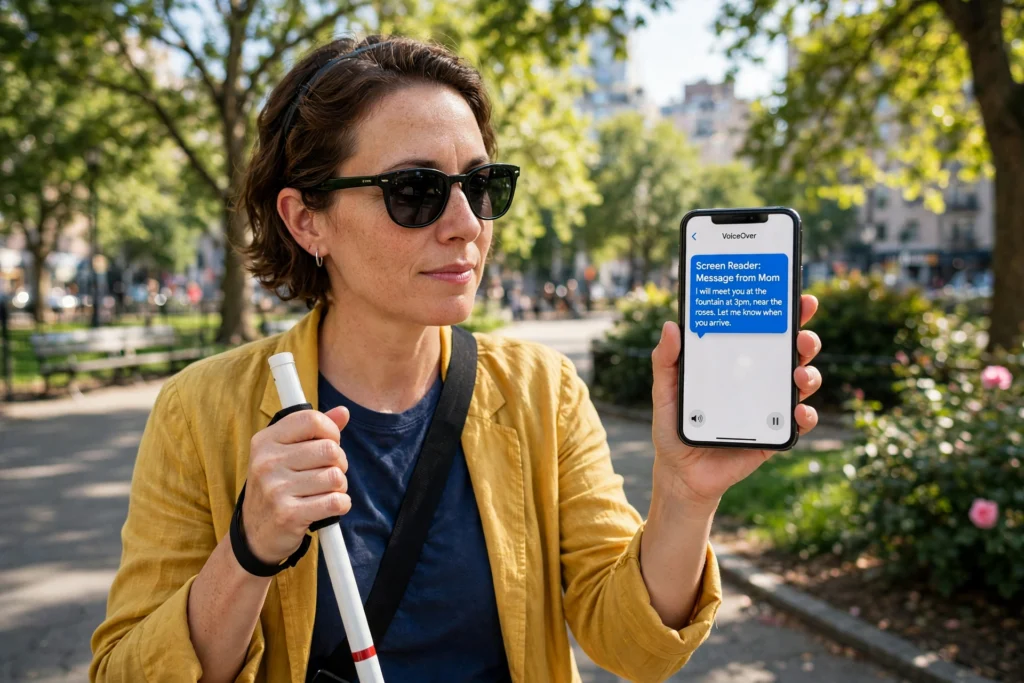
AI accessibility means using artificial intelligence to remove barriers that stop people using technology. Screen readers describe what is on a screen, live captions turn speech into text, and voice control lets people run a device hands-free. These tools do not cure a disability, but they can make a phone usable for someone who could not use it before.
Key Takeaways
- AI accessibility tools turn one kind of input into another: images into spoken words, speech into text, and voice commands into actions.
- Screen readers, live captions, and voice assistants are the most widely used examples, and most are already built into phones and computers.
- The tools work best with clear audio, good lighting, and well-structured pages, and they still make mistakes.
- Accessibility features help everyone, not only people with disabilities.
What does AI accessibility mean?
Accessibility means designing technology so people with different bodies, senses, and minds can use it. AI accessibility adds machine learning to that job. Instead of a fixed set of rules, the software learns to recognise speech, describe images, or predict what a person wants to do next.
Think of it as translation. A photo becomes a spoken sentence. A conversation becomes words on a screen. A spoken instruction becomes a tap or a typed message. The AI does not understand the world the way a person does, but it is good enough at pattern matching to make these translations useful, most of the time. That matters because so much of daily life now runs through screens: banking, school, work, and healthcare. When a screen is the only way in, a tool that reads it aloud is the difference between taking part and being shut out.
How does AI help people who are blind or have low vision?
The best-known tool here is the screen reader. It reads the text on a screen aloud and lets the user move through menus, buttons, and links by touch or keyboard. Modern screen readers use AI to do more than read text: they can describe a photo, so a blind person gets some sense of an image that has no written description attached.
AI also powers apps that point a phone camera at a scene and speak what they see: a street sign, a menu, or a parcel label. But a photo description is only as good as the AI’s guess, and a screen reader can only read what a website actually exposes. A badly built page with unlabeled buttons still leaves a blind user guessing, which is why the W3C’s introduction to web accessibility stresses that good design and AI tools have to work together.
How does AI help people who are deaf or hard of hearing?
Live captions are the headline tool. Speech recognition turns spoken words into text on screen in near real time, so a deaf person can follow a meeting, a lecture, or a video call without a human captioner. Most phones and video-call apps now offer this built in, and it works in dozens of languages.
The same technology powers transcripts: a recorded meeting can be turned into searchable text. Accuracy is the weak point, though. Captions struggle with accents, background noise, overlapping speakers, and technical terms, and a caption that drops a “not” can reverse the meaning. For anything important, such as a medical appointment, a human captioner is still the safer choice.

How does AI help people with mobility or speech differences?
Voice control turns speech into action. Say “turn on the lights”, “send a message to Mum”, or “open my email”, and the device does it. For someone who cannot use a keyboard or touchscreen easily, that is a direct route to independence. Voice assistants also learn a person’s speech patterns over time, which helps if their speech is quiet, slow, or unclear.
Eye tracking and switch control work on the same idea: AI follows where a person looks, or watches for a single switch press, and turns that into a click. Predictive text helps too, letting the user pick suggested words instead of typing every letter. None of this is perfect, but for many people the difference between “slow and tiring” and “doable” is worth the occasional mistake.

How does AI help people with learning and cognitive differences?
AI reading tools can read a page aloud, highlight each word as it goes, and slow down or speed up to suit the reader. That helps people with dyslexia, who often find dense text tiring, and people who simply read better by listening. Some tools simplify a passage on request, breaking long sentences into shorter ones without changing the meaning.
Translation tools, which we covered in our guide to how AI translates languages, also count here: a page can be translated in seconds. AI can also summarise a long email into three bullet points, which helps people who find planning and working memory hard.
Where does AI accessibility still fall short?
AI tools are trained on data, and that data often under-represents the very people who need them most. Speech recognition is less accurate for people with speech differences, older voices, and some accents. Image description can miss context or describe a person in an awkward or wrong way. A tool that works well for one person may fail completely for another.
Privacy is a real concern too, since many of these tools send audio, photos, or video to a server, and the user may not realise what leaves their device. And AI cannot fix a badly designed product: if a website has no proper headings, no labelled buttons, and no keyboard support, no screen reader can make it fully usable.
How can you try these tools yourself?
You probably already have most of them. On a phone, look in Settings under Accessibility: you will find a screen reader, live captions, voice control, magnification, and text-to-speech, all built in and free. On a computer, the same options sit in the accessibility or ease-of-access settings.
Try one for a day. Turn on live captions during your next video call and see how accurate they are. Ask your voice assistant to set a reminder or read your notifications aloud. If you are choosing a tool for someone else, involve them from the start. Microsoft’s accessibility pages are a useful starting point for seeing what is built into everyday software.
Frequently asked questions
Is AI accessibility only for people with disabilities?
No. Captions help anyone watching a video in a noisy place or a quiet library, and voice control helps a driver or a cook with messy hands. Features built for accessibility usually end up helping everyone.
Are AI screen readers free?
The screen readers built into phones and computers, such as VoiceOver on Apple devices, TalkBack on Android, and Narrator on Windows, are free and included with the device. Specialist apps may charge, but the built-in tools already cover most everyday needs.
How accurate are live captions?
In quiet conditions with clear speech, good live captions are often 90% accurate or better, but accuracy drops fast with accents, noise, and technical words. They are fine for following a meeting, but where an exact word matters, a human captioner is still more reliable.
Does AI accessibility replace human help?
No. AI tools are a useful extra layer, but they do not replace a sign-language interpreter, a human captioner, a guide, or a support worker. They are best used alongside human help, not as a cheaper substitute for it.
Can AI describe any image?
It can try, but the description is a guess based on patterns in its training data. It usually gets the broad strokes right and often gets details and context wrong. For images that matter, a human-written description is still the gold standard.
Conclusion
AI accessibility is at its best when it quietly removes a barrier: a caption that appears without asking, a photo described without fuss, a light switched on by voice. It is not magic, and it is not a replacement for good design or human help, but it has already made technology usable for millions of people who were locked out before.
The practical next step is simple: turn on one accessibility feature on your own phone or computer today and use it for a day. You will quickly learn what it does well, where it stumbles, and why it matters.
Further reading: What Is Artificial Intelligence? The Complete Guide · How Do AI Voice Assistants Work? · How Does AI Translate Languages in Real Time? · What Is Natural Language Processing? · W3C: Introduction to Web Accessibility · Microsoft Accessibility