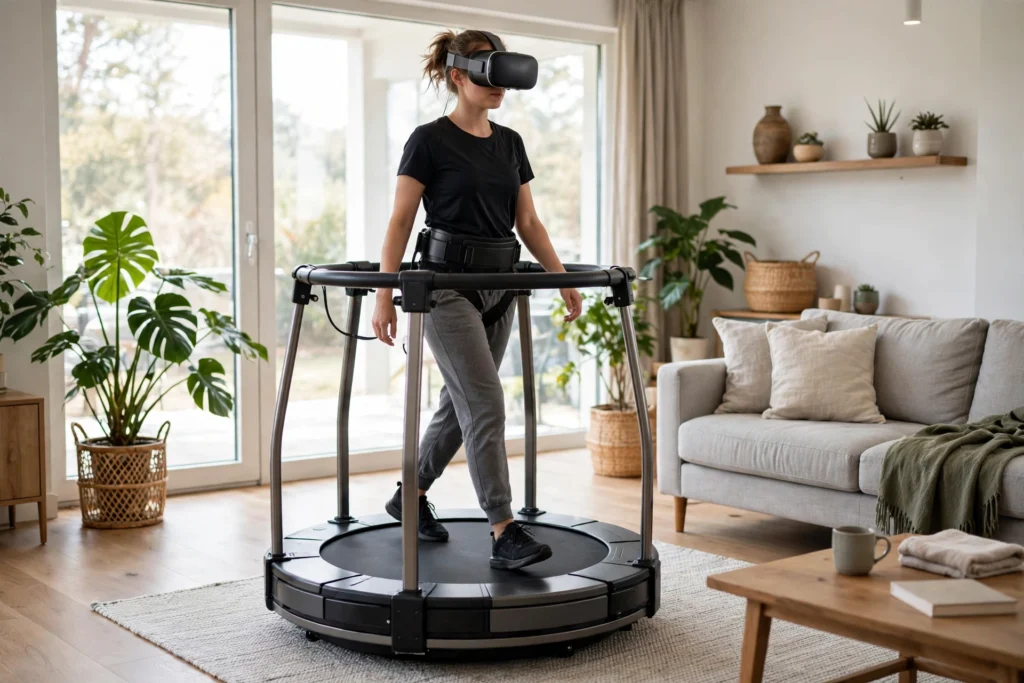
A VR treadmill lets you walk, jog, and turn inside a virtual world while staying in one spot. Instead of pushing a stick, you take real steps, and the system turns them into movement on screen. Most home models use a low-friction curved deck, special shoes, sensors, and a support frame — not a moving belt.
Key Takeaways
- A VR treadmill turns real footsteps into virtual movement while you stay in one physical spot.
- Most home models use a slippery curved deck and special shoes, rather than a moving belt.
- Sensors track your feet or body, and software converts that motion into game movement.
- A harness and support ring help you stay centred and balanced.
- Start with short, slow sessions and clear space around the platform.
What is a VR treadmill, exactly?
A VR treadmill, often called an omnidirectional treadmill, lets you move in any direction — forward, back, sideways, or diagonally — without leaving a small area. A gym treadmill only goes one way, but a virtual world rarely asks you to walk in a straight line.
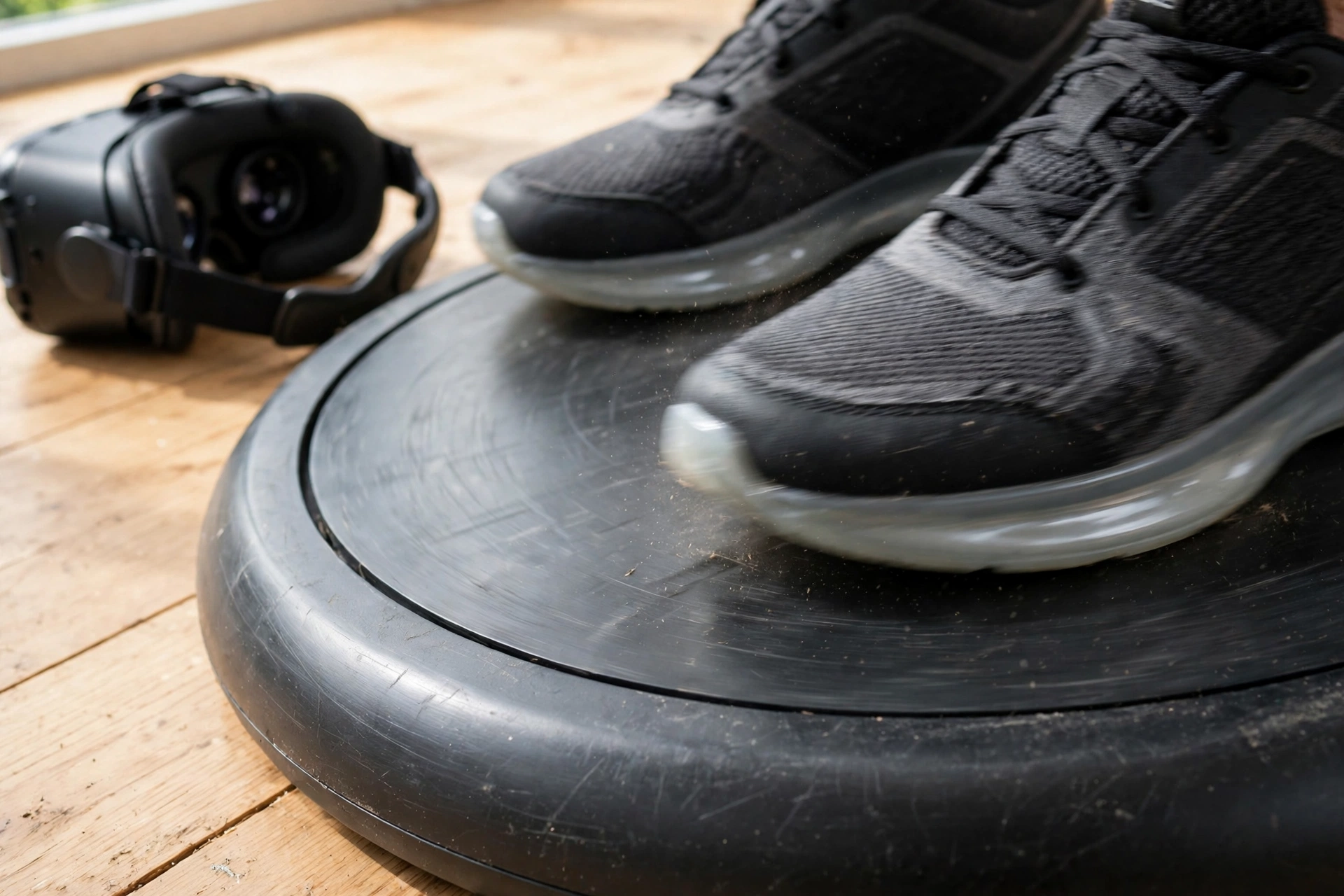
Larger systems in research labs and arcades may use powered belts or rollers, but they tend to be big and expensive. The home models most people meet are simpler: a shallow bowl-shaped deck with a very smooth surface. You wear low-friction shoes, step on, and slide your feet as if walking, while the curved shape gently guides each foot back toward the centre.
That sliding motion takes a little getting used to. It is not quite walking on pavement, and it is not ice-skating either. Most people find a comfortable rhythm after a few short sessions, especially once they stop forcing a normal stride and let the deck do some of the work.
How does a VR treadmill track your movement?
Tracking splits into two main approaches. Some systems track your shoes: sensors or markers report each foot’s position and speed, and software works out whether you are walking, running, strafing, or standing still. Others track your body more broadly, using the headset’s position, extra trackers on your waist or legs, or cameras that watch how you move.
Either way, the software must turn a foot sliding in place into a clear command. A slow, steady slide becomes a walk; a faster motion becomes a run; a sideways slide becomes a strafe. When you stop moving your feet, your virtual character should stop too, rather than drifting on.
The treadmill works best as part of a team. How Do VR Headsets Work? explains how the headset tracks your head and shows the world from your point of view. The treadmill adds your legs. How Do VR Controllers Work? covers your hands, so head, hands, and feet can all point the system in the same direction.
Why do you need a harness and support ring?
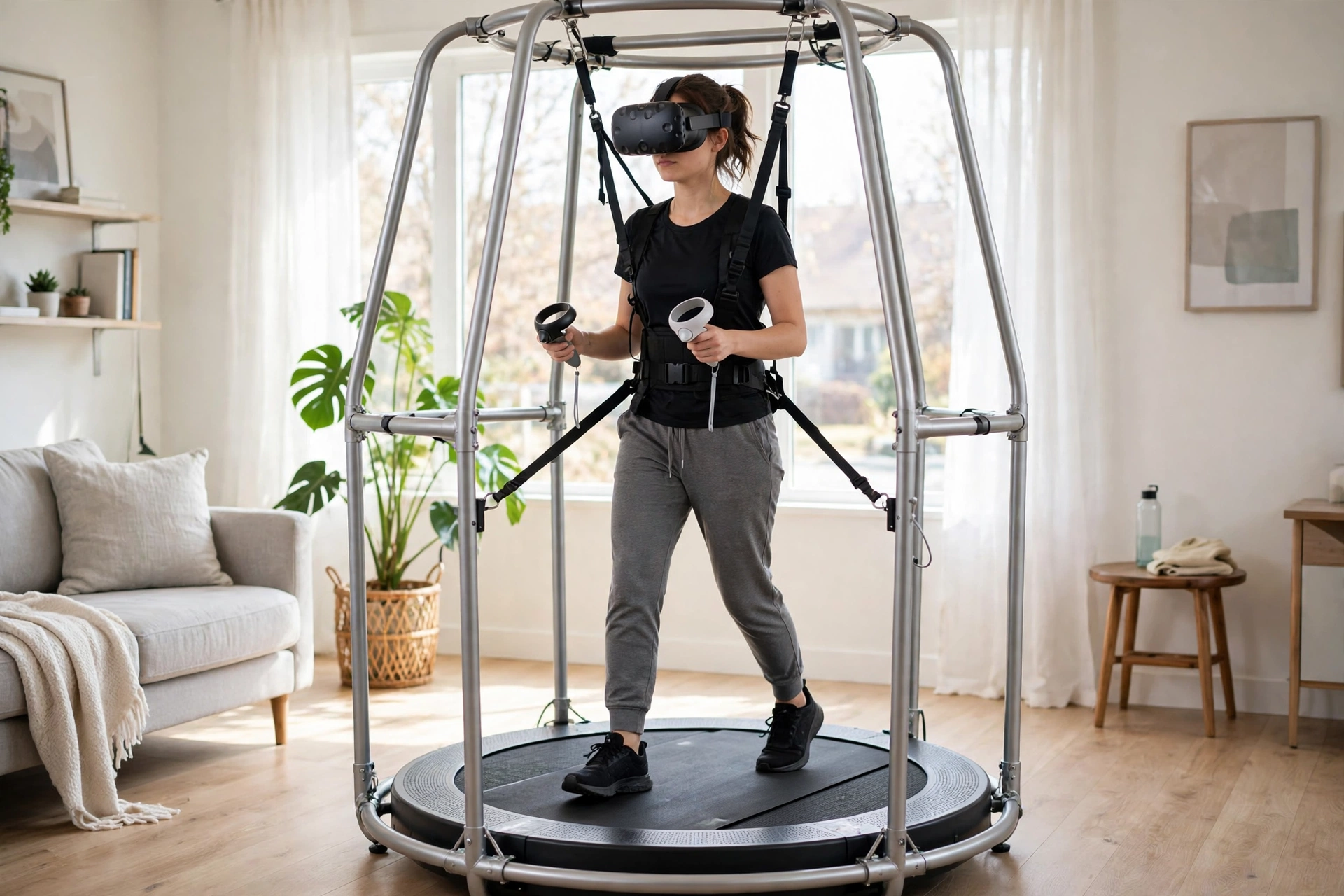
Balance is the honest answer. Your feet are sliding on a smooth surface while your eyes tell your brain you are walking through a forest or a spaceship corridor, so it is easy to lean too far or lose track of the centre. A support ring gives you something to hold, and a waist harness keeps you from stepping off the deck by accident.
The harness is not meant to hold your full weight like a climbing rope. Think of it more like a steady handrail that moves with you. It lets you relax, which actually helps walking feel more natural: if you grip hard and tense up, your steps get stiff and tracking gets noisier.
Room setup matters here too. How Does VR Room Mapping Work? explains how headsets map a safe play area, and a treadmill changes that calculation: the deck becomes your play area, so you need solid flooring underneath, enough headroom, and nothing breakable within arm’s reach of the ring.
What does walking on one actually feel like?
For most first-time users, the honest description is “familiar, but not identical.” Walking forward feels most natural, because the bowl shape and sliding shoes work with a normal forward stride. Turning feels stranger at first, since you cannot plant a foot and pivot as you would on grippy ground. Side-steps and backing up take practice too.
Start with a calm scene, not a fast action game. Walk, stop, turn slowly, and notice how much pressure you need. Lighter steps usually work better than heavy stomps, and looking where you want to go helps the system read your intent.
There is also a comfort benefit. Some people feel queasy in VR when their eyes see movement but their body stays still. Walking in place gives the brain some matching physical motion, which can make longer sessions feel easier. It does not remove motion sickness for everyone, and fast turns can still feel uncomfortable, but for many users it is a clear improvement over stick-only movement.
What are VR treadmills used for, and what space do they need?
Games are the most visible use: exploring a large map on foot is far more engaging when you are actually walking. Training is another strong use, since a trainee can practise moving through a building or factory scene without needing a huge hall. Fitness sits in between — walking through a virtual trail can make a workout feel less like a chore, though it is not a replacement for outdoor exercise.
Space-wise, plan for the platform plus room to step on and off safely, swing your arms, and reach the ring without hitting furniture. A flat, firm floor helps; thick carpet can make the deck less stable. Setup usually means assembling the deck and ring, fitting the harness, pairing the sensors with your headset, and doing a short calibration walk. Do not skip calibration: if the system thinks a gentle slide is a sprint, your character will lurch.
Also check game support before buying. Some titles support treadmills directly, while others rely on software that translates movement into controller-style input. Direct support usually feels smoother, so make a shortlist of games you actually want to play first. For the rest of the setup, How to Choose a VR Headset is a useful companion, since compatibility and tracking style depend on your headset.
How do you stay safe on a VR treadmill?
Safety starts before you put the headset on. Clear the area, check that the ring and harness are locked, wear the right shoes for that model, and make sure the deck is clean and dry. Keep water nearby, take breaks, and step off using the ring rather than hopping clear while you cannot see the room.
Keep first sessions short and slow, and stop if you feel dizzy, tired, or off-balance. Children, and anyone with balance, joint, or heart concerns, should check the maker’s guidance and, where relevant, talk to a clinician first — this is general information, not medical advice for any individual. Do not use one near stairs, low ceilings, pets underfoot, or anyone who might walk into your swing zone, and tell others in the house before you start.
Are VR treadmills worth it?
That depends on how much you value walking itself. If you mostly play seated games or short experiences, a treadmill is probably overkill. If you spend long sessions exploring large virtual worlds, training, or exercising in VR, and you have the space and budget, the extra immersion can be genuinely enjoyable.
The trade-offs are real: cost, size, a learning curve, and game support that is still patchy compared with standard controllers. Weight limits, shoe sizes, and headset compatibility also vary, so the best model is the one that fits your body, your room, and the games you will actually use.
Frequently Asked Questions
Do VR treadmills move like a normal treadmill?
Most home models do not. They use a low-friction curved deck and special shoes, so your feet slide in place while sensors turn that motion into virtual movement. Larger arcade systems may use powered belts, but they are much bigger and more expensive.
Can you run on a VR treadmill?
Many models support jogging and running, within their speed and size limits. Start by walking, learn the sliding stride, and only build up speed once you feel steady and calibration feels right.
Do you still need controllers with a VR treadmill?
Yes, in most setups. The treadmill handles walking and turning, while controllers handle grabbing, aiming, and menus. The headset handles where you look, so all three parts work together.
Will a VR treadmill stop motion sickness?
It can help, because your body moves in a way that partly matches what your eyes see. It does not guarantee comfort for everyone, and fast turns or long sessions can still cause queasiness. Short, gentle sessions are the safest start.
What should I check before buying one?
Check headset compatibility, game support, footprint and weight limit, shoe sizes, and whether movement is supported directly or through controller emulation. Measure your room and ceiling height, and read the maker’s safety guidance first.
Conclusion
A VR treadmill works by turning real steps into virtual movement: a curved, low-friction deck and special shoes let you slide in place, sensors read your feet or body, and software converts that motion into walking, running, or strafing. A harness and support ring keep you centred while you learn the new stride.
If you are curious, the practical next step is simple: measure your space, list the games or training scenes you would actually use it with, and check compatibility and safety guidance for one or two models before buying. Try a demo if you can — ten minutes walking on one tells you more than any specification sheet. For background, Britannica’s overview of virtual reality is a solid starting point, and Road to VR’s early look at the Virtuix Omni shows how the low-friction deck idea first took shape.