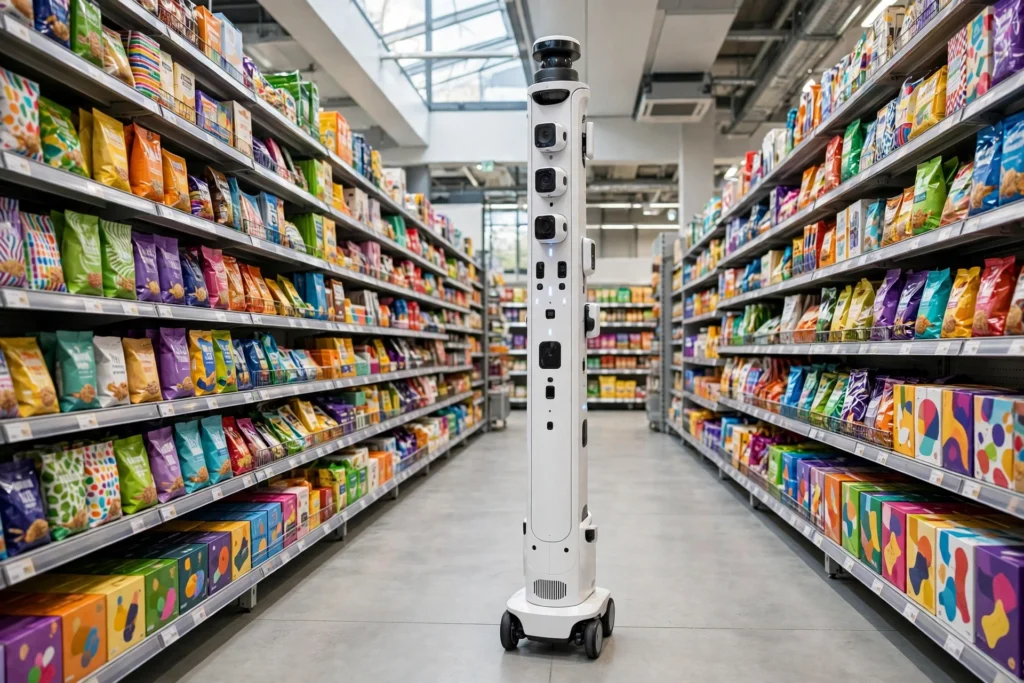
Retail robots work by combining cameras, sensors, and mapping software to do the repetitive jobs in a shop: scanning shelves for gaps, tracking stock levels, and guiding customers to the right aisle. They move slowly, follow a set route, and send what they find back to staff, who decide what to fix.
Key Takeaways
- Retail robots mainly scan shelves, check stock, and help shoppers find products.
- Cameras and depth sensors spot empty shelves, wrong prices, and misplaced items.
- They navigate with a store map, lidar, and cameras, and slow down or stop near people.
- They do not replace shop staff: people still handle restocking, complaints, and tricky questions.
- The main limits are cost, cluttered aisles, and products that look almost identical.
What do retail robots actually do?
Walk into a large supermarket and you may spot a tall, narrow machine gliding down an aisle: a shelf-scanning robot, the most common kind. It photographs every shelf, software compares the photos with a plan of how the shelf should look, and anything missing, misplaced, or wrongly priced gets flagged for a member of staff.
Other retail robots work in different corners of the shop. Some greet customers at the entrance and point them towards the product they want. Behind the scenes, small mobile robots move stock from the back room to the shop floor, a job with a lot in common with the machines in our guide to how warehouse robots work. Robots handle the dull, repetitive checks, so people can spend more time helping customers: a shelf check that takes a person an hour can take a robot a few minutes, and the robot does it the same way every time.
How does a shelf-scanning robot work?
A shelf scanner is basically a camera tower on wheels, and a typical run follows three steps.
First, it loads a map of the store and a plan of each shelf, known as a planogram, which says which product belongs in which spot, how many should be there, and what the price label should read.
Second, it drives its route at walking pace, usually during quieter hours or overnight. Cameras at several heights take overlapping photos, depth sensors measure how far back each product sits, and lidar helps it judge distances and avoid displays.
Third, the photos go to software that recognises products by their packaging. It compares what it sees with the planogram and builds a list: three jars of coffee missing here, a price label wrong there. That list lands on a screen in the back room, and staff work through it in order of priority. The robot itself does not fix anything. It finds problems; people fix them.
How do robots help shoppers find products?
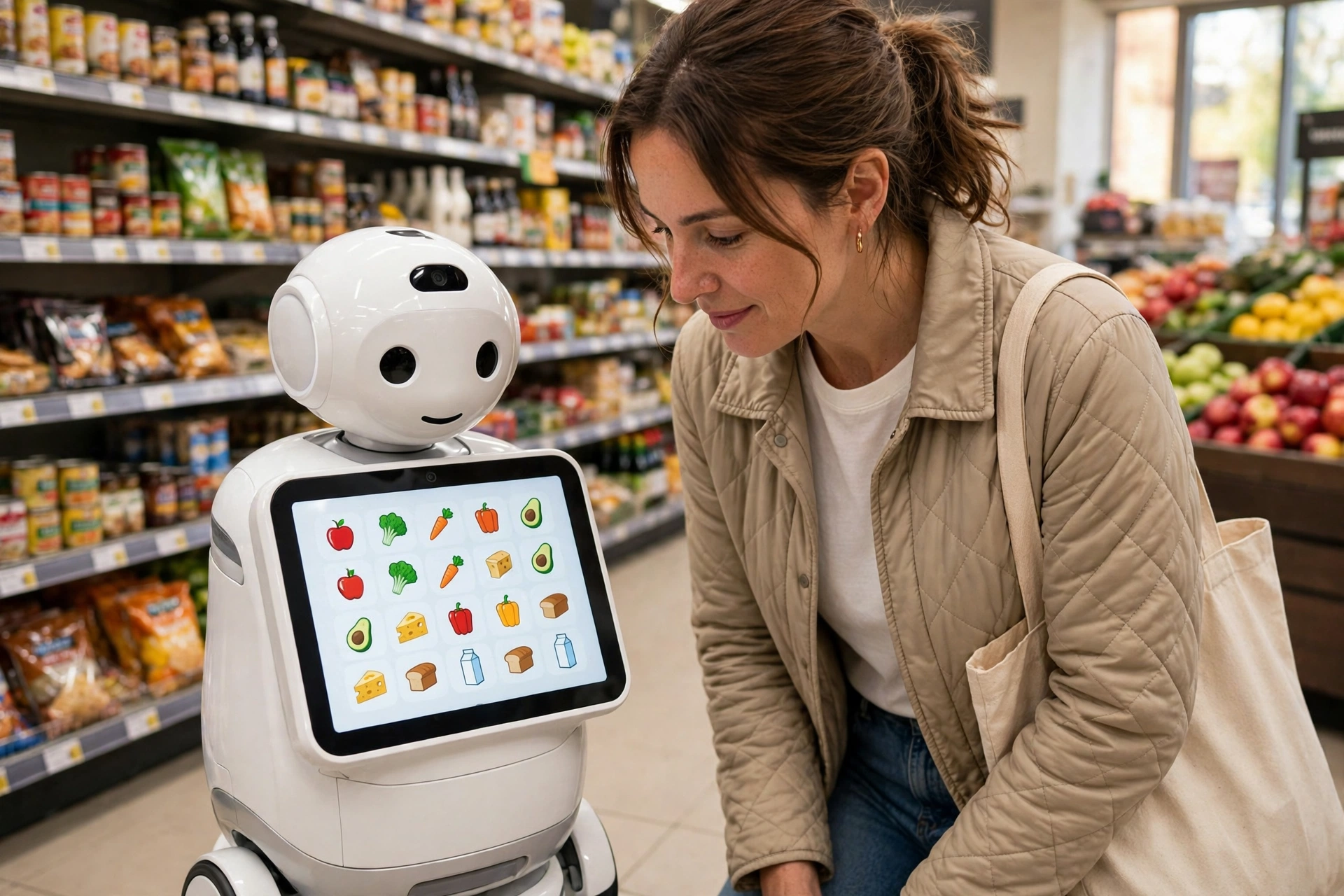
Some retail robots are built to talk to customers. A shopper types a product name into the robot’s touchscreen, or says it out loud, and the robot checks the store’s stock system, then leads the person to the right aisle or shows the location on a small map.
These helper robots are usually short, friendly-looking machines with a screen for a face or chest. They know the store layout and the common questions: where is the gluten-free bread, which aisle has light bulbs, is this item in stock. For simple questions they are quick and never get tired. For anything complicated — a refund, a complaint, advice on which paint to buy — they hand over to a person.
How do robots move safely around a busy shop?
A shop floor is a hard place for a robot: trolleys stop without warning and children run past. Retail robots cope by moving slowly — no faster than a gentle walk — and by watching in every direction at once.
Its sensors build a live picture of what is nearby: lidar sweeps for solid objects, cameras watch for people and trolleys, and bump sensors act as a last resort. If something steps in front of the robot, it stops or steers around it. Most robots run one aisle at a time and avoid the busiest hours; some work overnight and leave their report for the morning team.
What are the limits of retail robots?
Retail robots belong to a wider family of machines described in the Wikipedia guide to service robots, and they share the sensors and control systems covered in Britannica’s overview of robotics. They are useful, but they are not magic, and the limits are worth knowing.
Cost comes first. A single shelf-scanning robot, plus the software and shelf-plan data it needs, is a serious purchase for a small shop, which is why the early users have mostly been large supermarket chains.
Accuracy is the second limit: two products with nearly identical packaging can confuse the camera, and glare or crumpled packaging makes it worse, so the reports still need a human check.
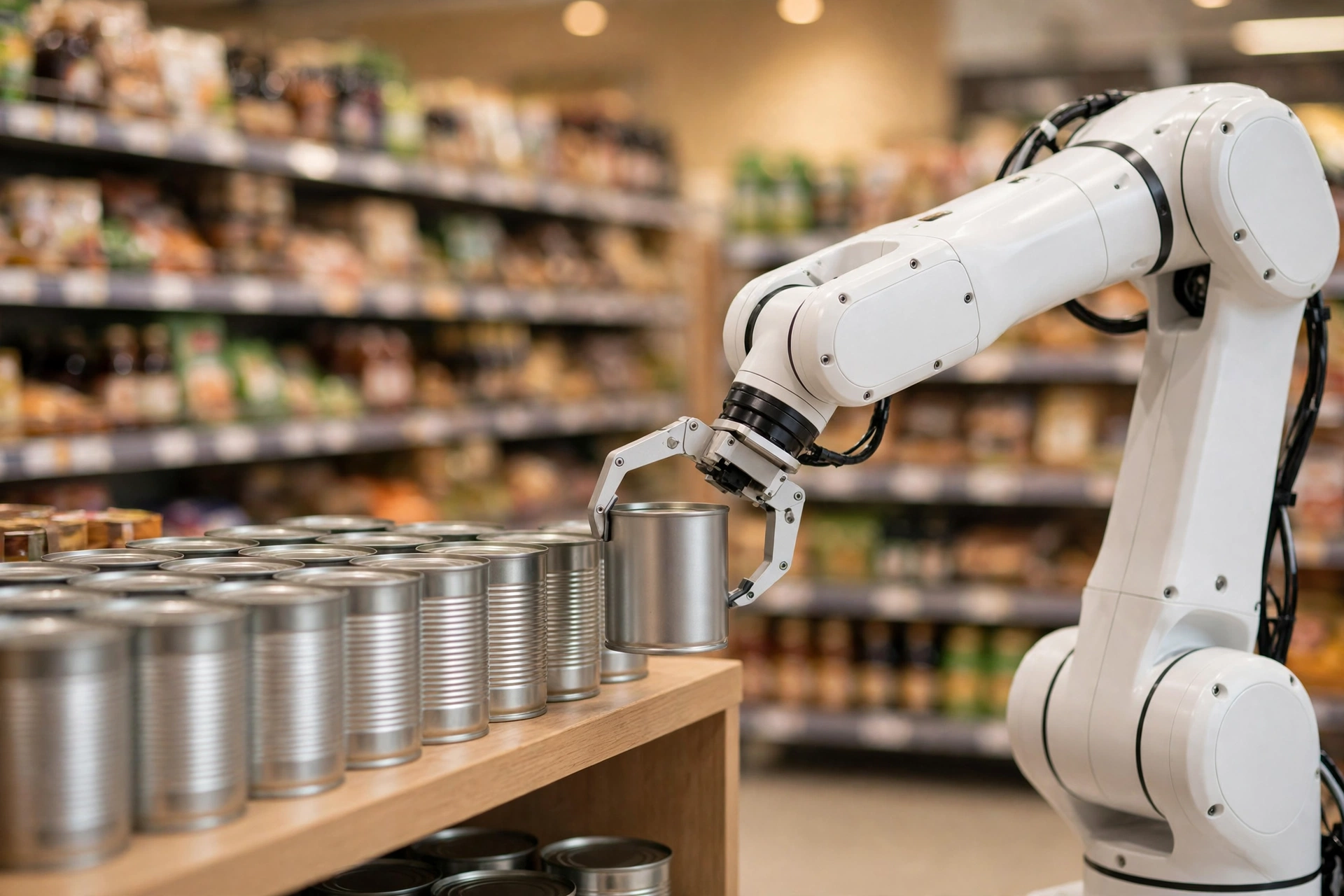
Then there is the physical work. A scanning robot cannot reach a top shelf, lift a heavy box, or tidy a shelf a customer has left in a mess. That is where robot arms come in, and even they are mostly used in back rooms rather than on the shop floor. And shoppers are unpredictable: a display moved for a promotion or a trolley left in the middle of an aisle can force a robot to pause and wait for help.
Will retail robots replace shop staff?
The short answer is no. Retail robots are good at checking and reporting, but poor at what shoppers value most from staff: advice, sympathy, and judgement.
A good shop assistant notices a customer looks lost, suggests a substitute when a favourite product is out of stock, and calms someone down when a refund goes wrong. A robot can point to aisle seven; it cannot read a frustrated face and decide to fetch a manager.
What is changing is the shape of the job: staff spend less time walking aisles with a clipboard and more time on the tasks robots cannot do. The same pattern shows up elsewhere — delivery robots carry parcels but hand them to a person at the door, and security robots patrol and report while people decide how to respond.
Frequently Asked Questions
Do retail robots work overnight?
Many do. Shelf-scanning robots often run after closing time, when the aisles are empty. They leave a report for the morning team, who restock and fix prices before the shop opens.
Can a retail robot scan a whole store?
Yes, given enough time and battery. A large supermarket might take a robot a few hours to cover fully. Most stores split the job across nights, or run the robot through the busiest sections more often, such as fresh food.
How much does a retail robot cost?
Prices vary widely by model and software contract, so there is no single figure. Cost is the main reason smaller shops have been slower to adopt them, and many stores rent the robots as a service instead of buying them outright.
Are retail robots safe around children and pets?
They are designed to be. They move slowly, stop when something blocks their path, and use lights or sounds so people notice them. Staff can also stop them with a button or a remote control.
Conclusion
Retail robots work best as quiet helpers: scanning shelves, flagging gaps, and pointing shoppers in the right direction, while people do the thinking, lifting, and customer care. The technology already saves staff hours every week, but it still struggles with messy shelves and lookalike packaging.
If you run a shop, start by timing how long shelf checks and stock counts take your team each week. If the same gaps keep appearing, a shelf-scanning robot on a trial or rental basis is the machine most likely to pay for itself first.