
Social VR is a shared virtual space where people meet as avatars instead of video tiles. You put on a headset, pick an avatar, and join friends in a virtual room, game, concert, or classroom. You can talk, gesture, and move around together, even when you are in different cities.
Key Takeaways
- Social VR means meeting other people inside a virtual world as avatars, not just watching a screen.
- A headset, controllers or hand tracking, and a microphone carry most of the experience.
- People use social VR to chat, play games, watch shows, learn, and attend events together.
- Avatars, voice, and gestures make it feel more like being in the same room than a video call.
- Comfort settings, privacy controls, and breaks matter, especially for new users.
What Is Social VR, Exactly?
Think of it as a video call you can walk around in. In a normal call, everyone sits in a rectangle on a screen. In social VR, everyone shares the same virtual place. Your avatar stands where you stand, turns when you turn, and waves when you wave. That sense of shared space is the whole point.
It is not one single app. Social VR is a type of experience offered by several apps and platforms, each with its own worlds, rules, and crowd. Some focus on games, some on hanging out, and some on work or learning. You usually create an account, design an avatar, and then join public rooms or private sessions with people you invite.
You do not need to be a gamer to enjoy it. Plenty of people log in just to talk, watch a film with friends, or sit around a virtual campfire. The barrier is lower than it sounds, though the first session can feel strange. Give yourself ten quiet minutes to get used to moving and talking before judging it.
How Does Social VR Work?
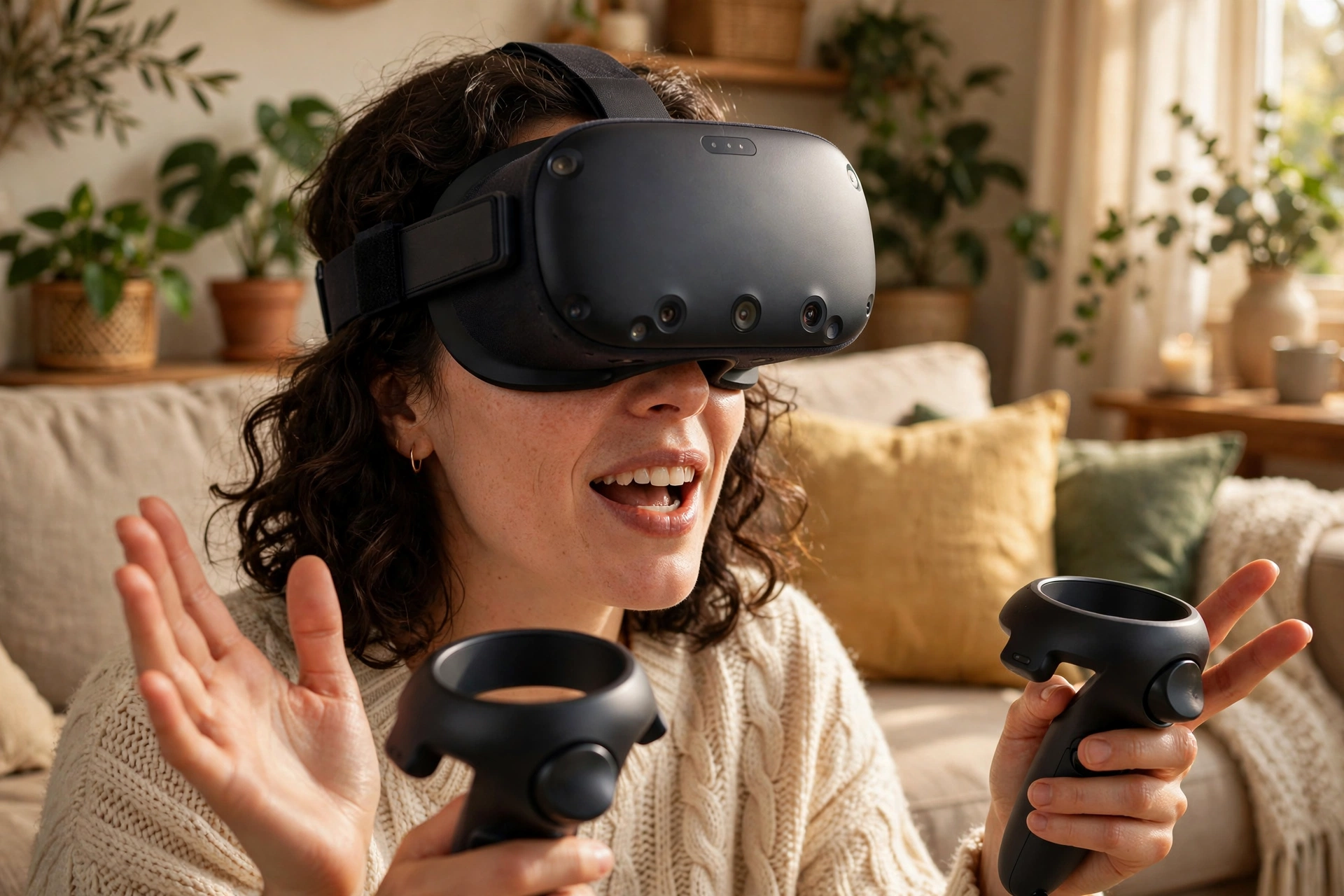
The headset is doing most of the heavy lifting. It shows a slightly different image to each eye, which your brain reads as depth, and it tracks your head so the world moves naturally when you look around. Controllers, or hand tracking on newer headsets, follow your hands so your avatar can point, grab, and wave.
Your voice travels through the headset microphone, just like a phone call, and spatial audio makes nearby voices sound close and distant voices sound far away. That one detail changes a lot. In a big virtual room, you can drift toward one conversation and away from another, the way you would at a party.
Behind the scenes, a server keeps everyone’s position, voice, and avatar in sync. That is why a stable internet connection matters more than a fancy headset. If your connection stutters, avatars may freeze or voices may cut out, even on good hardware. A wired connection or a strong Wi-Fi signal near your router usually helps.
What Can You Actually Do in Social VR?
The simplest answer is: most of the things you do when friends come over, minus the snacks. You can play team games, explore a virtual museum, watch a movie on a giant virtual screen, or just sit and talk. Some apps host live events, comedy nights, and classes where a host guides the group.
Work teams use social VR too, for brainstorming sessions and training that feel more hands-on than a slide deck. It is not a replacement for meeting in person, but for a team spread across time zones, standing around the same virtual whiteboard can beat staring at another grid of faces.
Creative people get a lot out of it as well. You can build a world, decorate a room, or perform for an audience without renting a venue. That creative side is part of why social VR keeps growing: visitors are not only consumers, they are often the ones making the places other people visit.
What Are Avatars, and Why Do They Matter?
Your avatar is how other people see you in the virtual world. It can look like you, like a cartoon version of you, or like something completely different. Some people pick realistic avatars for work meetings and playful ones for game nights, and many apps let you switch in seconds.
Avatars matter because body language carries meaning, even a simplified version of it. A nod, a wave, or stepping closer to someone says something that text alone cannot. That said, an avatar is a rough sketch of a person, not the full picture. Facial expressions are limited on most headsets, so people lean on voice tone and gestures more than they might expect.
It is worth thinking about what your avatar says before you join a public room. A friendly, clearly visible avatar tends to get friendlier responses, while an oversized or distracting one can put people off. In private sessions with friends, anything goes, and that is half the fun.
Is Social VR Safe and Private?
Like any online space, social VR has real upsides and real risks, and a little setup goes a long way. Most apps let you mute, block, and report other users, and many offer private rooms where only invited guests can enter. If you are new, start in private sessions with people you know before wandering into large public worlds.
Privacy controls deserve a quick look too. Check what your profile shows, whether strangers can join you uninvited, and whether your microphone is open by default. Turning on push-to-talk or a quick mute button can save you from broadcasting a private conversation by accident.
Parents should note that age ratings and supervision tools vary a lot between apps. Check the rating and the safety settings of the specific app before letting a younger user join public rooms. A shared family headset also means a shared account in many cases, so keep that in mind.
What Do You Need to Get Started?
You need a VR headset, a compatible app, and an internet connection. Standalone headsets are the simplest starting point because they do not need a gaming PC or a console. If you already own a headset, you probably only need to download a social VR app and create an account.
Comfort is the part beginners often skip. Adjust the straps so the headset sits snugly but not tightly, set your play area clear of furniture, and start with short sessions of twenty to thirty minutes. If you feel dizzy or queasy, take the headset off and rest. Comfort settings like snap turning and teleport movement can make early sessions much easier.
You do not need the newest headset to try it. Older models still run many social apps well, though graphics and tracking will be simpler. Borrow a friend’s headset for a first session if you can. It is a much better test than any review, because comfort and motion tolerance are personal.

Frequently Asked Questions
Do I need friends who already use VR to enjoy social VR?
No. Public rooms and events are full of strangers who are happy to chat, and many apps suggest rooms based on your interests. Starting with friends is easier, but it is not required.
Is social VR the same as the metaverse?
Not quite. The metaverse is a broad idea about connected virtual worlds, while social VR is a specific thing you can do today: meeting people inside a virtual space with a headset. Social VR apps are part of that bigger idea, not the whole of it.
Can I use social VR without a headset?
Some apps offer a desktop mode that lets you join from a computer screen, but you lose the sense of presence that makes social VR special. Think of it as watching a party through a window instead of standing in the room.
Does social VR work for work meetings?
It can, for small team sessions, brainstorming, and training. It works best when everyone has a headset and a decent connection. For quick status updates, a normal video call is usually faster and simpler.
How do I avoid feeling sick in social VR?
Start with short sessions, use teleport movement and snap turning, and stop at the first sign of discomfort. A good headset fit, a high frame rate, and a cool, ventilated room all help. If queasiness persists, social VR may simply not suit you, and that is fine.
Conclusion
Social VR is at its best when it feels like a place, not a piece of software. Pick a comfortable headset, start in a private room with people you trust, and learn the mute and block controls before you explore public worlds. Then try one thing this week: join a friend in a virtual room for a game, a film, or just a chat. You will know within one session whether the feeling of actually being there is worth the headset.