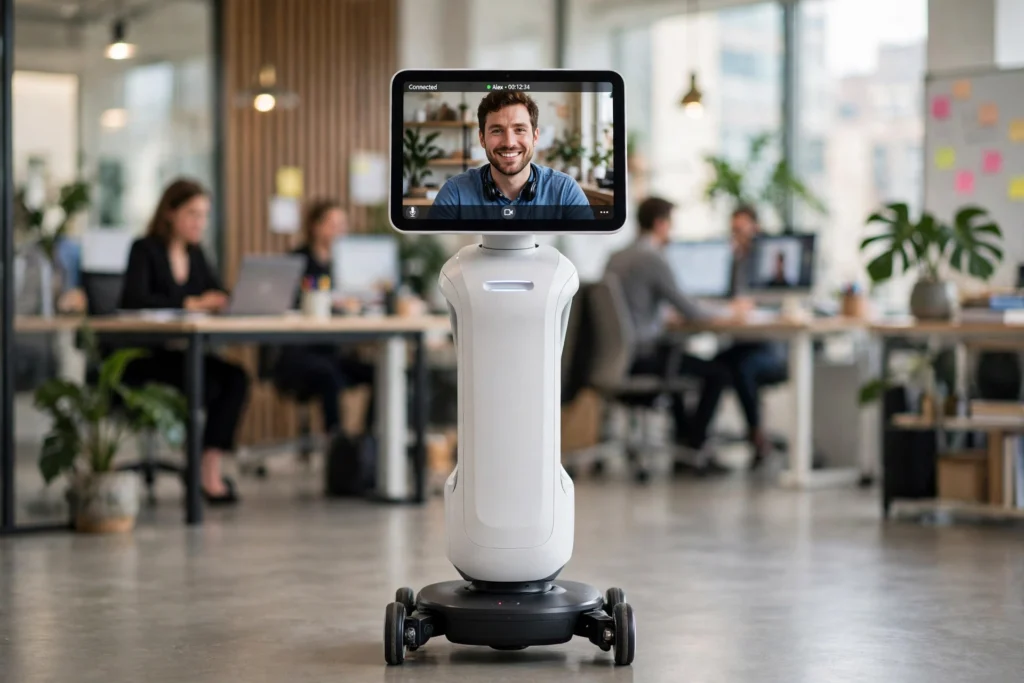
A telepresence robot is a rolling screen with a camera, microphone, speaker, and wheels, driven by a person somewhere else. The remote person sees through the robot’s camera, speaks through its speaker, and steers it with a laptop, tablet, or phone, so they can join a meeting, visit a classroom, or check on a home without travelling there in person.
In short, it works like a video call that can move around the room. The robot acts as the remote person’s presence there, while the person stays at their own desk.
Key Takeaways
- A telepresence robot combines live video, two-way audio, a mobile base, and remote controls.
- The remote operator drives it over Wi-Fi or mobile data, usually from a browser or app.
- Cameras, microphones, speakers, and sensors handle seeing, hearing, talking, and avoiding obstacles.
- It is best for meetings, tours, check-ins, and classes where being able to move and look around matters.
- Good Wi-Fi, clear privacy rules, and a charged battery matter more than fancy features.
What is a telepresence robot?
A telepresence robot gives a distant person a physical presence in another place. Most models have a screen mounted at roughly head height on a slim stand, with a wheeled base below. Some are tall and freestanding, while others are smaller desktop units that only pan and tilt a tablet or phone.
The key difference from an ordinary video call is movement. On a normal call, the camera stays put. With a telepresence robot, the remote person can drive down a corridor, turn towards whoever is speaking, or follow a colleague to another desk.
How does the remote person control it?
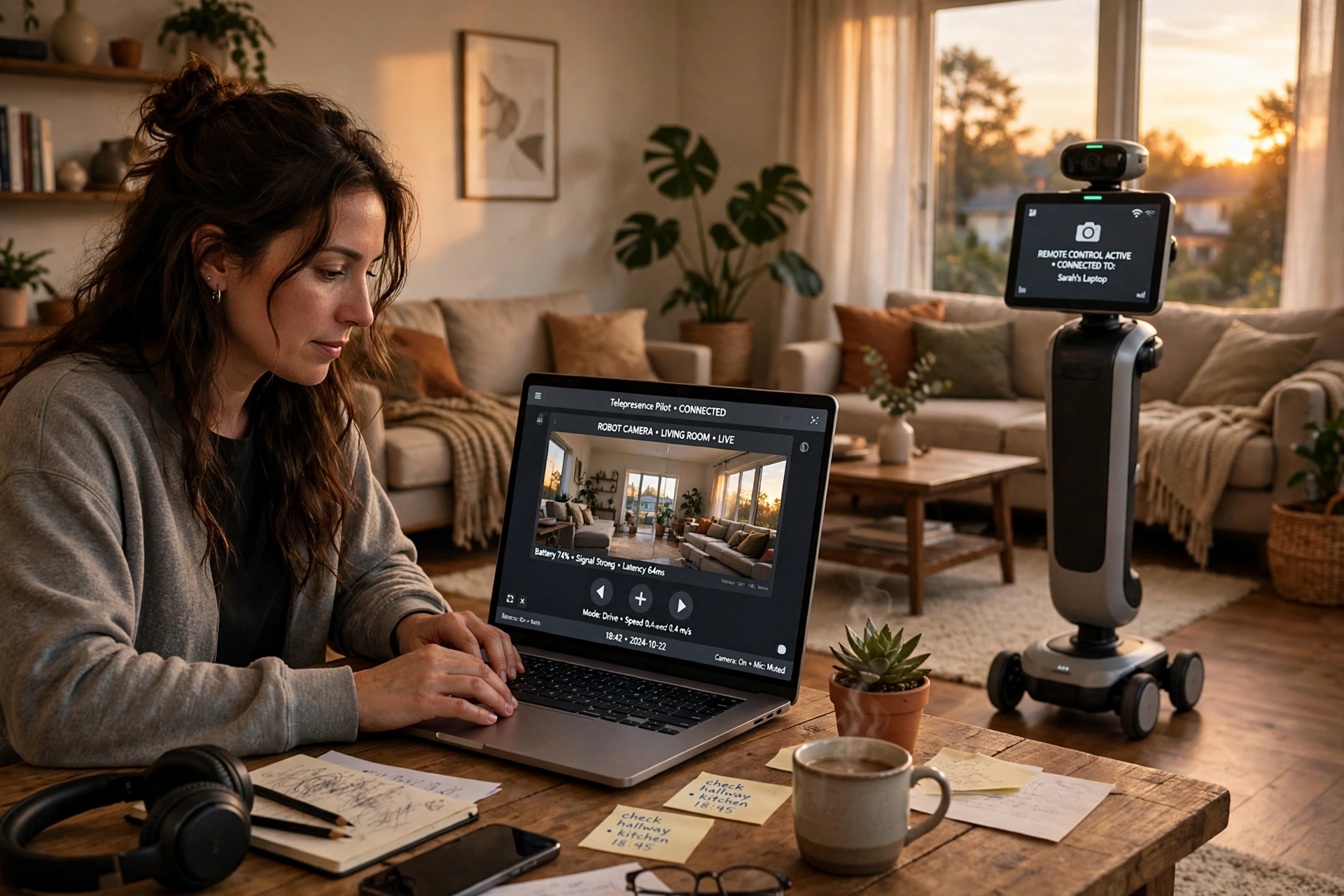
Control usually starts with a web page or app. After signing in, the operator sees the robot’s live camera view and a set of driving controls. On a laptop, arrow keys or on-screen buttons are common. On a tablet or phone, a joystick-style control or drag gesture often does the same job.
The commands travel over the internet to the robot, which moves its wheels or turns its head. Video and audio travel back the other way. If the connection is fast and steady, conversation feels normal; if it lags, driving becomes clumsy and people talk over each other.
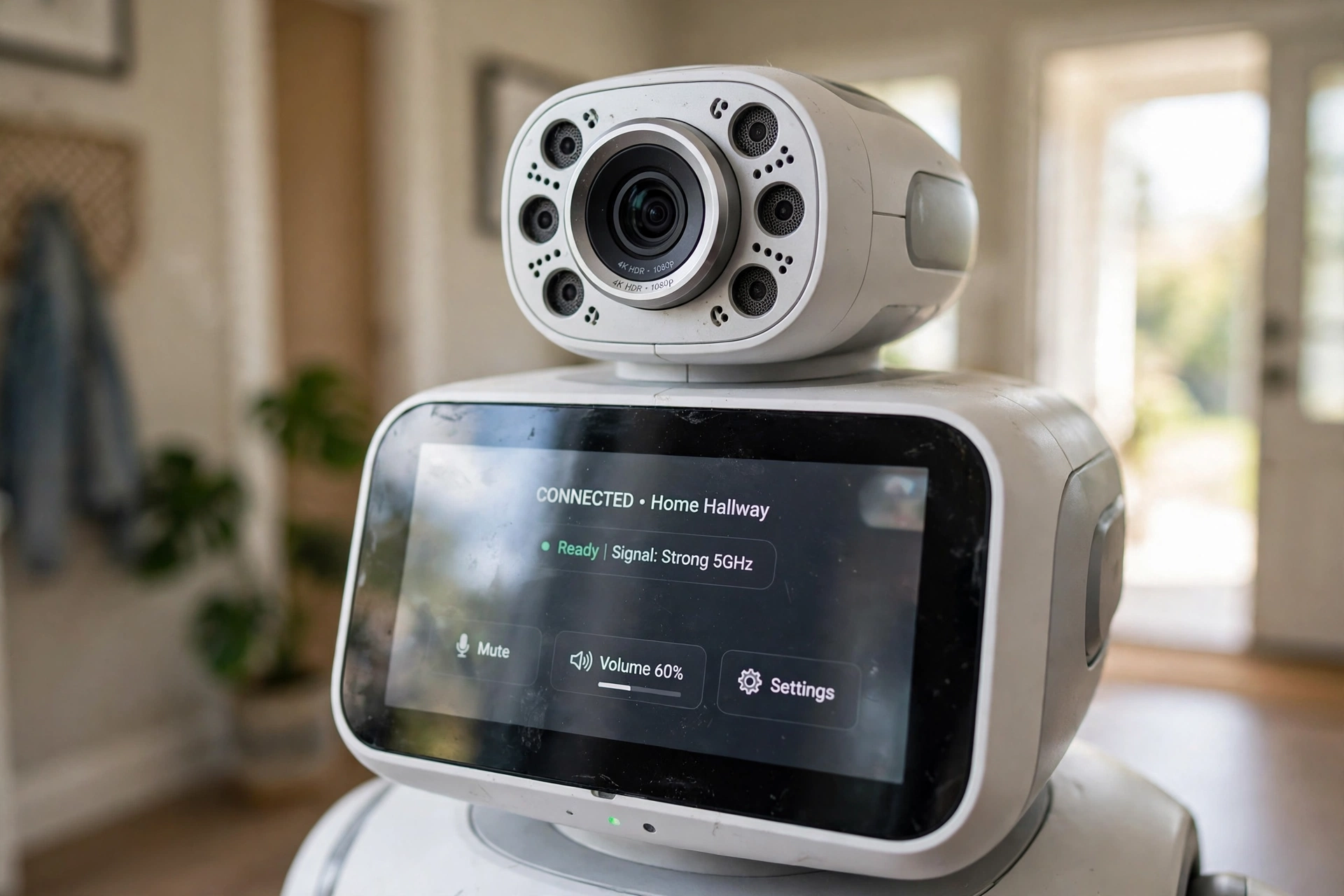
What parts make it work?
A typical model has five main parts.
First, the camera lets the remote person see; many use a wide-angle lens, and some add a floor-facing camera to help with driving. Second, the microphone picks up nearby voices, with noise reduction to limit background hum. Third, the speaker lets the remote person be heard without echoing around the room. Fourth, the screen shows their face, so people in the room know who they are talking to. Fifth, the mobile base moves: motors drive the wheels and a battery powers the machine, with some bases able to turn in place in tight spaces.
How does it avoid bumping into things?
Most are not fully self-driving, but sensors can detect a wall or chair leg ahead and slow or stop the robot. More advanced models map a room, remember the charging dock, and can return there alone.
That assistance helps, but it does not replace careful driving. The operator still needs to watch for cables, steps, raised rug edges, and pets or children who might dart in front of the wheels. A slow speed and a quick tidy-up beforehand prevent most bumps.
Where are telepresence robots actually used?
Offices are a common setting: a remote team member can join a meeting, walk to a colleague’s desk, or tour a workspace without flying in. Schools use them when a student cannot attend in person for a while but still wants to join lessons.
Healthcare and care settings use similar ideas for check-ins, though these visits do not replace hands-on care. At home, some people use one to check on an older relative, look in on a pet, or show a distant family member around a house.
What are the limits and privacy questions?
Limits are real. Many models run for several hours, but a long day of meetings usually needs a charging break. Wi-Fi dead spots can freeze video or stop a robot mid-corridor, and stairs, thick carpets, and narrow doorways trouble models built for flat indoor floors.
Privacy deserves a plain conversation before the first visit. People in the room should know when the robot is live, who is driving it, and whether it can record. Announce visits, keep camera and microphone off when not in use, and avoid private spaces unless everyone has agreed.
How is it different from a robot vacuum or a humanoid robot?
A robot vacuum also moves around a home, but its job is cleaning, not conversation. A robot arm grips and lifts objects in one fixed spot, while a telepresence robot carries a conversation from place to place. Humanoid robots try to look and move like people, while most telepresence robots keep a simpler shape: screen, stand, and wheels. And warehouse robots move goods along set routes, while a telepresence robot moves a person’s presence along a route chosen live.
What should you check before buying one?
Start with the room, not the robot. Measure doorways, check for steps or thick rugs, and test Wi-Fi in the places where the robot will travel. If the signal drops in a hallway, the robot will struggle there too.
Next, check battery life, charging, low-light camera quality, speaker volume, and how easy the controls feel on your phone or laptop. Ask about subscriptions, video encryption, and recording storage. A screen at eye level also feels more natural in a meeting than one low to the floor.
For background reading, see Britannica’s overview of robotics and Wikipedia’s explanation of telerobotics and telepresence.
Frequently Asked Questions
Can a telepresence robot work without Wi-Fi?
It needs an internet connection, usually Wi-Fi or mobile data. Without a steady connection, video freezes and driving becomes unreliable, so a strong signal in the robot’s area is essential.
Do telepresence robots drive themselves?
Mostly no. The remote person steers, although many models help by slowing down near obstacles, avoiding some bumps, or returning to a charging dock. Fully self-driving operation is not the norm for everyday models.
Are telepresence robots safe around children and pets?
They can be, with care. Drive slowly, clear cables and small toys, supervise early visits, and set clear rules about where it may go.
Can a telepresence robot climb stairs?
Most cannot. They are designed for flat indoor floors, so stairs, high thresholds, and thick carpets can stop them. Check the maker’s guidance for floor types before buying.
Is a telepresence robot better than a video call?
It depends on the task. For a seated meeting, a normal video call is simpler. For a tour, a classroom visit, or a check-in where moving and looking around matter, a telepresence robot can feel much closer to being there.
Conclusion
A telepresence robot works by putting a remote person behind a moving camera, microphone, speaker, and screen. The operator drives it over the internet, sees and hears the room, and talks with people there, while sensors and careful driving help it move safely indoors.
If you are considering one, start small: test your Wi-Fi where it will travel, agree privacy rules with everyone involved, and try a short visit before a full day of meetings. That test will quickly show whether a rolling video call is genuinely useful — or whether a regular video call will do just as well.